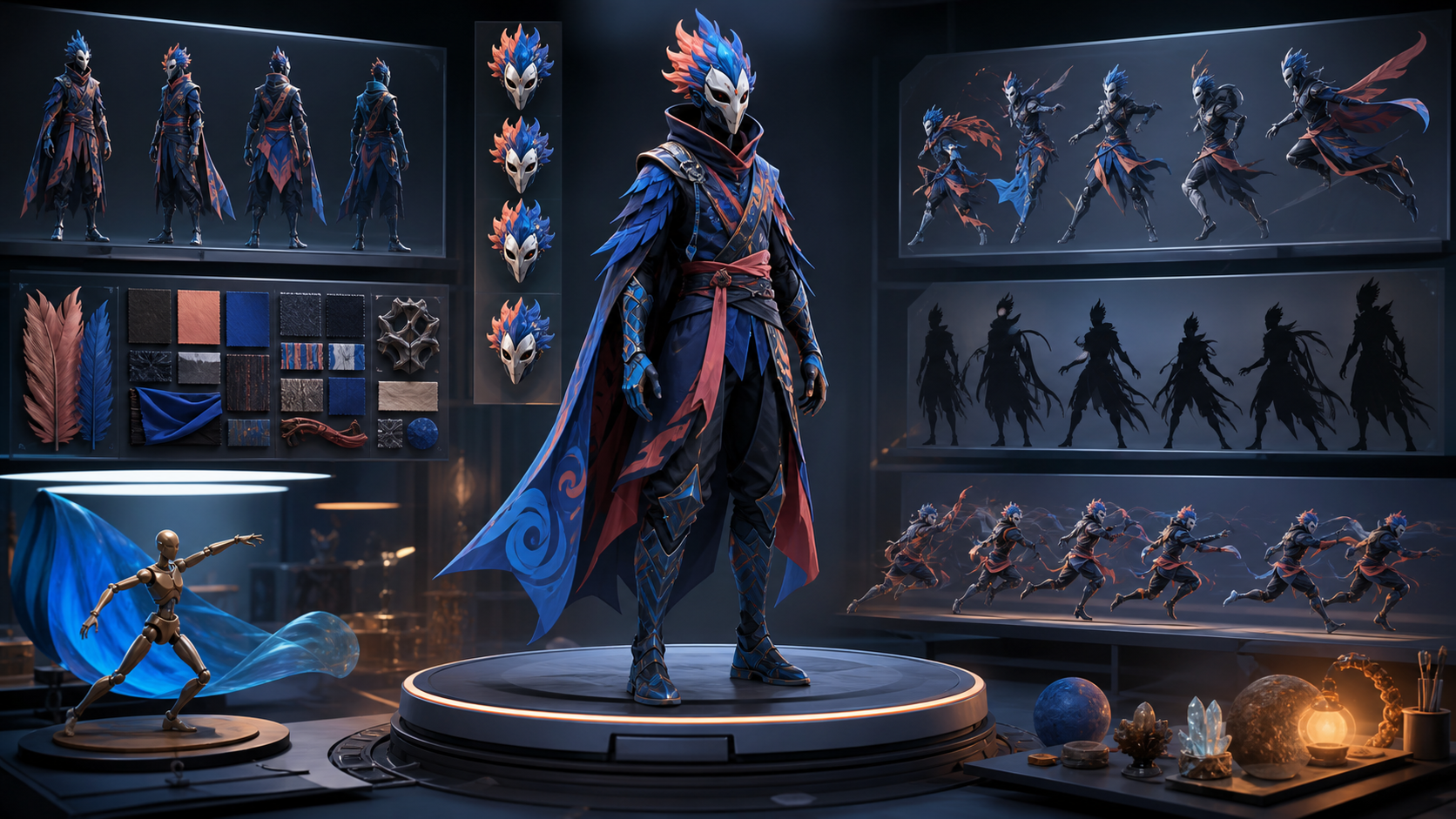
The best AI character creator is not necessarily the one that makes the most impressive first portrait. It is the one that helps you turn an idea into a character you can use again: from another angle, with a different expression, in a new outfit, and eventually inside a comic panel or moving shot.
That distinction matters because character work exposes the weaknesses of image generation very quickly. A beautiful close-up can hide an unstable silhouette, accessories that change between frames, or a face that stops looking familiar as soon as the camera moves. A production-ready character has to survive those changes.
This guide compares five useful options in 2026—DeepFake, PixAI, OpenArt, SeaArt, and Komiko—through that production lens. Each has a different strength, so the right choice depends on whether you are making anime original characters, advertising mascots, comic casts, stylized portraits, or assets for AI video.
Quick picks
| Tool | Best for | Main advantage | Check before committing |
|---|---|---|---|
| DeepFake | An all-in-one image-to-video workflow | Character images can move directly into a broader visual production pipeline | Test identity continuity across the models you plan to use |
| PixAI | Anime-first character exploration | Strong anime ecosystem, character references, pose control, and rapid iteration | Style-specific results may be less useful for non-anime projects |
| OpenArt | Reusable characters across varied visual styles | Flexible character creation from prompts or references, with image and video workflows | Expect small variations and budget time for cleanup |
| SeaArt | High-volume variations and multi-character experiments | Broad model selection, reusable character features, and video-oriented tools | A large feature set can make the workflow feel less focused |
| Komiko | Anime, manga, webtoon, and comic creators | Character attributes, reference uploads, and story-friendly creation tools | Confirm that the visual style and export quality fit your publication format |
There is no universal winner. If your output ends with one avatar, fast exploration may be enough. If the character must appear in ten scenes, hold a prop, emote, and animate, consistency and recovery tools matter far more than the first-generation beauty score.
What makes an AI character usable?
A useful evaluation begins with a concrete definition. For this comparison, a character is production-ready when it can preserve its recognizable identity while the creator changes five things:
- Camera angle: front, three-quarter, side, high angle, and low angle.
- Expression: neutral, delighted, angry, worried, and subtle in-between emotions.
- Pose: standing, seated, running, reaching, and interacting with an object.
- Context: studio portrait, outdoor scene, dramatic lighting, and a crowded composition.
- Medium: clean illustration, comic panel, promotional still, or an animation-ready frame.
The face is only part of identity. Silhouette, hairstyle, color blocking, outfit construction, proportions, signature props, and even posture all help viewers recognize a character. A tool that preserves the face but redesigns the jacket in every shot is still creating continuity work for the artist.
Consistency also is not a binary promise. Even a dedicated reference feature can drift when the requested pose is extreme, the face is small in frame, multiple characters overlap, or lighting hides important traits. Marketing language should be treated as a direction, not a guarantee. The practical question is how quickly a tool lets you correct a near miss.
How we compare character creators
These are the criteria worth using before you spend credits building a full cast.
Identity retention
Generate the same character as a headshot, waist-up shot, and full-body image. Look beyond eye color. Check facial geometry, hairline, costume seams, accessories, and height-to-head proportion. The character should remain identifiable without relying on an identical composition.
Reference control
A good reference system should accept a clean source image and let you specify what to preserve. Some tools are strongest with one portrait; others can learn from several angles. Multiple references can provide richer identity information, but contradictory images can confuse the model. Four carefully selected views are usually more valuable than a folder of twenty inconsistent pictures.
Pose and expression range
Character tools often look strongest in relaxed portraits because their training data favors them. Ask for a sprint, crouch, profile, hand gesture, and strong emotion. These tests reveal whether identity survives a demanding composition and whether the anatomy remains useful.
Editing and recovery cost
Generation is only the first pass. Compare how easily you can repair hands, swap a prop, redraw a local area, correct an outfit, or return to a previous version. A tool with slightly weaker first results can still win if its editing loop is faster and more controllable.
Downstream workflow
Think about the second use before making the first image. Will the character become a video, a comic sequence, a social campaign, or a game concept sheet? The most convenient creator is usually the one that minimizes exports and identity resets between those stages.
1. DeepFake: best for a connected visual workflow
DeepFake makes the most sense when character design is the beginning of a pipeline rather than the final deliverable. You can explore different models in the model library, establish a still-image design, and then carry a selected frame into an image-to-video workflow. That connection is useful for creators who do not want to rebuild their process across several unrelated services.
The practical advantage is optionality. A creator can compare visual directions, choose a hero frame, create scene variations, and test movement without treating every step as a new project. This is particularly helpful for short-form stories, virtual hosts, campaign characters, music visuals, and serialized social content.
DeepFake is not a substitute for a character bible. Different underlying models can interpret the same reference differently, especially when you switch from still generation to motion. Lock the character's non-negotiable traits first, then test the exact image and video models you intend to use. Save successful prompts, seeds or reference settings when available, aspect ratio, and model name.
Choose DeepFake when: you want one workspace for visual exploration and animation, you plan to compare several generation models, or your character needs to move quickly from concept art into video.
Watch for: identity drift between different models and motion passes. Start with a short, simple movement test before attempting a complex scene.
2. PixAI: best for anime-first character creation
PixAI is designed around anime, manga, and illustration culture. Its browser-based workflow lowers setup friction, while daily credits make early experimentation accessible. For anime original characters, that specialization is meaningful: style vocabulary, community examples, model choices, and common character-design conventions are already central to the product.
Its current character-reference workflow can use one to four reference images alongside a prompt. Pose-oriented controls add another way to direct the body rather than hoping the prompt alone produces the requested staging. PixAI also offers more specialized reference and editing modes for creators who need continuity across iterations.
Model choice changes the character's visual grammar. An anime-focused model may produce cleaner cel shading and familiar proportions, while another may lean toward semi-realistic illustration. Do not switch models casually after approving a design; first make a small matrix showing how each candidate handles the same face, outfit, and pose.
PixAI's image-to-video features also make it possible to test motion after developing a still character. As with any video model, a successful illustration does not guarantee stable animation. Loose hair, small jewelry, patterned fabric, and partially hidden hands are common stress points.
Choose PixAI when: anime aesthetics are essential, you want many stylized model choices, or pose and character references are more important than photorealism.
Watch for: becoming attached to a beautiful style before testing repeatability. Run full-body and side-view checks early.
3. OpenArt: best for flexible reusable characters
OpenArt suits creators who want a reusable identity without committing to one narrow art style. Its consistent-character tools can begin with a prompt, a reference image, or a preset, and the resulting character can participate in broader image and video workflows. That makes it a useful middle ground between a general art generator and a dedicated character system.
The strongest use case is exploration followed by reuse. For example, you can test a character as a painterly fantasy hero, a clean editorial illustration, and a cinematic concept before choosing the final direction. Once the visual language is settled, consistent references help maintain the core identity across later scenes.
Flexibility also introduces more variables. A dramatic style change can alter facial proportions, simplify clothing, or reinterpret the character's age. Small variations are normal, so it helps to identify which traits are semantic—"short silver bob, wide dark brows, triangular amber pendant"—and which are merely features of the reference image's lighting.
Choose OpenArt when: you need cross-style exploration, want prompt- and image-based starting points, or expect to use the character across both still and moving media.
Watch for: treating a consistency feature as a perfect clone function. Keep a repair pass in your schedule and avoid changing style, lens, pose, and lighting all at once.
4. SeaArt: best for broad experimentation and character libraries
SeaArt offers a large creative ecosystem, which is useful when volume and variety are priorities. Its character-oriented tools include reference-based generation, pose workflows, reusable character assets, and video features. Creators building several concepts at once can explore a wide range of looks without relying on a single model family.
Its reusable character and video workflows are especially relevant for ensemble projects. The platform presents tools for placing characters into new scenes and, in some cases, working with multiple characters or replacing a character in existing footage. Those capabilities are worth testing for storyboards, short narrative experiments, and social series with recurring cast members.
The caveat is complexity. A large catalog can tempt creators to keep changing models and settings, which makes comparisons unreliable. Build a controlled experiment: one prompt, one reference set, one aspect ratio, and four required shots. Change only one variable per round.
Claims of flawless consistency should always be validated on your own material. A clean single-person portrait is easier than a two-character action scene, and a successful demo may not represent your costume, camera, or art style.
Choose SeaArt when: you value model breadth, want to generate many variations, or need to experiment with reusable and multi-character workflows.
Watch for: workflow sprawl. Name versions carefully and record the exact settings behind approved frames.
5. Komiko: best for anime, comics, and webtoons
Komiko is oriented toward anime art, comics, and character-led storytelling. Its original-character workflow supports prompt-based design as well as reference uploads, with controls for visual attributes and familiar genres such as manga, fantasy, and game art. This focus can be more useful to a comic creator than a general image generator with hundreds of unrelated styles.
Reference uploads can include several images, which is helpful when you already have sketches or a turnaround. A strong input set should show the same canonical outfit and avoid conflicting details. Include a clear face, a three-quarter view, a full-body frame, and one expression study rather than multiple heavily filtered portraits.
Komiko's appeal is the path from a character concept toward panels and animation. Mobile access also helps creators capture ideas and iterate away from a desktop. For final publication, inspect output dimensions, upscaling options, line quality, and whether small costume details remain legible at the intended panel size.
Choose Komiko when: your destination is manga, webtoon, anime-style storytelling, or a character-centric mobile workflow.
Watch for: designing only a portrait. Comics require repeatable body language, environments, and interaction between cast members.
A fair four-image stress test
Comparing tools by their gallery examples is misleading because every gallery selects its strongest outputs. Use the same test on each platform instead.
Image 1: neutral identity card
Generate a three-quarter waist-up portrait with soft, even light and a simple background. State the character's age range, facial structure, hair, core colors, and signature accessory. This is your baseline, not the final artwork.
Image 2: intense expression
Keep the outfit and camera distance similar but request fear, anger, or delighted laughter. Look for changes to face shape, eye spacing, hair, and perceived age. A character that only survives a neutral expression is not ready for storytelling.
Image 3: medium full-body action
Ask the character to run, reach, or turn while holding a simple prop. Check silhouette, anatomy, costume construction, hand-object contact, and whether the signature detail remains visible.
Image 4: environmental scene
Place the character in a location with a different lighting scheme. This reveals whether the tool understands the identity or merely repeats the original portrait's pixels and colors.
Score each output from one to five in identity, anatomy, direction accuracy, cleanup effort, and readiness for your next medium. Then perform a second-use test: take the best frame into the actual comic, campaign, or text-to-video process you plan to use. The winner is the workflow with the lowest total recovery cost, not the highest single-image score.
Build a character bible before generating scenes
A one-page character bible makes every tool more reliable. It should be concise enough to paste into a prompt but precise enough to resolve ambiguous generations.
Include:
- A short identity sentence: role, apparent age range, energy, and story function.
- Fixed physical traits: face shape, hair silhouette, proportions, and distinctive marks.
- A limited color palette with three to five core colors.
- Outfit construction: layers, closures, materials, and where each color appears.
- One or two signature props or accessories.
- Expression notes and habitual body language.
- Negative constraints: traits, colors, garments, and visual clichés to avoid.
- Approved front, three-quarter, side, and full-body references.
Avoid bloated prompts full of synonyms. Repeating "beautiful, stunning, gorgeous, perfect" adds little control. Concrete spatial language is more helpful: "asymmetrical collar fastened on the left," "round glasses with a thin copper frame," or "one teal stripe running from shoulder to cuff."
Use a stable prompt template:
[Character identity and fixed traits], [canonical outfit], [expression and pose], [camera and framing], [environment], [lighting], [visual medium], preserve [three non-negotiable details], avoid [known failure modes].
When a generation fails, change the smallest possible part. If you rewrite the entire prompt, change the model, and replace the references together, you will not know which decision improved or damaged continuity.
Choosing by project type
Anime original character
Start with PixAI or Komiko because their visual language and creator workflows are aligned with anime and comics. Compare their ability to preserve the character in profile, full-body action, and panel-sized compositions. SeaArt is useful when you want a broader model search.
Recurring social or marketing character
Prioritize a simple silhouette, limited wardrobe, and repeatable shot types. DeepFake's connected image and video workflow can reduce handoffs, while OpenArt is attractive if the campaign needs several art directions before approval.
Comic or webtoon cast
Test two characters in the same frame. Consistency for one face is only half the problem; the tool must also preserve height relationships, outfits, eyelines, and clear staging. Komiko's story orientation is relevant, while SeaArt's multi-character features deserve a controlled trial.
Animated short
Design for motion from the beginning. Use fewer tiny accessories, avoid fragile repeating patterns, and create clean full-body references. DeepFake, PixAI, OpenArt, and SeaArt all provide routes toward motion, but the decisive test is a five-second clip with head turn, hand movement, and cloth or hair motion.
Rights, consent, and responsible character design
Original character tools do not remove ordinary creative and legal responsibilities. Build characters from your own descriptions, licensed material, or references you have permission to use. Do not ask a model to reproduce a protected character exactly and then assume a cosmetic change makes the result independent.
If a reference depicts a real person, obtain meaningful permission, especially for commercial publication or animation. Review each platform's current terms for commercial use, data handling, public galleries, model training, and deletion. Those details can change and may differ by plan or feature.
Also consider cultural cues and stereotypes. A character bible should describe personality and story function as thoughtfully as appearance. Avoid using ethnicity, disability, age, or gender as a shortcut for villainy, comedy, or incompetence.
Finally, keep provenance records: prompts, source references, licenses, model and version, generation date, edits, and final approval. This makes revisions easier and gives collaborators a clear account of how the asset was produced.
Final recommendation
Choose the tool that passes your next production step.
- Pick DeepFake for a connected still-to-video workflow and model choice.
- Pick PixAI for anime-first exploration, reference control, and pose-driven iteration.
- Pick OpenArt for reusable characters that must travel across styles and media.
- Pick SeaArt for broad experimentation, high-volume variants, and character libraries.
- Pick Komiko for anime, manga, webtoon, and comic-centered creation.
Before buying a large credit package, run the same four-image stress test and one downstream-use test. A character creator should not merely surprise you once. It should help you make the third scene faster than the first.
Frequently asked questions
What is the best free AI character creator?
The answer depends on current credit policies and your required style. PixAI is a practical starting point for anime experimentation because it offers daily credits, while other services may provide limited free generations or trials. Free allowances change, so verify them on the product's pricing page before planning a large project.
Can AI keep the same character across multiple images?
Yes, especially with dedicated reference or consistent-character features, but no workflow is perfectly immune to drift. Clean reference images, stable model settings, a character bible, and small controlled changes improve reliability.
How many character reference images should I use?
Use the fewest images that clearly describe the identity. A front or three-quarter portrait, side view, full-body image, and expression study are a strong set. More references can help only when they agree on the character's canonical traits.
Which tool is best for making an anime character?
PixAI and Komiko are the most directly anime-oriented options in this comparison. PixAI offers a broad anime generation ecosystem and pose/reference controls; Komiko is especially relevant when the character will continue into comics or webtoons.
Can I animate a character after creating it?
Yes. Several of these platforms connect character images to video tools. Begin with a clean, high-resolution image, keep the first motion simple, and inspect the face, hands, hair, costume details, and background after animation.
Can I use an AI-generated character commercially?
Possibly, but permission depends on the platform's current terms, your subscription, the references you supplied, and applicable law. Review the terms for the exact feature you use and keep records of licensed inputs and human edits.