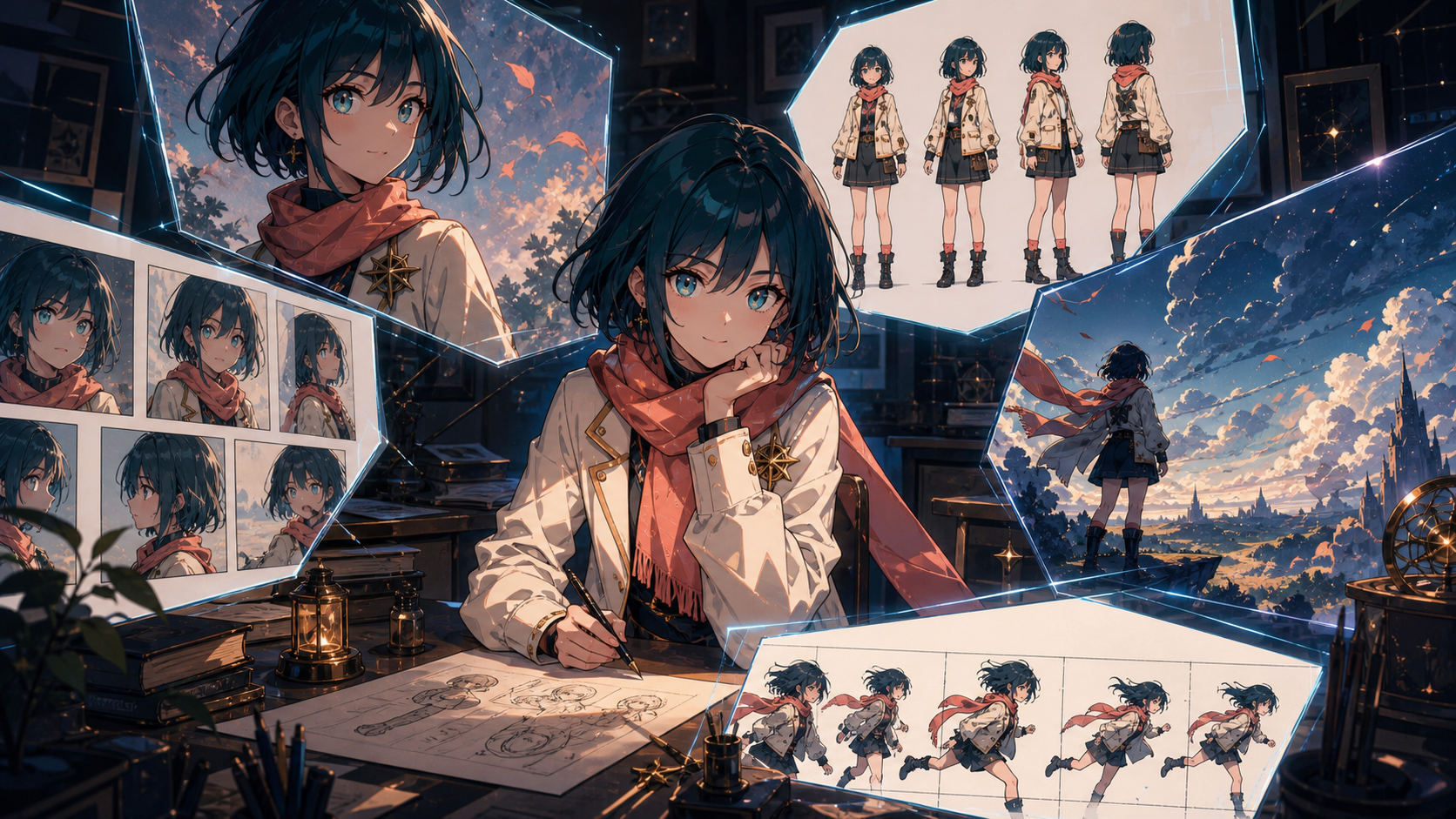
The best AI anime generator is not automatically the tool that makes the prettiest face. It is the one that fits what you want to do after the first image: refine an original character, build a manga page, create a scene pack, animate a short, or produce a repeatable series.
That second step changes the ranking. A portrait-focused platform can feel effortless until you need the same jacket from the side. A huge model library can inspire dozens of looks while making it harder to lock one identity. A video-oriented workspace may be more useful than a specialist still generator when your real destination is motion.
This guide compares five strong options in 2026—DeepFake, PixAI, SeaArt, Komiko, and ImagineArt—using production criteria rather than gallery hype. Features and credit policies can change, so verify plan details before committing to a large project.
Quick picks
| Tool | Best for | Why it stands out | Main caution |
|---|---|---|---|
| DeepFake | Anime images that need to become video | Multiple model options and a connected path from still design to motion | Test identity across the exact image and video models you plan to use |
| PixAI | Anime-first art and original character exploration | Specialist anime ecosystem, community models, references, editing, and browser/mobile access | The depth of controls and community choices can overwhelm beginners |
| SeaArt | Broad, high-volume experimentation | Large model/app ecosystem, pose and reference workflows, character libraries, and video tools | Model switching can make continuity harder to reproduce |
| Komiko | Manga, webtoon, and comic workflows | Character-centered tools, multiple references, panel-friendly art, and story adjacency | Confirm output dimensions and continuity across a full page, not one portrait |
| ImagineArt | Flexible anime plus wider creative production | Text and reference generation, varied styles, editing, video, and film-studio workflows | General breadth may feel less anime-native than a specialist platform |
No single tool wins every category. Choose based on the asset you need to deliver, the number of scenes, and how much cleanup you can tolerate.
What counts as a strong anime generator?
“Looks anime” is too low a bar. Anime itself includes many visual languages: limited television animation, polished cinematic fantasy, shōjo-inspired linework, graphic action, soft slice-of-life backgrounds, retro cels, chibi design, monochrome manga, and more.
A useful generator should let you direct several dimensions independently.
Style specificity
Can the tool respond to line weight, cel-shading steps, palette, background treatment, expression language, and compositional tone? Or does every request collapse into the same generic face and glossy finish?
Character identity
Does a character remain recognizable in front, profile, three-quarter, full-body, and action views? Check hairstyle silhouette, face geometry, proportions, costume construction, accessories, and color blocking—not just eye color.
Pose and anatomy
Portraits hide many failures. Ask for running, crouching, reaching, sitting, hand-object contact, and interaction with another character. A generator intended for comics or video must survive movement.
Scene composition
Can it build a readable environment around the character? Anime storytelling depends on establishing shots, medium action, close emotional beats, and background geography. A collection of isolated avatars is not a scene workflow.
Editing and recovery
How quickly can you repair a hand, restore an accessory, change an expression, or preserve the face while replacing the background? First-pass quality matters less when correction is expensive.
Repeatability
Can you save the model, prompt, references, seed or equivalent controls, and output settings? A strong look is only useful to a production team if it can be recreated.
Motion path
If animation is the goal, check whether the approved still can move into image-to-video, video transformation, character animation, or a wider scene tool without resetting the visual direction.
Rights and privacy
Review commercial terms, public versus private generation, reference-image handling, deletion, attribution requirements, and model-specific licenses. A platform's general commercial policy may not override rights attached to a community model or source image.
1. DeepFake: best for a connected anime-to-video workflow
DeepFake is the strongest fit in this comparison when anime art is the first stage of a motion project. You can use the model library to explore visual directions, select a stable character image, and carry that asset into an image-to-video workflow without treating animation as an unrelated afterthought.
That matters for short narrative scenes, anime music clips, virtual performers, character campaigns, story teasers, and social series. The creator can evaluate a still according to how well it will move: clear silhouette, readable hands, stable costume, adequate framing, and manageable background detail.
Model choice gives flexibility, but it also creates a continuity risk. Two image models may interpret “cinematic anime” differently, and a video model may simplify the face or redraw small costume details. Lock a style bible before switching stages:
- Approved front and three-quarter references.
- Fixed face, hair, proportions, and outfit.
- A small palette.
- Line and shading language.
- One stable prompt block.
- Exact model and settings.
- Known negative constraints.
Start animation with a simple five-second shot: breathing, blink, one head turn, and gentle camera motion. If identity holds, add more ambitious action in a second pass.
Choose DeepFake when: your final deliverable is video, you want to compare models in one production environment, or you need a still-to-motion workflow.
Watch for: assuming one reference will behave identically across every model. Validate the exact pipeline, not only the hero portrait.
2. PixAI: best anime-first ecosystem
PixAI is built specifically around anime, manga, and illustration. Its documentation, current as of July 2026, describes browser and mobile access, daily free credits, original-character creation, image editing, upscaling, sketch-to-image workflows, and a large community model and LoRA ecosystem.
That specialization is useful because anime vocabulary is native to the product rather than one category among many. Creators can explore character design, manga-like compositions, profile art, game assets, sprites, and reference sheets. PixAI's Mio.2 anime agent also offers a conversational route for generating and refining anime illustrations without requiring every user to understand advanced settings.
Reference control is a major strength. Current PixAI workflows include character-reference options, multi-reference editing, and pose-oriented controls. These are valuable for original characters, but references still need discipline. Use a consistent canonical outfit and avoid mixing art styles, ages, or face proportions in the same reference set.
Community models create both opportunity and responsibility. They can unlock highly specific looks, but quality, license terms, and behavior vary. Record the precise model and LoRA combination behind an approved image. Review whether commercial use requires attribution or carries model-specific restrictions.
Choose PixAI when: you want an anime-native environment, community discovery, references and pose control, mobile access, or rapid OC exploration.
Watch for: accumulating attractive variants without testing side views, full-body motion, or licensing. Variety is not the same as a reusable identity.
3. SeaArt: best for breadth and experimentation
SeaArt suits creators who want a large creative catalog and high-volume exploration. Its ecosystem includes text-to-image, community workflows, reference-driven apps, pose or composition guidance, editing, reusable characters, and video-oriented features.
For anime work, the breadth is useful when you are still choosing a direction. You can compare flat cel shading, manga-like ink, semi-realistic illustration, 3D anime, game concept art, and more. Reference-based character apps help stabilize appearance, while saved-character and video features give creators a path beyond standalone stills.
SeaArt also promotes multi-character and character-replacement workflows. Those claims should be tested with your material rather than treated as guaranteed. Two-character action is much harder than one centered portrait: the model must preserve both identities, height relationships, outfits, hands, eyelines, and scene geometry.
The main challenge is workflow sprawl. If every generation uses a different model, app, reference set, and prompt, the project cannot build visual memory. Create a controlled test matrix and change only one variable per round.
Choose SeaArt when: you want broad model discovery, many variations, reusable-character experiments, or a mix of image and video tools.
Watch for: believing marketing claims of perfect consistency. Score results across demanding poses and multiple scenes.
4. Komiko: best for manga and webtoon creators
Komiko is oriented toward anime art, comics, manga, webtoons, original characters, and visual storytelling. Its OC workflows can start from attributes, prompts, or several reference images. That makes it especially relevant when a character must become a cast member rather than remain a profile image.
The platform's story adjacency is its advantage. A comic creator needs panels, expressions, body language, scene continuity, and interaction. Even when a generator produces the art, creators still need to plan page rhythm, balloon space, reading direction, and visual hierarchy.
Use references strategically. A front portrait, three-quarter face, side view, and full-body canonical outfit give the model more useful identity information than nine filtered close-ups. Before creating pages, generate an expression sheet and action sheet.
Inspect output at the final reading size. Fine screentone, line weight, faces in small panels, and speech-balloon space can look acceptable when zoomed in but fail on a phone. Upscaling can increase resolution, but it cannot fix unclear staging or inconsistent anatomy.
Choose Komiko when: your destination is manga, webtoon, comic panels, or character-led storytelling.
Watch for: judging the platform only by a full-page preview. Review each panel, then read the page at actual size.
5. ImagineArt: best for flexible multi-medium creation
ImagineArt offers a broader creative studio that includes anime image generation, reference-image workflows, style variation, editing, video generation, and film-oriented tools. Its anime generator supports character and scene prompts as well as different anime aesthetics, while the larger platform can carry approved images into other production modes.
This flexibility is useful for marketers, concept teams, and creators whose project mixes anime with product, environment, cinematic, or promotional visuals. A user can explore an anime character, create a wider scene, animate it, and develop supporting creative assets without remaining inside one specialist art category.
General breadth can be a weakness when the project needs very specific anime controls. Test whether the chosen model reproduces your line language, face construction, and costume across scenes. Avoid vague requests such as “Ghibli style”; describe soft painted backgrounds, simplified natural shapes, gentle light, and the emotional tone you need without imitating a protected studio.
ImagineArt's plan structure and included model access can change, so evaluate current pricing based on the number of approved images or clips you need—not the maximum marketing estimate. Also check whether generations are public or private on the plan under consideration.
Choose ImagineArt when: you want anime generation inside a broader image, video, and film-production environment.
Watch for: paying for wide capability when your actual need is a focused anime still workflow. Run a small project benchmark first.
Best tool by anime goal
Anime profile picture or portrait
PixAI is a natural starting point because anime portraits and community styles are central to the platform. SeaArt is useful for comparing many looks. Any tool can pass this task, so do not let portrait quality alone determine a long-term workflow.
Original character development
PixAI, Komiko, and SeaArt offer relevant reference and character-oriented workflows. DeepFake becomes more attractive if the OC must animate. The deciding test is a character sheet plus four scene variations.
Manga or webtoon
Komiko has the clearest story-centered fit. PixAI is strong for character and illustration assets, while SeaArt offers broad model experimentation. Test panels with two characters, small faces, props, and changing camera distance.
Anime short or music visual
DeepFake leads when motion is central because the still can move directly into a broader video workflow. ImagineArt and SeaArt also offer paths toward video, while PixAI includes animation-oriented features. Compare five-second clips, not product feature lists.
Game concept art and sprites
PixAI's anime ecosystem and Mio.2 agent explicitly target assets and reference sheets. SeaArt's catalog can help explore styles, while ImagineArt is useful for a wider campaign around the game. Check sprite readability and consistent proportions at actual in-game size.
Photo-to-anime transformation
SeaArt and other platforms offer filter or reference-based workflows; DeepFake's video-to-video route is relevant when the source is moving footage. Use only photos and video you have permission to transform, and do not treat stylization as consent.
A fair six-image benchmark
Gallery examples are selected to impress. A controlled benchmark reveals workflow reliability.
Create one original character with this stable identity block:
An adult sky courier with short teal-black hair, amber eyes, a cream cropped jacket, coral scarf, navy trousers, wrapped boots, and a brass eight-point star pin on the left chest.
Then generate six tasks with the same model and reference settings.
Test 1: neutral portrait
Three-quarter waist-up view, soft even light, simple background. This establishes face, hair, palette, and costume.
Test 2: full turnaround
Front, side, three-quarter, and back. Check pin side, scarf construction, jacket length, and body proportions.
Test 3: expression sheet
Neutral, joyful, suspicious, angry, and exhausted. The face should remain the same person rather than a sequence of related characters.
Test 4: action pose
Running across a narrow bridge while holding a satchel. Check hands, ground contact, clothing, silhouette, and prop identity.
Test 5: environment
Place the character in a windy skyport at sunset. Check whether dramatic light changes identity or costume colors.
Test 6: interaction
Add a second original character and stage a handoff. Watch for face swapping, mixed outfits, incorrect height, and merged hands.
Score each image from one to five in:
- Identity.
- Anime style specificity.
- Prompt accuracy.
- Anatomy.
- Costume and prop continuity.
- Environment.
- Cleanup effort.
- Readiness for the next stage.
The best tool is the one with the highest usable sequence score and lowest recovery time, not the one with a perfect first portrait.
Build an anime style bible
A compact style bible improves every platform.
Character page
- Face shape, eye design, hair silhouette, and proportions.
- Canonical outfit with construction notes.
- Fixed prop and accessory locations.
- Front, side, back, and three-quarter views.
- Expression range.
- Color palette with a few core values.
Visual-language page
- Line color and weight.
- Number and softness of shading steps.
- Highlight treatment.
- Background detail level.
- Camera and composition tendencies.
- Texture or grain.
- How effects such as speed lines or glow are used.
Prompt block
Write one reusable paragraph containing identity and visual language. Do not rewrite those anchors for every scene. Add action, camera, environment, and emotion after the stable block.
Failure block
Record recurring problems: mirrored pin, missing scarf, changed jacket length, extra fingers, too-real skin, plastic 3D highlights, or background text. Keep the negative list focused.
A practical anime creation workflow
1. Define the output
Choose portrait, character sheet, comic page, scene pack, or video. Each requires a different aspect ratio, pose range, and level of consistency.
2. Explore styles without locking identity
Use a generic subject to compare models. This prevents you from approving a character before you understand the tool's visual bias.
3. Design one original character
Start with silhouette, role, palette, outfit function, and one signature prop. Avoid a pile of arbitrary accessories.
4. Create references
Generate and clean a front portrait, side view, full body, and expression sheet. Remove accidental text and correct hands or costume errors before using these images as references.
5. Run the six-image benchmark
Do this before building a chapter or a full edit. The test exposes drift while changes are still cheap.
6. Produce by scene or panel
Keep the model, style settings, references, and identity block stable. Adapt only the action, emotion, camera, and environment.
7. Edit, upscale, and composite
Fix local details, add final typography in a design tool, and ensure panels or video frames match. Upscaling is the last step, not a substitute for correct anatomy and staging.
8. Animate a controlled still
Begin with one approved frame and one action. Avoid complex camera movement until face, hair, clothing, and background remain stable.
9. Add sound and final polish
Animation feels more complete with intentional dialogue, ambience, effects, and music. Keep rights and voice consent documented.
Common anime-generation problems
Same face syndrome
Many prompts converge on a familiar generic face. Define face shape, brow, nose, eye spacing, hairstyle silhouette, age, and expression. Build diversity through design rather than ethnicity stereotypes.
Outfit drift
Describe how garments are constructed and layered. “Cream jacket” is weaker than “waist-length cream jacket with a high collar, two dark cuffs, and one coral-lined front opening.”
Mirrored accessories
State left and right explicitly and include them in turnaround tests. Mirroring remains common, especially when the pose reverses.
Pretty character, empty scene
Add a clear action, environment, camera distance, and foreground or background relationship. A scene prompt should describe what happens, not only where the character stands.
Style collapse across angles
Profile and back views may become more realistic or more generic. Use a style reference, repeat line and shading language, and test the views before production.
Over-detailed animation source
Fine patterns, tiny jewelry, dense hair strands, and complicated backgrounds may flicker. Simplify the final motion design while preserving identity anchors.
Unreadable comic page
Generate and review panels separately when necessary. Control reading order, panel purpose, balloon space, character placement, and eye direction. Add final dialogue in an editor.
Rights, originality, and responsible use
Anime generation does not erase copyright, trademark, likeness, or privacy obligations. Build original characters and visual languages. Avoid exact reproduction of protected characters, studio signatures, or a living artist's personal style.
Fan work may be tolerated in some communities but tolerance is not the same as commercial permission. Check the rights for characters, logos, costumes, music, community models, LoRAs, and reference images before publishing or selling.
Use real-person references only with meaningful consent, especially for sexualized, deceptive, political, or commercial content. Confirm how each platform stores uploaded images and whether generations are public by default.
Keep a provenance record:
- Source references and licenses.
- Platform and model.
- Community model or LoRA names and terms.
- Prompts and generation date.
- Human edits.
- Publication approval.
This record protects continuity as much as compliance.
Final recommendation
Choose DeepFake when anime art must become motion. Choose PixAI for an anime-native ecosystem, references, community models, and OC exploration. Choose SeaArt for broad model discovery and high-volume experimentation. Choose Komiko for manga, webtoon, and character-led story workflows. Choose ImagineArt when anime is one part of a wider image, video, and film-production process.
Before paying for volume, run one six-image character benchmark and one downstream test. A generator that produces fewer but more reusable assets may be a better value than one that makes hundreds of disconnected portraits.
Frequently asked questions
What is the best free AI anime generator?
PixAI advertises daily free credits and SeaArt offers accessible generation options, while other platforms may provide trials or welcome credits. Policies change, so verify current limits and whether outputs are public before starting a project.
Which AI anime generator is best for original characters?
PixAI, Komiko, and SeaArt all offer relevant character or reference workflows. The best choice depends on whether the OC will become art, a comic, or video. Test a turnaround and action scene rather than one portrait.
Which tool is best for anime video?
DeepFake is the most direct fit in this comparison when still design needs to move into a broader video workflow. SeaArt, ImagineArt, and PixAI also have animation-oriented features. Compare actual clips with your character.
Can AI keep an anime character consistent?
It can improve consistency through references, saved characters, stable prompts, and repeatable settings, but drift remains possible. Use a style bible and stress-test different angles, expressions, lighting, and interactions.
Can I use AI anime art commercially?
Possibly, depending on platform terms, plan, model license, references, subject rights, and applicable law. Check every layer; a platform's general permission does not legalize an unlicensed character or reference.
How do I avoid generic AI anime faces?
Define structural facial traits, age, expression, hair silhouette, body proportions, and personality through pose. Use an original reference sheet and avoid relying only on popular style keywords.
Is an anime specialist better than a general image generator?
An anime specialist often provides more relevant models, community knowledge, and controls. A general studio may be better when the project needs product, environment, marketing, or video assets alongside anime. Let the downstream workflow decide.