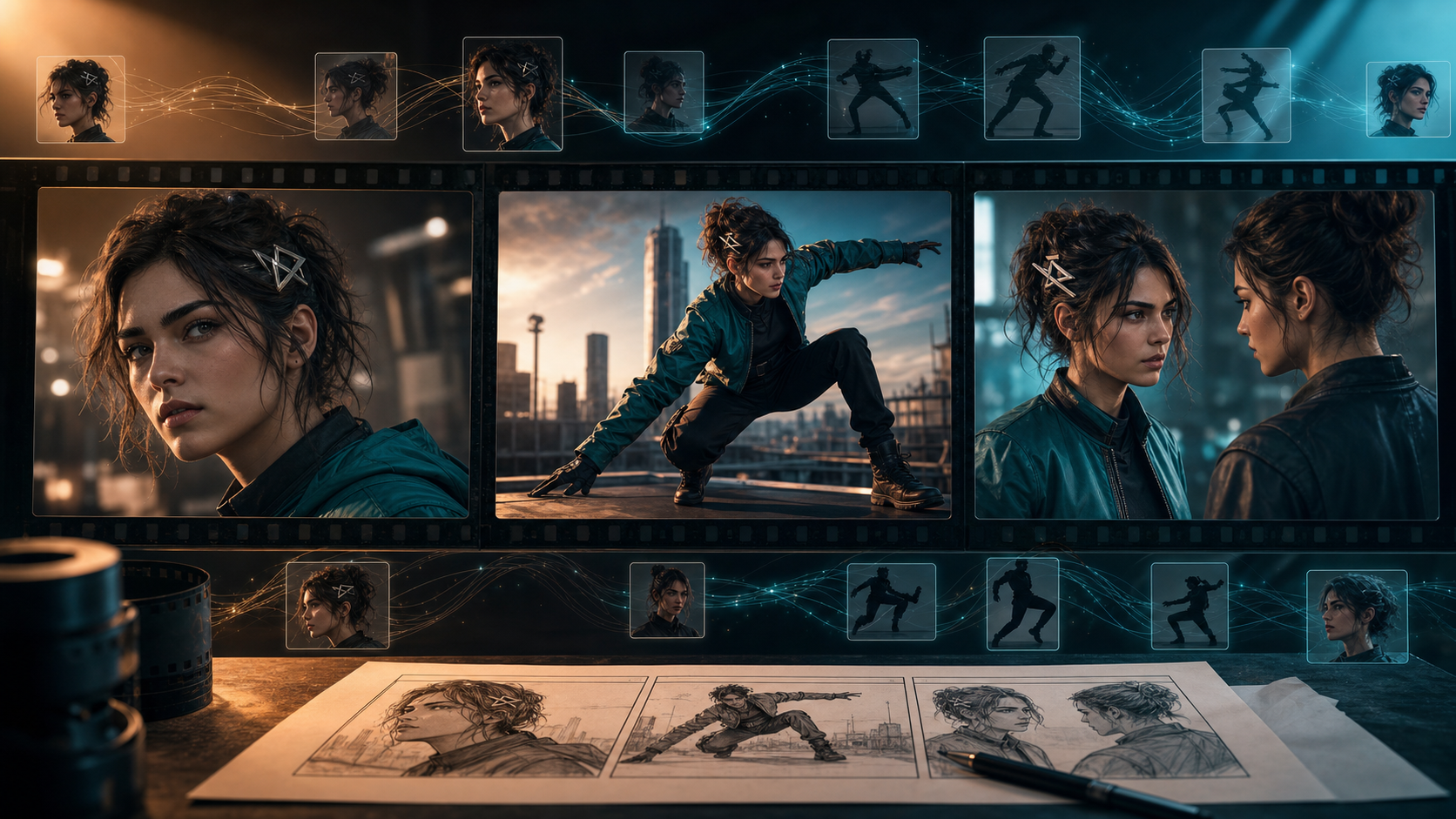
Character consistency is what turns a set of impressive AI-generated clips into a story viewers can actually follow. When a protagonist's face, outfit, proportions, or mannerisms change after every cut, the audience stops watching the scene and starts looking for errors.
The leading video models in 2026 provide stronger reference controls than earlier generations, but none can promise perfect continuity in every shot. The useful question is therefore not simply “Which model ranks first?” It is: which model accepts the references your production can supply, preserves them through the motion you need, and gives you an affordable way to repair failures?
This guide compares five serious candidates—Kling 3.0, Seedance 2.0, Veo 3.1, Runway Gen-4.5, and Luma Ray3.2—and turns the comparison into a controlled test you can repeat with your own characters.
What a consistent AI character actually requires
Character continuity has at least five distinct layers:
- Identity: face shape, eye spacing, apparent age, skin tone, and other recognizable facial traits.
- Design: hairstyle, clothing construction, accessories, color palette, and body proportions.
- Temporal coherence: stable appearance from frame to frame inside one clip.
- Cross-shot continuity: a recognizable match after a cut, camera-angle change, or location change.
- Performance continuity: posture, personality, energy, and emotional behavior that still belong to the same character.
A model may pass one layer and fail another. A locked close-up can preserve facial identity while a running full-body shot changes the coat, hands, or proportions. A presenter model may hold the face extremely well while allowing far less camera movement than a cinematic model. That is why a single overall score—or one polished vendor demo—cannot settle the question for every production.
The leading candidates at a glance
Kling 3.0: a broad multimodal candidate
Kling 3.0 is positioned as a multimodal family spanning image, video, and Omni workflows, with native audio and stronger narrative control. Related Kling materials also emphasize subject and scene consistency.
That breadth makes Kling a logical early test for story-driven work, multi-character scenes, and productions that want visual and audio generation in one model family. It can coordinate more creative signals than a text-only prompt.
The same breadth also increases complexity. Every additional actor, prop, camera move, and audio event creates another opportunity for drift. Judge it with the crowded, moving shots your project really needs—not only a clean portrait.
Seedance 2.0: strongest when you bring rich inputs
Seedance 2.0 supports combinations of text, image, video, and audio in compatible products. Those inputs matter because a model has less to invent when you provide a first frame, character sheet, rough animatic, motion reference, or approved performance.
This makes Seedance especially interesting for transformation and editing workflows: retain the timing or performance of an input, then change its visual treatment. Check the exact model and region available in your chosen interface, because access and model variants can differ across platforms and wrappers.
Veo 3.1: a reference-led cinematic option
Veo 3.1 offers controls relevant to continuity, including reference “ingredients” for characters and objects, first-and-last-frame guidance, scene extension, object insertion, and native audio in supported workflows.
The practical idea behind ingredients is more important than the label. Instead of describing every identity trait repeatedly in prose, you give the model visual material that represents the subject. Paired with precise shot direction, that can improve continuity across a planned sequence. Treat vendor-published human-rater results as useful evidence, but still validate your own style, motion, and delivery format.
Runway Gen-4.5: a workflow for iteration and repair
Gen-4.5 supports text-to-video and image-to-video, while the broader Runway environment includes reference, editing, organization, audio, and workflow tools. That surrounding production system matters because consistency is often achieved through iteration rather than a flawless first generation.
An approved reference image can carry design information while the video prompt concentrates on action, camera, and environment. When a shot is nearly usable, editing or compositing may be cheaper than starting again. Be careful not to attribute every feature in the wider Runway product to Gen-4.5 itself; specific operations may use another model or mode.
Luma Ray3.2: planned motion and keyframe control
Ray3.2 emphasizes frame-level direction and support for multiple keyframes. For storyboard-led work, that suggests another route to continuity: define important visual states through the shot instead of asking one starting image and a long prompt to carry everything.
It is a strong candidate when a character must reach exact poses, follow a designed camera path, or match a sequence of boards. Precise final generation can be expensive, so solve timing and composition in draft quality before committing to high-resolution output.
How to run a fair character-consistency test
Comparing models with different prompts, references, durations, or aspect ratios mostly measures the test setup. Use one controlled package across every candidate wherever the available controls permit it.
Step 1: build a compact character bible
Prepare six clean reference assets:
- a neutral front portrait;
- a three-quarter portrait;
- a profile;
- a full-body neutral pose;
- an expression sheet;
- an outfit and accessory detail sheet.
Then write an identity block of no more than about 120 words. Include only stable, visible traits: facial geometry, eyes, hair shape, body proportions, clothing layers, palette, and one or two immutable accessories. Add a few explicit constraints such as “keep the hairstyle unchanged” or “the silver hair clip remains visible.”
Keep every approved image and storyboard in one source-of-truth folder. If you generate character references with DeepFake's text-to-image workflow, lock the selected versions before testing video models. Consistency suffers when team members unknowingly use different reference generations.
For any real person's face, voice, or identity, obtain clear permission and respect privacy, publicity, copyright, and platform rules. A consistency workflow should protect authorized creative continuity, not enable impersonation or deceptive use.
Step 2: use the same three-shot test
Generate at least four candidates for each shot. One lucky result is not enough evidence.
Shot A: controlled close-up
Medium close-up. The character turns from a three-quarter view toward the camera and gives a restrained smile. Locked camera. A soft breeze moves only the front hair strands.
This isolates facial identity and subtle frame-to-frame stability.
Shot B: full-body action
Full-body side view. The character runs three steps, stops, and draws a short sword. The coat and hair follow the motion. The camera tracks horizontally.
This exposes problems in body proportions, clothing construction, hands, accessories, and faster motion.
Shot C: interaction
Character A hands a sealed envelope to Character B. Both remain in frame. Character B reacts with surprise. Slow camera push-in.
This tests identity collisions, occlusion, object transfer, turn-taking, and multi-character control. Use visually distinct silhouettes and color anchors so the model has fewer opportunities to blend the actors.
Keep prompt meaning, duration, aspect ratio, reference set, and output settings as consistent as possible. Where one model offers a unique control, record it separately instead of quietly changing the experiment.
Step 3: score what viewers notice
Use a 100-point scorecard:
| Dimension | Points |
|---|---|
| Face identity | 25 |
| Hair and outfit | 20 |
| Body proportions | 15 |
| Frame-to-frame stability | 15 |
| Cross-shot match | 15 |
| Prompt and camera adherence | 10 |
Ask at least two people to score the clips without seeing the model name. Blind review reduces brand expectations. Record specific failure modes alongside the number: “hair clip disappears during the turn” is actionable; “looks worse” is not.
Step 4: calculate the cost of a usable shot
Sticker price per generation is a poor production metric. Use:
usable-shot cost = total generation spend / number of approved shots
A cheaper model that requires twenty attempts can cost more than a premium option that succeeds in four. For commercial work, include review time, repair time, and the cost of regenerating downstream shots after a continuity failure.
Why characters still drift
The prompt carries too many jobs
Identity, costume, environment, choreography, camera, weather, dialogue, lighting, and music compete for attention in one overloaded prompt. Move stable identity information into visual references and a short identity block. Let each shot prompt describe what changes: movement, camera behavior, and the few properties that must remain fixed.
The reference hides important information
Dramatic foreshortening, heavy effects, cropped clothing, or a hidden profile may make beautiful concept art but weak identity evidence. Use clean sheets for anatomy and wardrobe; reserve cinematic artwork for style direction.
The shot is too long
Drift has more time to accumulate in a long uninterrupted generation. Build scenes from shorter beats and edit them together. A deliberate cut often feels more cinematic than one extended synthetic camera move.
The characters look too similar
Similar hair, silhouettes, palettes, and costumes invite identity blending. Give each actor a distinct shape and color anchor, use stable names, and establish screen position at the start of the shot.
How to choose for your production
- Start with Kling 3.0 when you need a broad multimodal system for complex narrative scenes and audio.
- Start with Seedance 2.0 when you already have images, video, audio, or animatics and want generation to follow those anchors.
- Start with Veo 3.1 when cinematic generation and reference ingredients fit your workflow.
- Start with Runway Gen-4.5 when asset management, iteration, editing, and repair matter as much as first-pass generation.
- Start with Luma Ray3.2 when you have boards or key poses and want tighter control over how the shot develops.
For a talking character or musical performance, include a specialist avatar or lip-sync model in the test. A constrained system may preserve a face more reliably than a general cinematic generator, though it will usually offer less freedom in staging and camera movement. You can also test an approved still with image-to-video before moving to more complex multi-reference shots.
FAQ
Can one prompt preserve a character across every AI video?
Not reliably. Reuse clean visual references, stable identity wording, short shots, and the same settings. Treat the approved character sheet—not the prompt's memory—as the source of truth.
Is image-to-video usually more consistent than text-to-video?
Often, because the first frame provides explicit appearance information. It is still not a guarantee: vigorous movement, occlusion, camera rotation, and long duration can introduce drift.
Which model should I test for two-character dialogue?
Kling 3.0, Seedance 2.0, and Veo 3.1 are reasonable general-purpose candidates. For a locked presenter scene, a specialist avatar model may be more stable. In either case, test identity collision, occlusion, and turn-taking with your actual character designs.
How can I fix face drift without regenerating the whole scene?
Cut before the failure becomes visible, replace only the affected beat, use a controlled video-to-video repair, composite an approved element when rights and context allow, or switch to a closer shot with less motion. Include that repair cost in your model comparison.
Does native audio improve visual consistency?
Not automatically. It can improve synchronization and reduce handoffs between tools, but it also adds another constraint. Score facial identity, performance, and lip sync separately.
The best model is the one that passes your test
There is no permanent champion for every character and scene. Kling offers broad multimodal ambition; Seedance benefits from supplied creative inputs; Veo provides reference-oriented cinematic controls; Runway emphasizes iteration and repair; and Ray3.2 gives storyboard-minded creators more frame-level direction.
The dependable answer is a repeatable experiment: build a clean character bible, run the same close-up, action, and interaction shots, score them blind, log failure types, and calculate the cost of an approved shot. That process tells you more about production-ready character consistency than any launch reel.
When you are ready to compare workflows with your own authorized character assets, explore the available AI video models on DeepFake.