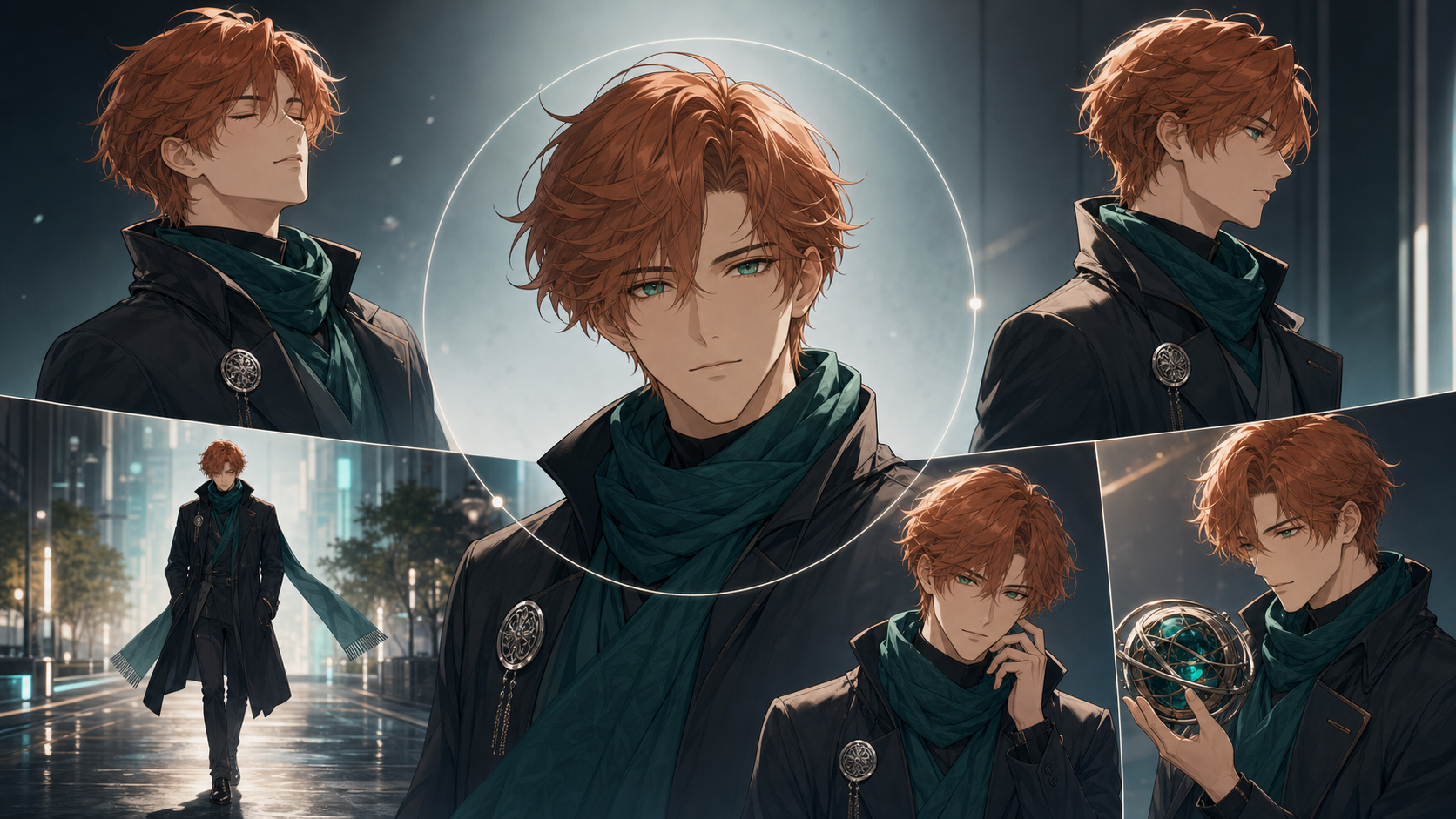
Image-to-video is usually the safest starting point for a recurring AI character. A text prompt asks a model to invent the character and animate the scene at the same time. A reference image removes part of that uncertainty: the face, outfit, palette, accessories, and composition already exist, so the model can focus more of its effort on motion.
That does not mean any free generator will keep a character perfect. Fast action can distort the body. A turn can reveal details the source never showed. A hand crossing the face may trigger identity drift.
The practical question is not “Which tool never fails?” It is “Which free or free-to-try workflow gives me enough control to test, score, and repair this character?”
This guide adapts the source article’s July 22, 2026 comparison. Plans and model access change frequently, so verify current limits, watermarks, rights, and export terms.
Quick Answer
| Workflow | Best first test | Main limitation to verify |
|---|---|---|
| Runway Free | Controlled short image-to-video motion | One-time credits, selected models, watermark |
| Luma Free | Draft motion exploration | Draft output, lower priority, watermark, non-commercial restrictions |
| Adobe Firefly Free | Renewable experiments and editing handoff | Daily allowance, model selection, partner terms |
| HeyGen Free | Talking or singing portrait | Narrower shot language, quotas, web versus API billing |
| DeepFake | Anime or stylized character workflow across available models and tools | Live model, credit, duration, and rights information |
Free access is usually enough to audition a character, not generate an unlimited series.
Why Image-to-Video Improves Consistency
The first frame acts as visual evidence. It shows the exact eye width, fringe shape, jacket layers, palette, and accessory placement. A prompt such as “anime swordswoman with dark hair and a red coat” leaves hundreds of plausible interpretations. A reference narrows the target.
Image-to-video works best when the requested action does not require the model to invent large amounts of hidden information:
- subtle breathing is easier than a backflip;
- a small head turn is easier than a 360-degree spin;
- a medium shot is easier than a wide crowd scene;
- a hand moving beside the body is easier than crossing the face;
- a locked camera is easier than a rapid orbit.
The farther motion travels from the known image, the more consistency depends on additional references, explicit controls, or the model’s assumptions.
Best Free and Free-to-Try Options
Runway Free: best controlled first test
The source’s July 2026 snapshot describes Runway Free as a one-time credit allocation with selected image and video tools, watermarked output, and no unrestricted access to its newest premium model.
Use the allocation for a five-second restrained action. The goal is to learn whether the character survives motion, not to make a trailer with the first credits.
Runway’s broader project environment can be useful if the test grows into a production because references, assets, takes, generation, and editing can remain organized. Verify current plan rights and remember that you are still responsible for uploaded character art and other inputs.
Luma Free: best draft motion study
The source characterizes Luma’s free web plan as limited, draft-quality, lower-priority, watermarked, and non-commercial. That makes it a previsualization tool rather than a default final-output solution.
Compare a few simple movements:
- slow camera push;
- hair moving in wind;
- character turning;
- short side-on walk;
- subtle fabric response.
If the motion idea works, decide whether a paid workflow adds the necessary keyframes, modification tools, output quality, and usage rights.
Adobe Firefly Free: best renewable experiment
The source presents Firefly as offering limited recurring experiments across image, video, and audio. This suits creators who want to refine a reference over several days rather than spend a fixed credit allocation immediately.
Its broader advantage is finishing. Character consistency is partly a post-production discipline: small changes may be reduced through compositing, frame repair, color matching, strategic cuts, or replacement with an approved still.
Firefly can expose Adobe and partner models. Check which model is active and which terms apply to that asset.
HeyGen Free: best talking or singing character
For dialogue, singing, hosting, or comic narration, a specialized portrait engine can preserve a face more reliably than a wide cinematic generator. The tradeoff is narrower visual language: front-facing and three-quarter portrait shots are its natural territory.
Prepare a clear face, visible neutral mouth, simple background, and clean audio. Distinguish free consumer testing from separately priced API production.
DeepFake: best flexible character pipeline
Consistency starts before animation. Use DeepFake to explore relevant models and routes while keeping one approved visual source of truth:
- design the original character;
- create turnaround and expression references;
- place the character in storyboard frames;
- animate approved frames through image-to-video;
- evaluate each model by the shot it must solve;
- edit or repair rather than endlessly regenerate.
Check the live model and output details before committing a series.
When a Paid Model Becomes Worth It
Upgrade only after the free test identifies a missing capability.
- Consider Kling when the shot requires multimodal narrative direction and integrated audio.
- Consider Seedance when you already have text, image, video, or audio references and need flexible generation or editing.
- Consider Veo when reference guidance, first-and-last-frame control, cinematic output, and audio matter.
- Consider Runway’s premium model when stronger generation inside a managed production workspace solves the bottleneck.
- Consider Luma’s premium workflow when keyframes, video modification, or professional finishing justify the cost.
Do not subscribe to five platforms at once. The best upgrade is the smallest one that fixes a measured failure.
Build a Reference Image That Can Survive Motion
Use a neutral, readable pose
A dramatic crouch hides anatomy and clothing. Start from a relaxed front-facing or three-quarter pose. Keep hands visible and separated from the body. Use even lighting and a simple background.
Show signature details clearly
If a hairpin, asymmetric sleeve, scarf, brooch, necklace, or prop defines the character, make it large and unambiguous. Tiny details disappear first.
Avoid conflicting style signals
Do not mix photoreal skin, manga linework, painterly hair, and glossy 3D clothing unless the hybrid is deliberate. Consistent rendering gives the video model fewer interpretations.
Create more than one reference
When the tool accepts several images, provide front, three-quarter, profile, full-body, expression, and detail views. If it accepts one image, choose the view closest to the planned shot or use a clean sheet only when the selected model handles collages reliably.
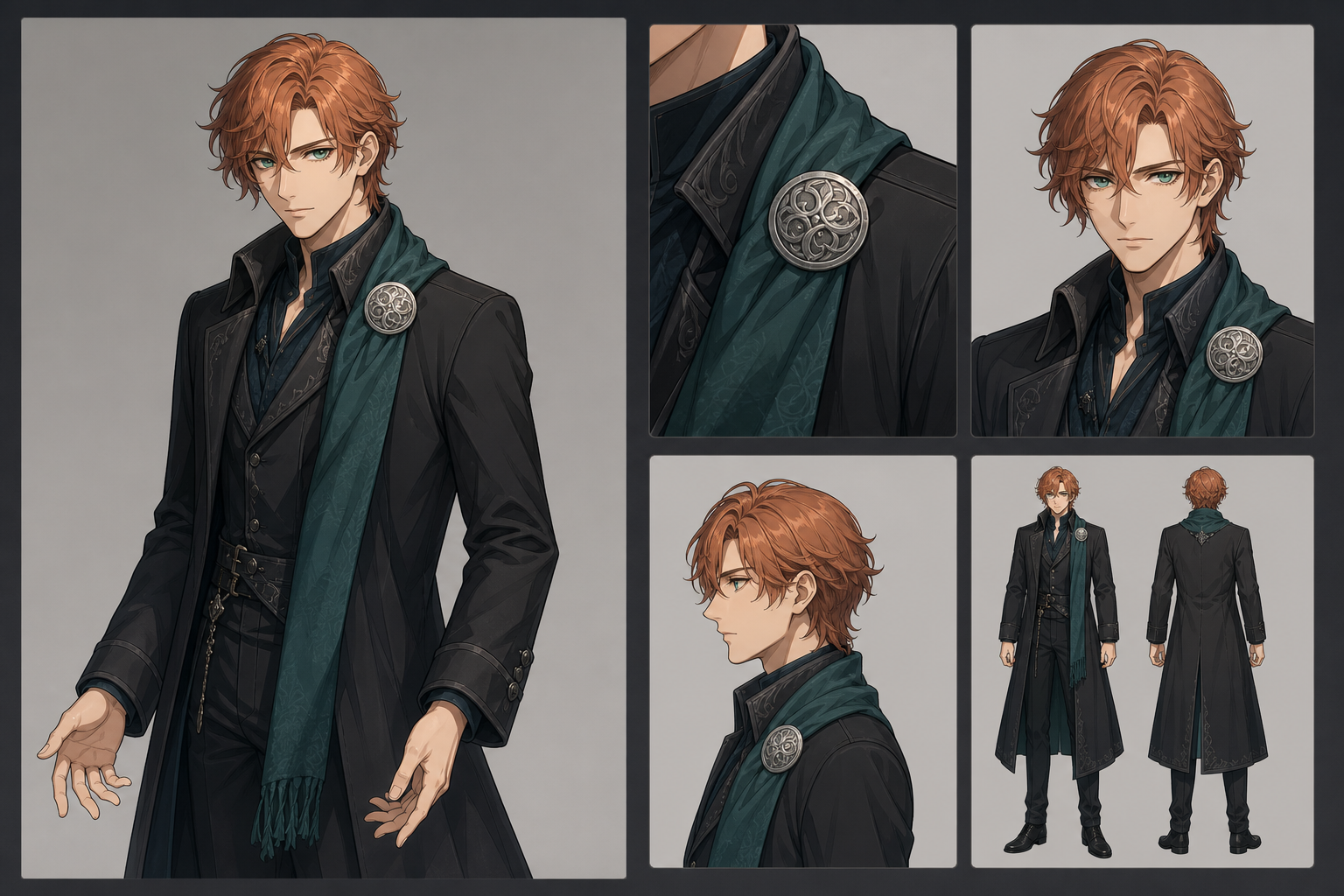
Treat the approved reference pack as a visual contract. Do not casually change hair, wardrobe, palette, or rendering style between shots.
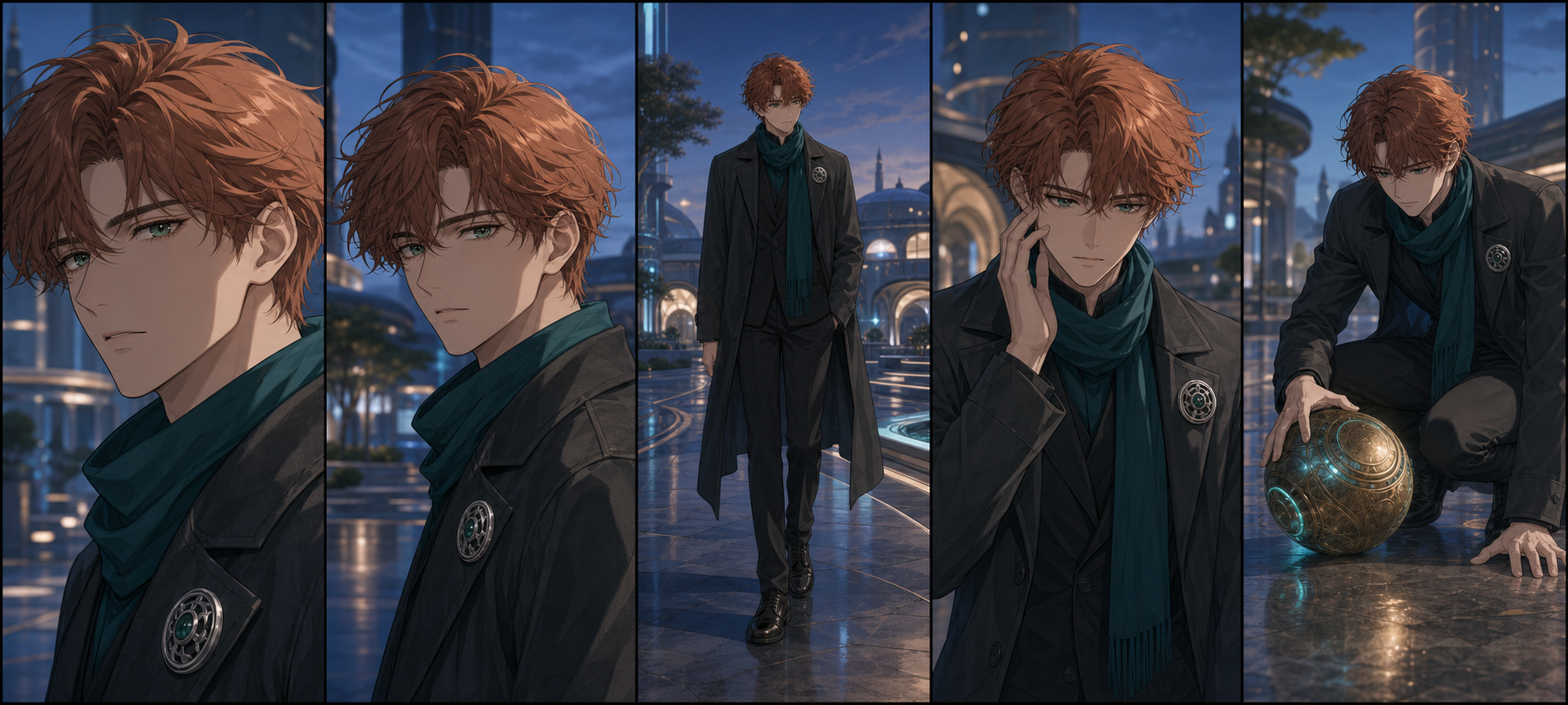
A Five-Shot Character Consistency Test
Generate several versions of each shot with the same reference pack and settings.
Shot 1: breathing close-up
Use a locked camera, subtle breathing, one blink, and slight hair movement. This establishes the best-case baseline.
Shot 2: head turn
Turn slowly from a three-quarter view toward camera. This tests whether the model can infer facial structure from a new angle.
Shot 3: full-body walk
Ask for three steps with a simple side-tracking or locked camera. Review body proportions, feet, coat layers, scarf, and accessories.
Shot 4: hand near face
Have the character adjust glasses, touch a cheek, or move hair aside. Occlusion often exposes facial and hand drift.
Shot 5: object interaction
Ask the character to pick up one distinctive object. This tests hands, object permanence, contact, and design stability.
Score every take:
| Dimension | What to inspect |
|---|---|
| Face | Eye scale and color, jaw, nose treatment, mouth, age |
| Hair | Silhouette, fringe, length, color, signature detail |
| Clothes | Layer order, closures, sleeve design, palette |
| Body | Height, proportions, hands, feet, gait |
| Accessories | Presence, placement, size, object continuity |
| Temporal stability | Flicker, pulsing edges, frame-to-frame redesign |
| Prompt adherence | Requested action, camera, background, timing |
A model that wins the close-up but loses the walking shot may still be the correct close-up specialist.
Prompt for Motion, Not Appearance
Describe what changes and let the image prove what stays constant.
Use this structure:
Subject remains identical to the reference. [One action]. [Camera behavior]. [Environmental motion]. Preserve face, hairstyle, outfit construction, colors, proportions, and accessories. No new objects, people, or wardrobe changes.
Example:
The character remains identical to the reference. He turns slowly toward the camera and gives a restrained smile. Locked medium close-up. A light breeze moves only the front strands of hair and the scarf. Preserve facial proportions, emerald eye color, copper hair silhouette, silver brooch, and coat details.
Negative instructions can clarify constraints, but they cannot rescue an impossible shot. Reduce rotation, action, camera travel, or occlusion before adding another paragraph.
Repair a Nearly Good Clip
A clip does not need to be perfect from beginning to end to be useful.
- Cut before identity drift begins.
- Hold the last clean frame.
- Insert a reaction or object close-up.
- Replace three weak seconds instead of discarding ten good ones.
- Stabilize color and sharpness between shots.
- Composite an approved still over a brief unstable frame.
- Use a video-to-video workflow when a supported model can correct motion or style without rebuilding the concept.
Limited animation can become a style advantage. A held pose with animated eyes, hair, lighting, particles, and camera movement may look more intentional—and more faithful to anime grammar—than constant full-body motion.
Rights and Responsible Use
Character consistency does not override ownership or consent. Use original or properly licensed character art. Do not animate a real person’s likeness, face, or performance without permission, and do not build deceptive impersonation.
Check commercial rights for every uploaded reference, model, free plan, output, voice, music track, font, and editor asset. Save the applicable terms with the project.
Frequently Asked Questions
What is the best free image-to-video AI generator?
Runway is useful for a finite controlled test, Adobe Firefly for recurring experiments, Luma for draft exploration, HeyGen for talking portraits, and DeepFake for a broader model-and-workflow starting point. Choose by motion, controls, rights, and revision behavior.
How do I stop an AI video from changing my character’s face?
Use clean references, keep clips short, limit rotations and occlusion, describe only one action, generate multiple takes, and edit around drift rather than demanding one long perfect result.
Is image-to-video better than text-to-video for recurring characters?
Usually. It provides explicit identity evidence. Cross-shot consistency still depends on the same references, stable settings, short shot design, and human review.
Can I use free AI video commercially?
Only when the current plan, model, and every source asset allow it. Watermarks, non-commercial clauses, and platform-specific rights can differ.
Can one image create multiple camera angles?
A model can infer unseen angles, but accuracy generally falls as the view moves farther from the reference. A turnaround sheet or multiple references is safer.
Final Recommendation
Treat free image-to-video tools as auditions. Approve the character first, animate one action per shot, keep clips short, score several samples, and repair good material through editing.
Character consistency is not a checkbox. It is the result of strong references, restrained direction, measured tests, and careful shot selection.