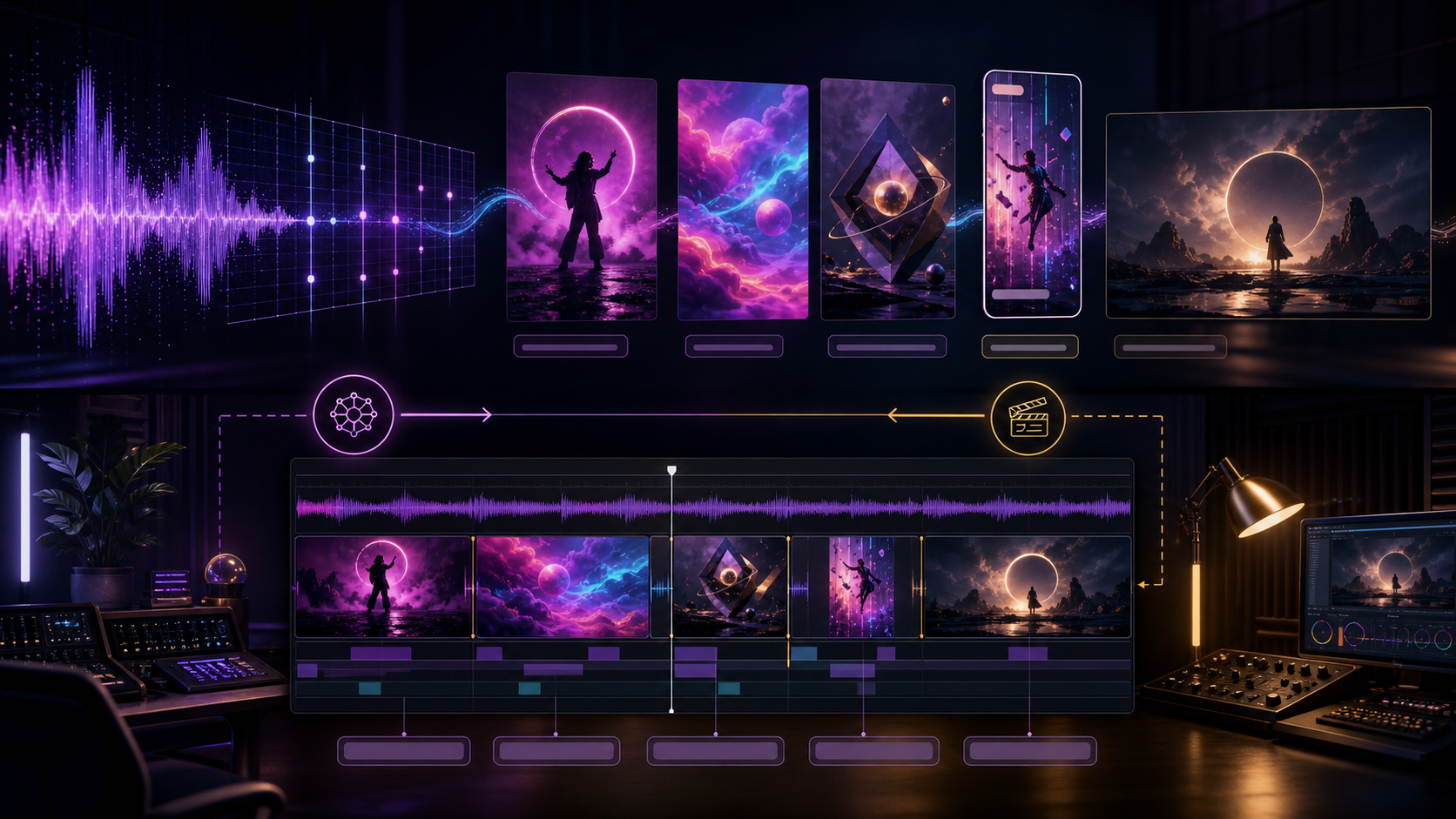
You have a finished track, a release date, and no budget for a conventional shoot. An AI video tool may help, but “free AI music video generator” describes several very different products. One tool may listen to a short audio segment while generating a shot. Another may create silent visual clips from text or images. A third transfers choreography to a character. A fourth does not generate scenes at all; it assembles footage, lyrics, waveforms, and music on a timeline.
Those differences matter more than a demo reel. A six-second hook and a three-minute lyric video are different jobs. Accepting an MP3 may mean placing it on a timeline or using it as a performance reference; neither proves whole-song understanding or automatic narrative editing.
This guide examines ten distinct music-video workflows and public plans as of August 3, 2026—not a shared-prompt benchmark. The numbers aid navigation; they do not rank quality.
The useful question is not “Which tool is best?” It is: Which production role can this tool perform, what does its free access actually allow, and can the resulting asset legally and technically ship?
Four Workflows Hidden Inside “AI Music Video Generator”
Before comparing products, separate the jobs they perform.
Music-conditioned short-shot generation
The model receives audio and generates a short visual clip influenced by that audio, often with an optional image and prompt. This is the closest category to audio-to-video generation, but it is still usually a shot generator, not a full-song editor. The creator must decide which passage to use, generate alternatives, and assemble accepted clips.
Visual shot generation
Text-to-video and image-to-video tools produce scenes, loops, transitions, and atmospheric inserts. You can cut those scenes to music later, but uploading or adding a track elsewhere in the platform does not automatically make the visual model beat-aware. This category is useful for building visual coverage shot by shot.
Motion transfer and character performance
Motion tools apply a driving performance, dance, gesture, or vocal timing to a character. They are often better suited to choreography or performance snippets than a general scene generator. They may use music or voice, but they do not necessarily design a multi-scene narrative for the whole track.
Timeline, lyric, and waveform assembly
Editors arrange existing or generated footage, place cut markers, transcribe or display lyrics, add waveforms, and export a finished sequence. Beat detection can help place cuts, yet it does not choose the right story or guarantee that automatic lyrics are correct. This role is less magical in a product demo and often more important at delivery time.
A complete music video may use all four roles; one free account rarely covers them all.
What “Free” Can Mean in 2026
Free access is not one comparable unit. Common patterns include:
- One-time credits: a fixed introductory balance that never renews.
- Monthly credits: a small allowance refreshed on a billing cycle.
- Daily credits or generations: a recurring but limited test budget, sometimes with slow queues.
- A limited editor: basic cutting or assembly may be free while assets, AI features, resolution, or export options are paid.
- Watermarked or personal-use output: generation costs nothing, but the result is unsuitable for a clean commercial release.
“Sign up free” may only mean account creation. Limits can differ by region, device, model, and campaign, so recheck the live plan before scheduling a release.
The five publishability checks
For every tool, ask:
- Can I use my own music? Is it a generation input, performance driver, or timeline track?
- What does beat sync do? It may drive motion, add markers, align lyrics, or animate a waveform.
- Can it handle lyrics? Treat automatic transcription as a draft.
- Is it for one shot or a whole song? Duration determines the workload.
- Can the free export ship? Check resolution, watermark, rights, privacy, and disclosure.
Ten-Tool Comparison: Role, Music Input, Free Access, and Limits
| Tool | Primary workflow role | Can use your own music? | What “free” means | Free-output publishability | Main limit |
|---|---|---|---|---|---|
| 1. DeepFake Audio to Video | Music-conditioned short-shot generation | Yes, by upload or direct URL | A signed-in account may have starter or promotional credits; a generation is not guaranteed to fit them | Verify available credits, asset rights, and current output terms before release; no blanket watermark or commercial promise is made here | 6–18 second clips, not a full-song timeline or automatic beat-cut editor |
| 2. Runway | Image-to-video shots plus broader generation/editing workflow | Audio can be uploaded, referenced, or added, but that does not establish automatic beat sync | 125 one-time credits that do not renew | Free generated video carries a Runway watermark; commercial use is allowed by Runway subject to rights in inputs and other applicable terms | Free access centers on 720p Gen-4 Turbo image-to-video and is a finite trial budget |
| 3. Pika | Short visual shots and sound-synced facial performance | Yes for the Pikaformance audio-driven performance workflow; not a verified full-song beat editor | The canonical plan listed 80 monthly credits on August 3, 2026, but other official pages have differed; verify live | Basic lists Pika 2.5 at 480p, no-watermark downloads, and commercial use, still subject to rights and plan terms | Short-form orientation; Pikaformance is a facial performance tool, not whole-song visual direction |
| 4. Luma Dream Machine | Text/image-generated visual shots | Audio may be added to or retained with a result; this is not verified automatic beat analysis | Web Free offers limited monthly credits and draft-resolution video access | Free output is watermarked and limited to personal, non-commercial use | Current free access is for exploration; 4K/HDR is not a free native-generation promise |
| 5. Haiper | Short visual prototyping via text/image/video workflows | Current consumer music upload and beat-sync behavior could not be confirmed | Active consumer allowance could not be reliably confirmed from the accessible official interface | Watermark, consumer licensing, and commercial terms require live verification | Public API docs still describe Video 2.x at 540p/720p, but API availability is not a confirmed consumer free tier |
| 6. PixVerse | Short visual generation, optionally with generated audio | No verified workflow for uploading a full song and having V6 interpret it as the edit driver | Consumer daily-credit quantity was not stable enough to quote; API credits are a different product | Consumer and API licenses must be checked separately; “commercial” cannot be assumed globally | V6 clips are 1–15 seconds; generated audio is not the same as song-conditioned synchronization |
| 7. Viggle | Motion transfer and character performance | Yes, music-oriented tools accept audio for performance guidance | A public tools page advertises five free videos daily; the plan table showed a conflicting relaxed-mode count during review | Free relaxed output is watermarked, one job runs at a time, and storage is seven days; publish only with rights to music, motion, and likeness | Strongest as a performance layer, not an automatic full-song narrative generator |
| 8. CapCut | Timeline editing, lyrics, beat markers, templates, and finishing | Yes, as uploaded audio or an editor track | A useful basic editor, with feature and asset availability varying by platform, region, and Pro status | Do not assume every template is watermark-free or every account exports 4K for free | Automation helps assemble footage but does not reliably invent a coherent complete music video |
| 9. VEED | Browser-based lyric, waveform, and timeline assembly | Yes, as uploaded audio in the editor | Free browser editing and export with plan limits | Free export is 720p and includes a VEED watermark | No documented automatic song-to-narrative scene design |
| 10. Leonardo Video (Motion 2.0) | Visual shot generation and animation of platform-generated art | No documented user-music input or beat-sync workflow for Motion 2.0 | Free users receive 150 daily tokens; only some video models are available | Free video has a watermark; availability and commercial conditions vary by model and public-asset terms | Free users cannot upload their own image for video, and token cost varies by model/settings |
1. DeepFake Audio to Video
DeepFake Audio to Video belongs in the music-conditioned short-shot category. You supply an audio file or direct audio URL, optionally provide a first-frame image, and add a prompt describing the visual scene. That combination is useful when a selected passage of music should influence a short generated shot rather than merely play underneath unrelated footage.
The current interface offers durations from 6 to 18 seconds. Its largest listed landscape and portrait formats are 1280×720 and 720×1280, with a 1024×1024 square option. These dimensions make it suitable for short horizontal, vertical, or square experiments, but they do not turn it into a full-length music-video editor.
For a long track, first choose an opening texture, pre-chorus lift, or chorus hook. Prompt one readable shot, use a first frame when needed, generate variants, and place the selected clip in a separate full-song timeline.
The tool does not document an automatic beat-cut timeline, full-song scene planning, lyric typography, or multi-shot assembly. Do not upload an entire song expecting a finished narrative. A better workflow is to treat each generation as coverage for a defined moment.
Account access also needs precise wording. Signing in may provide starter or promotional credits, but that does not guarantee that a complete generation is free or that one credit balance covers the desired duration and size. This review makes no blanket claim about watermark removal or commercial licensing. Confirm the current account balance and terms, and use only audio, images, voices, and identities you own or are authorized to use.
Choose it when: a short passage of your own audio should directly inform a generated shot, with optional first-frame control.
Stack it with: a timeline editor for full-song assembly, accurate lyrics, cut timing, and final mastering.
2. Runway
Runway is better understood as a shot-generation and editing environment than a one-click music-video maker. Its free plan currently includes 125 credits deposited once. Those credits do not expire, renew, or refresh, so “free” here is an evaluation budget, not a recurring production allowance.
Free-plan generative video access includes Gen-4 Turbo image-to-video. The model requires an image and generates at 720p-class dimensions, with short-duration options. This can be useful for moving album artwork, cinematic inserts, directed camera motion, or establishing a visual language before a paid production. Because the allowance is finite, plan shots before spending it.
Runway can accept audio files as assets or references in parts of its wider workflow, and utility/editor features can add audio to a video or arrange clips. That still does not prove that uploading a complete track automatically creates beat-aware cuts. Audio upload, media reference, music generation, timeline assembly, and beat analysis are separate behaviors. A creator should verify which model or app is receiving the audio and what that input actually controls.
All videos generated on the Free plan carry a Runway watermark. Runway states that creators can use their outputs commercially, but that permission does not clear third-party music, samples, cover art, likenesses, logos, or other protected inputs. “Commercial use allowed by the platform” is only one layer of rights clearance.
For a music project, create a small planned set—an opener, chorus inserts, and a bridge texture—then assemble and sync the selected material. This makes the finite trial informative even when it cannot fund a campaign.
Choose it when: image-led cinematic shots and iterative visual direction matter more than automatic song interpretation.
Free-tier warning: watermarked results and non-renewing credits make it better for tests, pitches, and workflow evaluation than a clean release master.
3. Pika
Pika is oriented toward short, stylized visual moments. That fits the way many music teasers are published: a hook, a loop, a transformation, or one memorable facial performance rather than a continuous three-minute story.
As checked on August 3, 2026, its canonical Basic plan lists 80 monthly video credits, access to Pika 2.5 at 480p, no-watermark downloads, and commercial use. Other official pages have displayed conflicting totals, so treat 80 as a dated plan snapshot rather than a permanent allowance. Credit prices vary by tool and duration, so the balance should not be translated into a universal number of clips.
Pikaformance deserves separate attention because it accepts audio for a sound-synchronized facial performance and outputs at 720p. That can suit a singing face, spoken intro, or character reaction. It is not evidence of full-body choreography, automatic narrative shot selection, or whole-song beat-aware editing. A technically synchronized face also needs human review for pronunciation, mouth shape, identity consistency, and whether the performance feels appropriate rather than uncanny.
For ordinary Pika 2.5 generation, make a chorus loop, animated reveal, or transition and cut it to the track afterward. One audio-driven mode does not mean every feature receives the song.
The Basic plan's commercial-use and watermark terms are unusually publish-friendly for a free tier, but creators still carry responsibility for the music, performer identity, reference art, and prompt content. Plan details change, so capture the terms that apply on the generation date if the output is part of a paid campaign.
Choose it when: you need short social-native visuals or an audio-driven facial performance and can work within monthly credits.
Main limitation: the free visual model is 480p, and the platform is not documented as an automatic full-song director.
4. Luma Dream Machine
Luma Dream Machine is a visual shot generator, currently centered on the Ray3.14 generation family. The Web Free plan provides limited monthly credits, lower-priority processing, and draft-resolution video access. Free generations are watermarked and restricted to personal, non-commercial use.
Those conditions define the role of the free tier: concept development. It can help answer whether a visual premise works, how an image might move, or which camera idea deserves a paid pass. It is not a dependable route to a clean commercial release.
Audio needs careful interpretation. Ray3.14 does not natively generate audio, according to its product FAQ. Audio can be added after generation, and some workflows may retain audio from modified source video. Neither action proves that the visual model analyzes a song's beats, sections, or lyrics. Adding a music file after the picture is generated is conventional editing, not music-conditioned generation.
Luma is often associated with 4K and HDR output, but those options should not be attributed to native Free-plan generation. Current plan information places draft resolution on Free; 4K through up-resolution and HDR are attached to paid access. Export resolution also cannot restore detail that was never present in the generated frames.
Use Free to test one hero shot, judging motion, subject continuity, camera behavior, and match with surrounding footage. A release needs a plan whose watermark and rights terms fit the project.
Choose it when: visual ideation and polished shot exploration are the priority, and a personal-use draft is sufficient for evaluation.
Free-tier warning: draft resolution, watermarking, and non-commercial terms mean the output is not a release master.
5. Haiper
Haiper represents an uncertain but still documented prototyping option with text-to-video, image-to-video, and video-to-video workflows. Accessible official API documentation describes Haiper Video 2.x generation at 540p and 720p. That supports a narrow statement about API capabilities.
That API documentation does not establish broader consumer-free-tier claims. At review time, an active official consumer interface did not provide sufficiently stable, accessible information to confirm a current free allowance, music upload, beat synchronization, consumer watermark policy, or commercial terms. API pricing is not the same as a free consumer plan, and old starter-credit descriptions should not be presented as current fact.
That makes Haiper a verify-before-committing entry. Check the active model, credits, resolution/duration, audio conditioning, and export license inside the account. Preserve dated terms for commercial work.
If those checks pass, the likely role is still short visual prototyping rather than complete music-video generation. Use a defined prompt and one storyboard frame, then compare the returned clip with another generator on the same brief. Do not call a visually rhythmic result “beat-synced” unless the model actually received the audio and the timing can be reproduced.
Choose it when: you have confirmed current access and want to evaluate a documented short-shot API workflow.
Main limitation: consumer availability and free publishing conditions could not be verified strongly enough for a recommendation based on price.
6. PixVerse
PixVerse V6 is a short visual generator with text-to-video, image-to-video, first/last-frame transition, extension, and reference workflows. Its API documentation lists 1–15 second outputs at 360p, 540p, 720p, or 1080p. This range suits hooks, transition shots, animated artwork, and short inserts.
V6 can also generate audio alongside video through an optional audio switch. That is a genuine audio-output capability, but it does not establish the workflow musicians often mean by “use my own music.” The public API documentation does not show a full-song upload being analyzed to create a synchronized narrative. Generated audio, uploaded reference audio, lip sync, sound effects, and song-conditioned scene generation are separate categories.
The consumer product may provide recurring credits, but the exact daily quantity was not stable enough across accessible public materials to quote here. The API uses its own credit and licensing system. A creator should never transfer an allowance or usage right from the consumer app to the API—or the reverse—without checking both agreements.
Use PixVerse for short pieces: a visual metaphor for a lyric, a transition between approved frames, or a chorus loop. Replace conflicting generated audio and align the shot to real timeline markers.
Choose it when: you need short, format-flexible visuals and may benefit from first/last-frame or reference controls.
Main limitation: 15-second clips and optional generated audio do not amount to verified understanding of an uploaded full song.
7. Viggle
Viggle occupies a distinct role: motion transfer and character performance. Its core Mix-style workflow combines a character image with a motion video or template. Music-oriented tools such as Mic and Rap accept audio, while Multi-Track can help align performance elements and cuts. This is useful for dancing characters, stylized performers, and hook-focused clips.
That role is narrower—and often more useful—than a generic “music video generator.” A creator can record or license a driving performance, transfer it to a character, and place the result over the song. The tool is not documented as listening to a full track and autonomously designing a multi-scene visual narrative.
Viggle's public free information was inconsistent during this review. Its tools landing page advertised five free videos per day, while its pricing table showed a smaller relaxed-mode daily count. The plan table did consistently indicate one concurrent generation, seven-day asset and generation retention, and watermarked relaxed output. Treat the allowance shown inside your account as authoritative and download needed assets before retention expires.
A GLB motion asset belongs to a 3D or mocap pipeline, not a normal music-video export. Face swapping is excluded from the recommendation because it is unnecessary here and adds consent risk.
Only animate a performer, character, dance, or voice you have permission to use. Music rights, choreography, source footage, and likeness rights remain separate. A watermark-free plan does not clear any of them.
Choose it when: a known motion or vocal performance should drive a character-focused music clip.
Main limitation: it supplies a performance layer that still needs backgrounds, narrative coverage, editing, lyrics, and final audio assembly.
8. CapCut
CapCut appears on this list for a different reason from most generators: it helps finish the video. Its timeline can combine clips, place music, add transitions, work with templates, generate or align lyrics, and identify beats for edit timing. For creators who already have footage, animated art, or AI-generated shots, those functions may be more valuable than another generation model.
Beat sync should still be described precisely. Automatic beat markers or template-driven cuts can accelerate assembly, but they do not guarantee musical phrasing, emotional pacing, or an appropriate shot choice. Downbeats, lyric entrances, fills, tempo changes, and intentional off-beat cuts all require editorial judgment. Auto Lyrics likewise needs comparison with the approved lyric sheet, especially for stylized vocals, names, slang, and overlapping lines.
CapCut provides a useful free basic editor, yet availability differs by country, device, operating system, account, template, and whether an asset is marked Pro. It is unsafe to promise that every project will export without a watermark or that 4K is always included for free. Some templates or effects can change the export condition late in the process.
Music and stock rights need separate review: an editor-library track may be cleared only for certain platforms, regions, or uses. Automated checks are not legal guarantees.
Choose it when: you need a practical timeline for beat markers, lyrics, templates, vertical formatting, and assembly.
Main limitation: it can organize and polish material, but it is not a stable one-click system for inventing an entire music video from a song.
9. VEED
VEED is another assembly-first option, with a browser timeline, lyric-video tools, subtitles, audio placement, and waveform visualizers. It is suitable when the desired deliverable is a lyric video, audiogram, podcast-style music clip, or simple visual companion rather than a sequence of newly generated cinematic scenes.
The ability to upload audio is direct and useful. A waveform can respond to the track's frequencies, and automatic transcription can provide a starting point for lyrics. But reactive waveforms are not narrative generation, and transcription is not approved typography. Correct the words, line breaks, timing, punctuation, translations, and safe-title placement by hand.
The Free plan allows 720p exports with a VEED watermark. That can be acceptable for a private test, internal review, or a deliberately branded draft. It may not be acceptable for an artist's official channel, a client delivery, or a distributor that requires a clean master. Check current duration, storage, subtitle, and AI-credit limits in the project before investing substantial editing time.
VEED is valuable precisely because its job is understandable: bring media together in a browser and export it. It should not be credited with automatic semantic understanding of the song unless a specific feature and test demonstrate that behavior.
Choose it when: lyrics, a waveform, straightforward browser editing, and quick review links matter most.
Free-tier warning: 720p and the platform watermark limit release-ready use.
10. Leonardo Video (Motion 2.0)
The current product area is called Leonardo Video. Motion 2.0 is one model and control workflow inside it, not the name of the entire platform. Motion 2.0 can animate platform-generated artwork and provides motion controls, motion elements, and style options for short visual development.
Free users currently receive 150 tokens per day, and unused daily tokens do not accumulate. Only some video models are available to free accounts, while costs vary with model and settings. That makes the free plan useful for targeted experiments but difficult to translate into a fixed number of finished shots.
Free users cannot upload their own image for Video, weakening album-art workflows built elsewhere. Motion 2.0 also documents neither user-music upload nor beat synchronization; it is a visual generator, not a song-conditioned editor.
Free video outputs carry a watermark. Commercial-use language also needs model-level care: the platform permits broad uses for many generated assets, but third-party models, public-generation rules, input rights, and individual feature terms can differ. Do not summarize every available video model with one universal commercial promise.
Choose it when: you want to animate artwork created within Leonardo and explore camera or motion treatments without supplying your own song.
Main limitation: free users cannot upload their own first-frame image, and Motion 2.0 supplies neither a music input nor a beat-aware full-song workflow.
Why This Guide Excludes Impressive-Looking Scores and Market Numbers
Some product roundups cite overall scores, lip-sync percentages, large-shot consistency claims, model counts, beat-quantization counts, and market-growth statistics. Without visible methodology, those numbers cannot compare the ten tools in this guide.
A trustworthy performance number needs the tested model version, prompts, song, source assets, sample size, rejected outputs, scoring rubric, reviewers, raw clips, and calculation. A market forecast needs a defined market, base year, currency, research method, and accessible report. Without that context, precise numbers create more confidence than evidence.
This guide therefore does not use those figures, reproduce star ratings, or declare a winner. The right test is a common creative brief run through the relevant workflow of each product, followed by a publishability audit.
A Practical Music Video Workflow Using Free and Trial Tools
A reliable selection process matches tools to the job. The following steps turn that principle into a repeatable production workflow.
Step 1: Clear the song and define the deliverable
Confirm ownership or written permission for the master recording, composition, samples, featured performers, and any uploaded stems. Decide whether the output is a six-second loop, a 15-second teaser, a vertical chorus, a lyric video, a visualizer, or a full music video. Define aspect ratio, resolution, frame rate, clean-master requirement, platforms, and deadline.
Step 2: Map the song before generating
Place the final master in a timeline and mark the intro, verse, pre-chorus, chorus, bridge, outro, major lyric entrances, downbeats, fills, tempo changes, and intentional pauses. Do not ask a generator to discover the structure when you can provide an editorial map.
Divide a full song into visual units. Use faster cuts for energy, longer holds for focus, and recurring motifs for coherence; do not cut on every beat.
Step 3: Build a shot list
For each song section, write the shot's purpose, subject, action, environment, camera, duration, aspect ratio, and continuity requirements. Label the required tool role:
- audio-conditioned shot;
- text/image-generated visual;
- motion-transferred performance;
- live-action or existing footage;
- lyric, waveform, graphic, or transition assembled in the editor.
This reserves scarce credits for shots that genuinely need generation.
Step 4: Prepare rights-cleared references
Collect approved artwork, character sheets, product images, performance videos, and short audio excerpts. Get consent for every recognizable face or voice. Do not upload confidential masters, unreleased artwork, or client assets to a service without reviewing its privacy and training terms.
If the visual should start from a supplied image, use an appropriate image-to-video workflow for a controlled test. This is a workflow option, not a claim that it replaces editing or supports every model named above.
Step 5: Generate in song-sized batches
Begin with the most important hook, not the full timeline. Use the same short brief for two or three candidate tools that fit the role. Generate multiple variants, save prompts and settings, and record which plan produced each asset. Keep raw files untouched.
When using audio-conditioned generation, trim the exact source passage and verify whether the model follows rhythm, timbre, energy, speech, or merely the first-frame prompt. When using silent visual generation, judge it without pretending the model heard the song.
Step 6: Assemble on real beat markers
Import accepted clips into a timeline, align the final master at time zero, and cut using the markers created earlier. Retiming a clip can help it land on a beat, but avoid speed changes that create obvious motion artifacts. Use repeated motifs and color treatment to unify clips from different generators.
If you explore the reverse task of creating music from an existing visual, video-to-music is a separate workflow. It does not replace the editor needed to cut an approved song into a complete music video.
Step 7: Add and verify lyrics
Import an approved lyric sheet. Automatic lyrics or captions are a first pass only. Correct every word, speaker, line break, and timecode. Check contrast, reading speed, mobile safe areas, translations, and accessibility. Avoid placing critical text where platform controls will cover it.
Step 8: Audit rights and disclosure
Create an asset ledger listing the song license, visual source, model/tool, generation date, plan, applicable terms, performer consent, stock license, and editor. Check that free-tier output is permitted for the intended commercial use and that no prohibited watermark removal occurred.
Use AI disclosure where a platform, distributor, client, law, or audience context requires it. Never present a synthetic performer as a real endorsement or use a recognizable likeness or voice without permission.
Step 9: Perform quality control
Review the full sequence at normal speed, frame by frame at problem cuts, with sound, muted, on a phone, and on the largest target display. Check anatomy, identity drift, flicker, warped text, product accuracy, continuity, black frames, audio sync, lyric timing, clipping, loudness, color shifts, compression, and watermark status.
Watch the whole song; a stylish six-second repetition can become exhausting over three minutes.
Step 10: Export a clean master and platform versions
Export a high-quality archival master first, then make separate horizontal, vertical, and square versions. Reframe deliberately instead of relying on a center crop. Verify duration, frame rate, audio sample rate, caption placement, and final file playback after upload. Keep the project file, source assets, prompts, raw outputs, rights ledger, and dated terms together.
How to Choose Without a “Best” Ranking
Choose the production role before the product:
- For short visuals conditioned by your own audio, test DeepFake Audio to Video on a selected passage.
- For image-led generated coverage, compare Runway, Pika, Luma, Haiper where accessible, PixVerse, and Leonardo under their actual free constraints.
- For character choreography or vocal performance, test Viggle or Pikaformance with authorized assets.
- For lyrics, waveforms, beat markers, and assembly, use CapCut or VEED and verify export conditions.
Then compare the same operational outcomes: usable seconds per free allowance, generation success rate, watermark, allowed use, resolution, control, edit time, and cost per accepted shot after the free tier ends. Visual quality matters, but publishability is the gate.
Frequently Asked Questions
Can any of these tools create a complete music video from one song for free?
None should be assumed to do so. Several create short shots, one focuses on motion transfer, and others assemble lyrics or waveforms. Even when a product accepts a song, verify whether it analyzes the audio, drives a performance, or merely places the file on a timeline. Full-song work normally requires shot planning and editing.
Does uploading my own music mean the visuals will sync to the beat?
No. The audio may be stored as an asset, attached to an export, used as a performance reference, or supplied to a generation model. Beat markers, rhythm-conditioned motion, lip synchronization, and semantic song understanding are different features. Test the exact mode and measure visible events against the waveform.
Which free plan is easiest to publish without a watermark?
Pika's current Basic plan explicitly lists no-watermark downloads, while Runway, Luma, VEED, Leonardo Video, and Viggle's relaxed mode document or indicate watermarks. Other tools require account-level verification. Watermark status alone does not grant music, likeness, or commercial rights.
Can automatic lyric tools be trusted?
Use them as drafts. Singing, harmonies, effects, accents, names, and slang can produce errors. Compare the result with the approved lyric sheet and manually check timing, line breaks, reading speed, translations, and safe-area placement.
Is 4K important for an AI music video?
Delivery resolution matters, but a 4K export or upscale does not guarantee 4K source detail. Composition, temporal stability, clean edges, and compression often matter more for social publishing. Test at the target display size and distinguish native generation from up-resolution.
Can I use copyrighted songs or a real person's face in a test?
Only with the necessary permission or another valid legal basis. A free tool account does not license the recording, composition, sample, choreography, artwork, face, or voice. Obtain consent, respect platform terms, avoid deceptive impersonation, and document rights before publication.
Final Takeaway
The ten products do not compete in one clean category. Some generate short visuals, one responds directly to uploaded audio for a short shot, some animate performances, and others finish lyrics and timelines. That is why a universal “best free AI music video generator” ranking is less useful than a role-based production plan.
Start with the song map and deliverable. Spend free credits only on shots that need generation. Use motion transfer for authorized performances, editors for beat markers and lyrics, and a rights ledger for every asset. Most importantly, evaluate what “free” means at export time: a one-time balance, monthly or daily allowance, limited editor, watermark, or personal-use restriction can determine whether a beautiful result is actually publishable.