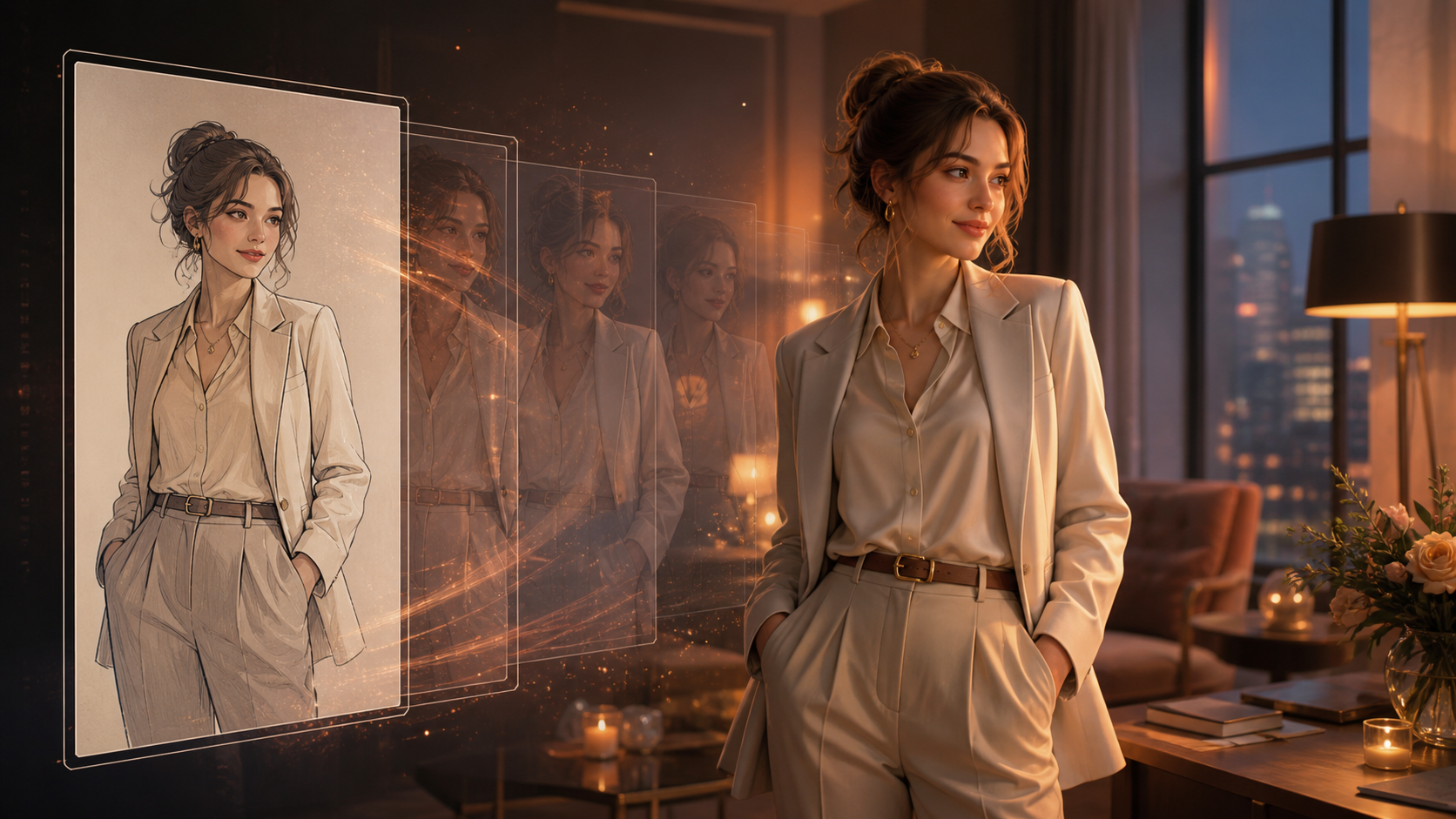
An AI girlfriend video is best understood as character media: a fictional adult persona is designed, placed in a scene, and animated to communicate a mood or story. The result might be a greeting, a short romantic vignette, a dance, a smile, or a stylized message. It is not evidence that a real person performed the action, and a rendered character is not a sentient or reciprocal partner.
Modern text-to-image and image-to-video workflows make this kind of character storytelling more accessible, but they also make it easy to cross an important line. Never build an intimate character from a real person’s likeness without explicit, specific permission. Do not use minors, age-ambiguous subjects, celebrities, acquaintances, former partners, private photos, or leaked material. For romantic or suggestive concepts, the character must be unmistakably adult and the output must stay within the agreed creative and platform boundaries.
This guide covers what an AI companion character is, how animation adds emotional expression, a five-step creation process, practical do’s and don’ts, privacy questions, and ways to keep the finished video coherent rather than merely provocative.
What Is an AI Girlfriend Character?
An AI girlfriend is a digital persona framed around romance or companionship. Different products may combine conversation, generated images, voices, animation, or personalization, but those capabilities should not be treated as interchangeable. A video generator creates audiovisual media; it does not automatically provide an interactive relationship or understand emotions.
For video creators, the useful idea is a consistent fictional character with:
- an adult age and clearly defined visual identity;
- a personality expressed through posture, styling, color, and movement;
- a repeatable art direction, such as realistic editorial, anime, or illustrated cartoon;
- a setting and story purpose;
- documented boundaries for romance, intimacy, and public distribution.
Defining these elements before generation helps the character remain recognizable across clips. It also keeps the project grounded in creative authorship rather than borrowing a real person’s face.
How Video Adds Expression to a Virtual Character
A static portrait can suggest personality, while motion adds timing and behavior. A subtle glance, wave, smile, or shift in posture can make a scene feel warmer. A dance can communicate confidence; a quiet café shot can feel reflective; a short message can support a fictional story or role-playing project.
Video can add:
- gesture and expression, such as a greeting or a change in mood;
- scene progression, moving from an establishing frame to a close interaction;
- rhythm, through character movement and licensed background music;
- visual continuity, when the same design appears across several episodes;
- creative distance, when an obviously fictional style makes the synthetic nature clear.
The goal should be a coherent character performance, not “maximum realism” at any cost. Hyperrealistic media modeled on an unconsenting person creates deception and identity risk. A distinctive fictional design is usually more creative and easier to own responsibly.
Step 1: Prepare the Character Concept
Start by writing a one-paragraph character brief. A reliable five-step workflow begins by defining personality, visual style, and romantic theme; adding a few production constraints makes those choices more repeatable.
Define:
- Age: state an unambiguous adult age, not merely “young.”
- Personality: calm, witty, adventurous, reserved, playful, or another specific direction.
- Visual medium: realistic fictional portrait, anime, painterly illustration, or stylized 3D.
- Scene: greeting at a café, dancing in a studio, reading by a window, or another concrete activity.
- Relationship to the viewer: fictional narrator, story character, role-playing avatar, or recurring social persona.
- Boundaries: clothing coverage, gestures, camera distance, degree of romance, intended audience, and whether the output is private or publishable.
Avoid building a character by combining the name, biography, face, voice, and private details of a real person. Inspiration should come from broad art direction and original writing, not identity reconstruction.
Step 2: Create or Upload the Character Image
You can begin with artwork you own, commission a character under suitable rights, or create a fictional design with a text-to-image workflow. Keep records of prompts, licenses, and approvals so you can trace the character’s origin.
For a stable animation input, use an image with:
- a clear face and natural expression;
- visible hands when they matter to the action;
- consistent lighting across the face and clothing;
- enough space around the body for planned movement;
- a background that supports the scene without hiding the silhouette;
- no logos, personal data, or copyrighted characters you cannot use.
If the planned scene is romantic or suggestive, confirm again that the design is unmistakably adult. Do not rely on a prompt label alone; review the visible age cues in the actual generated image. Reject any output that appears underage or ambiguous.
Create a simple reference sheet before making multiple videos: a front portrait, three-quarter view, color palette, outfit notes, and a short list of facial features to preserve. Consistency becomes easier when every generation uses the same approved visual anchors.
Step 3: Choose the Scene and Motion
Select one emotional beat rather than trying to fit an entire relationship story into a few seconds. Useful first scenes include:
- looking toward the camera and giving a small wave;
- smiling, then turning toward a window;
- taking two dance steps and holding a final pose;
- sitting in a café and lifting a cup;
- walking into a softly lit room;
- delivering a clearly fictional greeting.
For multi-character romance, every depicted person must be a fictional or consenting adult, and the interaction must stay within the agreed scope. A hug, kiss, or intimate gesture should never be synthesized from real identities without explicit permission from everyone represented.
The environment matters as much as the gesture. Match the background, wardrobe, and lighting to the mood described in the character brief. A quiet scene often benefits from minimal camera motion; a dance can use a fixed full-body frame; a dialogue-like shot may use a restrained medium close-up.
Step 4: Customize and Generate the Video
Use an image-to-video workflow to animate the approved character image. Begin with a short duration and a restrained action. A practical prompt specifies:
- the exact body or facial movement;
- the order and speed of the action;
- fixed or gently moving camera behavior;
- the intended emotional tone;
- visual invariants such as age, face, hairstyle, outfit, and background.
Generate a test and inspect it frame by frame. Watch for facial drift, changes in apparent age, distorted fingers, inconsistent clothing coverage, unexpected body emphasis, background warping, or a movement that changes the scene’s meaning. If the output becomes more intimate than approved, reject it rather than trying to justify the result after the fact.
Revise one variable at a time. Shorten the action, reduce head rotation, stabilize the camera, or simplify the background. Once one shot is reliable, create the next shot separately and assemble them in an editor. This is usually more controllable than asking a single generation to perform several scenes and transitions.
Step 5: Add Audio, Export, and Review
Background music can reinforce warmth, playfulness, or drama. Use audio you created or licensed for the intended channel. If the video includes a voice, make it original or properly licensed; never clone a real person’s voice without permission.
Before exporting:
- trim unstable opening and closing frames;
- match visible actions to musical beats;
- normalize audio so it does not overpower dialogue or captions;
- add an AI-generated disclosure when required or when viewers could reasonably be misled;
- confirm the aspect ratio and safe zones for the destination;
- keep an archival copy of the approved image, prompt, consent record, and final edit.
Upload a private preview before publishing. Compression can reveal flicker, and automated crops may emphasize parts of the frame you did not intend. Review the final presentation—not only the local master—against the destination’s current content rules.
Do’s and Don’ts for Romantic AI Character Videos
Do
- Create an original, clearly adult fictional identity.
- Document source-image rights, music rights, and collaborator consent.
- Define romantic and suggestive boundaries before generation.
- Use tasteful scenes that support personality and story.
- Read the tool’s current privacy, retention, deletion, and training-data terms.
- Preview and revise expressions, movement, clothing continuity, and camera framing.
- Label synthetic media when required or contextually important.
Don’t
- Use a real person’s face, voice, name, or private story without explicit permission.
- Create intimate or sexualized media involving minors or age-ambiguous characters.
- Present a synthetic performance as something a real person actually did.
- Assume “private” generation means the service never stores or processes the upload.
- Publish explicit or suggestive content where platform rules or audience expectations prohibit it.
- Treat a virtual character as a substitute for consent, reciprocal human care, or professional mental-health support.
Tips for a More Convincing Character Video
Keep the Art Direction Consistent
Do not switch casually between photorealistic, anime, and cartoon rendering inside one sequence. If experimentation is the goal, make separate versions and label them. Within a finished story, stable materials, color, lighting, and facial proportions help the viewer recognize the character.
Let Expressions Lead
A small believable expression often communicates more than a complex body move. Begin with eye direction, a slight smile, or a measured posture change. Add broader choreography only after the face and age remain stable.
Build Scenes in Modules
Generate a greeting, reaction, dance beat, and closing pose as separate short clips. Modular shots are easier to replace, reorder, and review for consent boundaries. They also reduce the risk that one broken moment ruins an entire sequence.
Match Music to the Story
Choose music for the intended mood rather than for popularity alone. Romantic does not have to mean overtly sexual; tempo, instrumentation, and pacing can create warmth without pushing the visual beyond the audience or platform boundary.
Frequently Asked Questions
How should I protect privacy when making an AI companion video?
Use fictional source material, remove unnecessary metadata, and avoid uploading personal records or private photographs. Read the service’s current policy for storage duration, model training, deletion, account security, and data sharing. Keep local records of what you uploaded and delete unused materials when the service provides that control.
What content restrictions apply?
Restrictions depend on the generator and the publishing platform. Check current rules for explicit sexual content, non-consensual intimate imagery, minors, identity misuse, advertising, and synthetic-media disclosure. The fact that a clip can be generated does not mean it can be published or monetized.
Can an AI girlfriend video help with communication practice?
Writing a fictional character and scripting a scene can support creative writing, performance rehearsal, or reflection on tone. A pre-rendered video does not respond like a person, and any companion system has limits. It should not be presented as a replacement for real relationships or professional support.
Can I use a celebrity or influencer as visual inspiration?
Use broad style references such as lighting, genre, wardrobe era, or color palette—not a recognizable face, voice, name, or distinctive identity. Build an original adult character instead.
Is a realistic character riskier than an illustrated one?
Realism can increase the chance that viewers mistake fiction for a real person. An original realistic design can still be used responsibly, but avoid recognizable identities, disclose synthetic media when appropriate, and keep provenance records. Illustration can create helpful distance, yet it still requires clear adult coding and rights to the design.
Final Thoughts
The strongest AI girlfriend video begins as an original character brief, not a borrowed face. Define an adult identity and story, create a rights-cleared image, animate one controlled emotional beat, review every frame, add licensed audio, and check privacy and platform rules before sharing.
Romantic character media can be playful and expressive without becoming deceptive or exploitative. Clear fictional framing, consent, provenance, age certainty, and honest disclosure are not limitations on the creative process; they are what make the finished work safe to keep, revise, and publish.