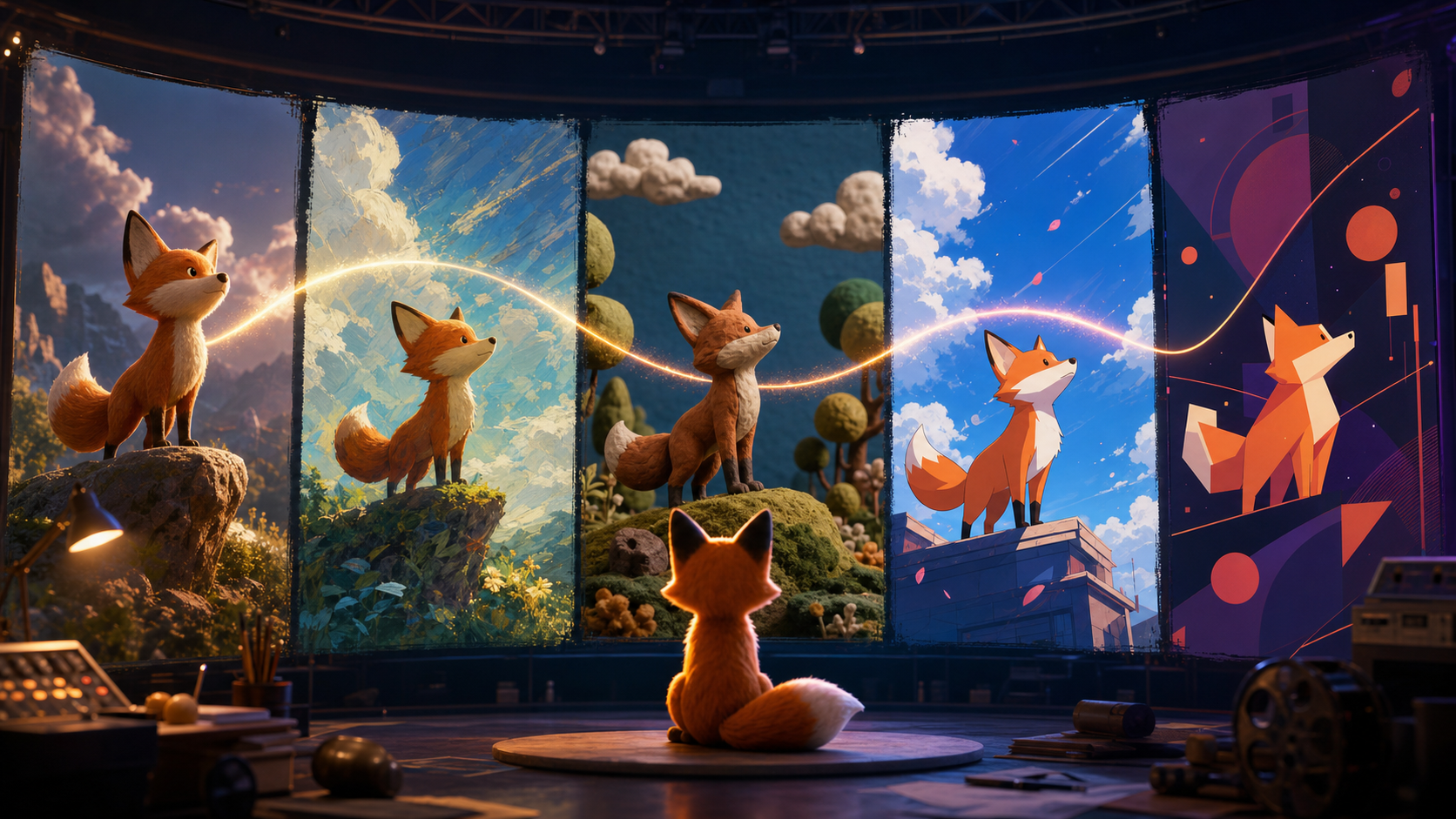
AI video can turn a written idea or a designed still into a short animated sequence without first building a complete rig, lighting setup, and render pipeline. That makes Veo useful for concepts, social clips, animatics, brand explainers, and visual development—but it does not remove the need for art direction.
The difference between a vague animated result and a controlled one usually comes down to five decisions: subject, action, visual style, camera behavior, and environment. This guide explains how to define those decisions, keep a character recognizable, and know when a traditional animation tool is still the better choice.
What Veo contributes to animation
Veo is a generative video model rather than a conventional animation package. It can interpret descriptions of:
- character and object movement;
- camera motion such as pans, pushes, tracks, and arcs;
- visual styles ranging from flat graphic art to dimensional rendering;
- light, weather, material, and atmosphere;
- dialogue, ambience, and effects on supported model versions.
Its main advantage is speed from direction to a moving draft. A creator can test whether a composition, mood, or motion idea works before investing in rigging or frame-by-frame production.
Its main limitation is control. A prompt does not expose every bone, curve, material, or frame. Exact poses, repeatable lip sync, asset delivery, and long-term character consistency are better served by traditional animation systems.
Six animation styles to explore
Flat 2D and vector-inspired animation
Use explicit visual language:
- flat 2D shapes;
- bold clean outlines;
- solid color fills;
- limited palette;
- minimal shading;
- simple graphic background.
Keep the action readable and silhouette-driven. A flat character crossing a simple stage is more stable than several figures overlapping in a detailed crowd.
3D CGI-inspired animation
For dimensional results, describe material and light:
- smooth stylized 3D character;
- soft global illumination;
- subtle subsurface scattering for skin or wax;
- controlled rim light;
- physically believable fabric and hair;
- cinematic depth of field.
These words describe appearance, not a deliverable 3D asset. The result is video, not a rigged model that can be opened in Blender.
Stop-motion and clay style
Useful signals include:
- handmade clay puppet;
- visible fingerprints and tactile surfaces;
- miniature practical set;
- stepped stop-motion cadence;
- subtle frame-to-frame jitter;
- soft studio lighting.
The goal is intentional imperfection. Avoid combining a handmade stop-motion look with perfectly fluid photorealistic motion unless that contrast is deliberate.
Cel-shaded and anime-inspired animation
Describe original visual attributes rather than asking for a copyrighted character or copying a specific studio:
- crisp cel shading;
- expressive but consistent eyes;
- clean line art;
- dynamic action lines;
- two-tone shadow shapes;
- graphic sky and wind-swept foliage.
An original character brief is safer and more controllable than a prompt that depends on imitation.
Watercolor and painterly animation
For an editorial or storybook feel, specify:
- loose ink contours;
- translucent watercolor washes;
- cold-press paper texture;
- visible brush variation;
- edges that softly bloom into the background;
- restrained motion that preserves the illustration.
Excessive camera or character movement can destroy the visual appeal of painterly frames. Use slow motion and simple actions.
Looping motion graphics
Abstract loops benefit from geometry and timing:
- three circles expand and contract in sequence;
- a ribbon follows one continuous figure-eight path;
- start and end compositions match;
- minimal palette;
- locked camera;
- no text or logos.
“Seamless loop” is a useful instruction, but still inspect the cut. You may need to trim, crossfade, reverse, or select another take.
The five-part animation prompt
A strong prompt combines:
- Subject: who or what appears, including identity-critical details.
- Action: the visible movement and its natural endpoint.
- Style: the dominant animation language, materials, and palette.
- Camera: framing, lens feel, movement, and stability.
- Mood and environment: location, lighting, weather, and emotional tone.
Template:
[STYLE] animation. [SUBJECT DESCRIPTION] [ACTION WITH ENDPOINT].
[CAMERA FRAMING AND MOVEMENT]. [ENVIRONMENT AND LIGHT].
[SECONDARY MOTION]. [CONSTRAINTS AND REJECTION CONDITIONS].
Put the style near the beginning so it anchors the visual decisions. Describe motion rather than only appearance, and state one clear camera behavior.
Prompt-writing rules that improve control
Name the style first
“Flat 2D graphic animation with bold black outlines” is more specific than adding “cartoon-like” at the end.
Describe one primary action
“An orange fox runs across the roof, stops beside the chimney, and looks down” is easier to stage than a long chain of unrelated gestures.
Direct the camera
Choose “locked wide shot,” “slow tracking shot,” “close-up with a gentle push-in,” or another visible instruction. Do not leave the model to invent a camera move when continuity matters.
Define empty space
If copy will be added later, reserve a quiet area. Say “character remains in the right third; simple uncluttered wall on the left.” Add exact text in editing rather than generating it inside the animation.
Set light and mood
“Warm late-afternoon light with soft amber shadows” will guide palette and contrast more effectively than “beautiful lighting.”
Use short exclusions
Not every interface has a separate negative-prompt field. Add concise constraints such as “no text, no extra characters, no camera roll, no clutter.” A long list of prohibitions can compete with the main direction.
Seven adaptable animation prompts
2D character walk
Flat 2D graphic animation with bold outlines and a four-color palette.
An original orange fox wearing a small teal satchel walks left to right with a
light, bouncy step and stops beneath a round streetlamp. Locked side view,
simple geometric town background, warm dusk light. Tail follows with gentle
secondary motion. No text, no extra characters, consistent satchel shape.
3D discovery scene
Stylized 3D animation. A small brass exploration robot crosses a mossy stone
bridge and pauses as blue fireflies rise from the stream. Slow low-angle track
beside the robot, soft global illumination, cool forest shade with warm rim
light. Believable metal weight and gentle antenna bounce. No logos or dialogue.
Clay stop-motion cooking beat
Handmade clay stop-motion animation on a miniature kitchen set. A round green
clay creature rolls one ball of dough, stamps a star shape, and places it on a
tiny tray. Static medium shot, warm practical light, visible fingerprints,
intentional stepped cadence. No written labels, no extra limbs.
Cel-shaded action
Original cel-shaded action animation with clean line art and two-tone shadows.
A courier in a cobalt jacket leaps from one rooftop to the next as red leaves
spiral behind. Wide tracking shot, bright sky, strong readable silhouette.
Land in a stable crouch. Keep jacket, hairstyle, and bag unchanged.
Watercolor storybook loop
Delicate watercolor storybook animation on textured paper. A paper boat drifts
around a small circular pond while three reeds sway and a dragonfly crosses
once. Top-down locked frame, pale blue and sage palette, slow gentle movement.
End with the boat at its starting position. No text, no hard digital edges.
Abstract motion-graphics loop
Minimal abstract 2D motion graphic. Three coral circles and one indigo ribbon
expand, overlap, and return to the exact opening arrangement in a smooth loop.
Locked camera, cream background, clean vector-like edges, even timing.
No text, no logos, no shadows, no additional shapes.
Dialogue shot
Stylized 3D animation. Original owl archivist in a burgundy vest stands behind
a wooden desk and says, "The map was here all along." Medium close-up, locked
camera, quiet lamplit library, subtle head tilt and wing gesture. Keep beak,
glasses, and vest consistent. No background characters.
Test short shots with the DeepFake text-to-video workflow, then add exact titles, subtitles, and brand assets during editing.
Keeping characters consistent
Generative video can maintain a subject within one short clip better than across many independent generations. Build continuity deliberately.
Create a character bible
Record:
- species or age range;
- body proportions and silhouette;
- hair, fur, skin, or surface color;
- clothing and accessory shapes;
- palette with named colors;
- personality expressed through posture;
- details that must never appear.
Repeat the complete anchor text in each scene. Do not shorten “original orange fox with cream muzzle, black lower legs, teal triangular satchel” to “the fox.”
Reuse an authorized reference image
When image-to-video is available, use the same approved character sheet or clean frame. Keep the reference unbranded and clear enough to show the silhouette and palette.
Keep the style anchor verbatim
Switching between “flat 2D,” “storybook illustration,” and “cartoon” may invite visual drift. Reuse the exact successful phrase.
Limit scene complexity
Close-ups need fewer moving parts. Crowds, reflections, transparent materials, and overlapping limbs all increase risk. Give identity-critical characters clear separation from the background.
Smoother character and secondary motion
Motion weight comes from useful verbs and modifiers:
- light: skips, tiptoes, glides, springs;
- heavy: plants each step, lumbers, settles with weight;
- cautious: pauses, leans forward, tests the ground;
- energetic: bounds, pivots, snaps into the final pose.
Describe secondary motion only where it supports the main action:
- cape trails and settles;
- hair moves gently in the breeze;
- satchel swings once and comes to rest;
- soft fabric compresses when the character sits.
Too many independently moving elements can create noise and artifacts.
Camera animation vocabulary
- Static: “camera locked, no movement.”
- Push-in: “slow controlled dolly toward the subject.”
- Pull-back: “gradual reveal of the full environment.”
- Track: “camera follows alongside at matching speed.”
- Pan: “slow pan left while the character crosses frame.”
- Arc: “small 30-degree arc around the object.”
- Handheld: “restrained organic camera drift,” used sparingly.
Combine one camera move with one character action. Complex action plus complex camera motion makes failures harder to diagnose.
AI generation versus traditional animation
| Dimension | Generative animation | Traditional 2D/3D tools |
|---|---|---|
| Initial setup | Fast prompt or image input | Design, rigging, layout, keyframes |
| Skill profile | Art direction and prompt iteration | Drawing, modeling, rigging, animation, rendering |
| Exact pose control | Limited | Precise |
| Repeatability | Variable | High when assets and rigs are locked |
| Style exploration | Fast | Depends on available artists and assets |
| Character continuity | Requires active management | Strong with a stable model sheet or rig |
| Deliverable | Rendered video | Editable scenes, rigs, models, or source files |
| Best role | Concepts, short shots, animatics, experiments | Long-form, production assets, exact performance |
Use generative animation for social clips, pitch visuals, early story tests, explainer inserts, and rapid style exploration. Use traditional tools when a project requires hundreds of controlled shots, exact lip sync, reusable game assets, rigged models, or frame-level revision.
The workflows can complement each other: generate an animatic or style study, approve the direction, then reproduce critical shots in an editable pipeline.
Step-by-step: create a first animation
1. Define the visual style
Choose one dominant direction before writing scenes: flat 2D, stylized 3D, clay stop-motion, cel-shaded action, painterly watercolor, or motion graphics.
2. Write the five-part prompt
Specify subject, action, style, camera, and environment. Add only the constraints that matter.
3. Generate a short anchor shot
Begin with a simple character introduction or environment view. Evaluate style fidelity, subject clarity, motion, and unwanted artifacts.
4. Refine one variable
If the style is right but movement is too aggressive, adjust the motion phrase. If the character is unclear, improve the subject description without changing camera and light.
5. Generate alternatives for key shots
Two or three versions provide real selection value. Record which prompt produced each take.
6. Assemble and finish
Edit the chosen clips, add captions and exact graphics, mix audio, grade the sequence, and export for the target platform.
Advanced project techniques
Batch prompts with a style reference document
Write all scene prompts before generation. Keep approved phrases for character, palette, environment, camera, and light in a shared block. Scene prompts should change mainly in action and framing.
Use one dominant style and one accent
Hybrid directions work best when the hierarchy is clear: “clay stop-motion as the primary style with restrained cel-shaded eye highlights,” for example. Two equally weighted styles can produce an indecisive result.
Design a loop around matching states
For a clean loop, make the subject's end position, direction, scale, and lighting match the beginning. Build an action that naturally returns rather than merely adding the words “perfect loop.”
Plan timing around a natural endpoint
“The camera pulls back until the full city is visible, then settles” provides a finishing state. A scene with no endpoint may stop mid-action.
Protect rights and originality
Create original characters and visual directions. Do not imitate a copyrighted character, clone a living artist's signature style, or use a real person's likeness without authorization. Review commercial rights for the exact service and plan through which the output was generated.
Animation QA checklist
- Does the style remain stable from first frame to last?
- Are silhouette, palette, clothing, and accessories consistent?
- Does the main action read without explanation?
- Does the camera have one intentional movement?
- Do hands, faces, joints, and object contacts remain believable?
- Does secondary motion follow the main action?
- Are text, logos, and brand assets added as exact editing layers?
- Is the final frame useful for the cut or loop?
- Are source materials and likenesses authorized?
- Does the export meet duration, ratio, codec, and disclosure requirements?
Conclusion
Veo lowers the cost of testing animated ideas, but clear direction still matters. Name the style, fully describe the character, give the action a natural endpoint, direct the camera, and define the environment. Reuse successful phrases, generate alternatives deliberately, and finish exact graphics in an editor.
The best role for AI animation is not necessarily to replace a complete production pipeline. It is to make visual exploration and short-form motion faster while preserving enough structure that the selected result can become part of a professional edit.
FAQ
Can Veo create a complete animated short?
It can create short shots that are assembled into a film. For multi-scene work, plan a storyboard, reuse character and style anchors, and edit separate clips together.
How do I keep a character consistent?
Repeat the full character description, reuse the same style phrase and authorized reference image, keep lighting and camera language stable, and reject shots that drift.
Can Veo make seamless loops?
It can generate loop-oriented motion, but not every output will join cleanly. Design matching start and end states, generate several takes, and finish the seam in editing.
What resolution will I receive?
Resolution depends on the current Veo model, access product, settings, and plan. Verify the live documentation and test the full export path before committing to delivery specifications.
Can generated animations be used commercially?
That depends on the terms of the exact product and account used, along with rights in source images, characters, music, and likenesses. Review those terms and obtain required permissions before publication.