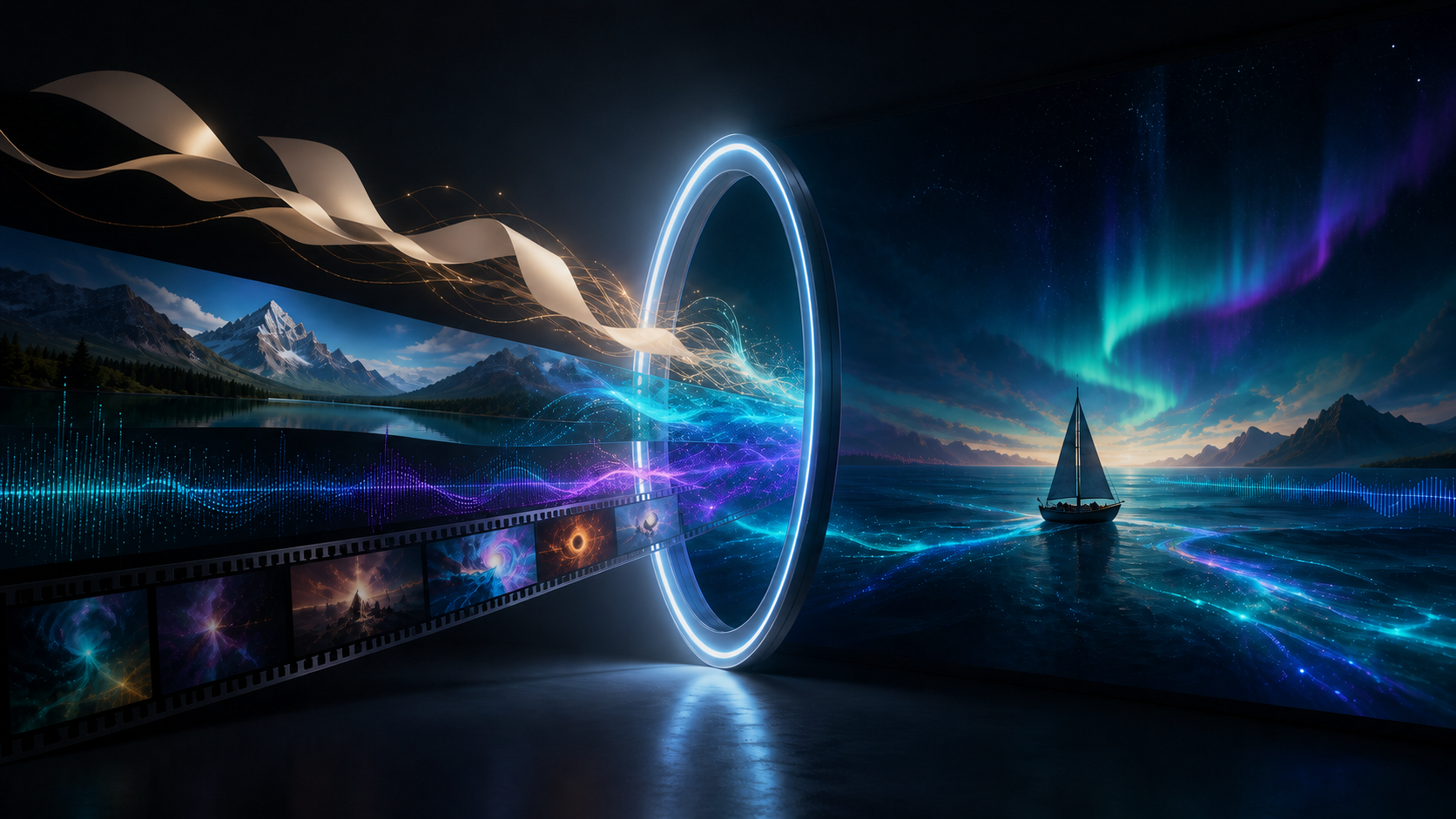
Gemini Omni is Google's multimodal creative-model family for combining different inputs—text, images, audio, and video—and generating or editing media with a shared understanding of the scene. The first model, Gemini Omni Flash, starts with video.
That description contains two ideas that are easy to blur together. The broad Omni vision is “anything from anything.” The current product is a preview model that generates and edits video. Images, sound, video, and text can all guide the result, but video is the documented output focus as of August 2026.
This beginner-friendly guide explains what the name means, why mixed-media input matters, how conversational editing works, where the preview is available, and what creators should check before adopting it.
The Short Answer
Gemini Omni Flash is a native multimodal video model. It can use text, image, audio, and video at the same time, then generate a new video or revise an existing one. It also supports natural-language follow-up edits so a creator can refine the current clip instead of describing the entire project again.
For developers, Google identifies the current preview as gemini-omni-flash-preview. It was introduced at Google I/O 2026 as the first member of the Omni family.
Gemini Omni does not mean that every kind of media output is already available. Google's stated direction is broader than the first release. A production plan should be based on the capabilities visible in the current product or API, not on the family roadmap.
Why Is It Called “Omni”?
“Omni” signals that the model is intended to work across modalities rather than operate as a video renderer that understands text alone. A modality is simply a type of information: written language, a still image, recorded sound, or moving footage.
In an ordinary text-to-video workflow, the creator has to translate all references into words. They may describe a character, a camera move, a visual style, and the rhythm of a song. Some details are difficult to express precisely.
With mixed input, the creator can supply the evidence itself:
- A character illustration can define appearance.
- A product photo can define geometry and material.
- A source video can define movement or camera behavior.
- A music track can define rhythm and timing.
- A written prompt can explain how those references relate.
The model's job is to interpret the relationships and create one coherent video. That is the practical meaning of multimodal generation.
What Gemini Omni Flash Can Do
Google's official product and developer pages demonstrate several categories of work.
Generate Video from Text
A written prompt can define the subject, setting, action, camera, style, and sound. This is the most open-ended mode and works well when the creator wants visual invention rather than strict reference preservation.
Animate an Image
A still image can become the visual anchor for motion. The prompt directs how the subject, camera, and environment should change. This is useful for art, product images, characters, and photographs that already establish composition.
Edit Existing Video
The creator can upload a clip and request a transformation: change an environment, alter a material, remove an object, replace a character, modify an action, or apply a visual style. A precise edit prompt should say both what changes and what stays fixed.
Combine References
Gemini Omni can use several media references together. An image may define a character, a video may define motion, and audio may define timing. This reference-to-video workflow reduces the need to approximate every detail in text.
Refine Through Conversation
After the first result, the creator can give another instruction that builds on the existing clip. The edit may change lighting, camera angle, subject, object, action, or environment without beginning a completely new prompt chain.
Use World Knowledge
Google says the model combines generative media with Gemini's knowledge of history, science, culture, narrative, and physical relationships. This can help with grounded explainers and plausible scenes, but factual output still needs human verification.
What Conversational Editing Changes
The usual generate-and-regenerate loop throws away useful decisions. A new output may fix the light but change the actor. It may correct a product but lose the camera move.
Conversational editing introduces a persistent revision path. A creator can say:
Keep the current subject, action, framing, clip length, and audio unchanged. Replace only the background with a quiet train platform at dawn. Preserve the subject's existing light until the final two seconds, then add warm sunlight from camera right.
The instruction defines a narrow edit surface and lists protected elements. If that pass works, the creator can continue from it. If not, they can return to the last approved version.
This is closer to versioned editing than one-shot prompting, but it is not the same as a deterministic timeline editor. The model may still change unrequested details. Every round should be reviewed as a new asset.
A Simple Mixed-Input Example
Imagine a creator wants a stylized music visual featuring a fictional courier.
They provide:
- A character illustration for face, outfit, and palette
- A short running video for body movement
- A rainy rooftop image for the environment
- An instrumental track for rhythm
- A text prompt for camera and timing
A clear instruction could be:
Create a vertical cinematic video. Use Image A only for the courier's identity, clothing, and colors. Use Video A only for running motion. Place the courier on the rooftop from Image B. Keep the movement from left to right. Match the camera cuts to the strongest percussion hits in Audio A. At the final beat, the courier stops at the roof edge as a small drone passes in the distance. Preserve the same character and outfit throughout. No dialogue, text, logos, or interface elements.
The prompt assigns a role to each reference. Without that map, the model has to guess whether a source controls style, identity, motion, or composition.
What Gemini Omni Is Not
Clear boundaries prevent disappointment.
It Is Not Every Gemini Model
Gemini Omni is a creative-media family, not a new umbrella name for all Google reasoning, coding, or assistant models.
It Is Not Yet Every Output Modality
Google describes the family as capable of moving toward any input and any output, but the current public starting point focuses on video output. Do not promise audio-only, image-only, or other future modes until the specific interface documents them.
It Is Not Guaranteed Non-Destructive Editing
A natural-language edit can preserve much of a scene, but the output remains generative. Exact faces, logos, packaging, typography, geometry, timing, and audio can drift.
It Is Not a Source of Truth
World knowledge can help the model construct an explanation, but it does not make the video an authoritative scientific or historical account. A plausible animation can still be wrong.
It Is Not a Complete Post-Production Suite
Generative editing can replace or transform content, yet professional work still needs shot selection, trimming, captions, sound mixing, color matching, export control, approvals, and rights management.
Where Can You Use It?
Google lists Gemini Omni across a growing set of products and developer surfaces, including the Gemini app, Google Flow, YouTube Shorts, Google Vids, Google AI Studio, and the Gemini API. Availability can vary by region, subscription, workspace, and feature.
The developer model remains in preview, which makes current documentation essential. Preview parameters, quotas, pricing, supported durations, and output behavior can change.
Within a multi-model production process, use the DeepFake model catalog to compare the options available for the current shot. A creator may use text-to-video for open-ended footage or a video-to-video workflow when an existing clip should provide strong temporal structure.
The right choice depends on the required input, edit control, visual style, duration, speed, and budget—not on which model has the newest release date.
How to Prepare Inputs
Mixed-media generation works best when references are clear and compatible.
Images
Use sharp, well-lit images without accidental text, interface borders, watermarks, or malformed details. Show the subject unobstructed. If several views are supported, make them consistent in clothing, material, and design.
Video
Trim the source to the motion or camera behavior you need. Remove unrelated cuts. Choose footage with readable action, stable exposure, and enough resolution to reveal important movement.
Audio
Use a clean clip with valid rights. Decide whether it controls rhythm, remains in the final output, provides a voice reference, or serves as temporary direction. Do not make the model infer the role.
Text
Write the prompt in time order. Identify each reference, state the output purpose, describe the action and camera, connect sound to visible events, list preservation constraints, and finish with exclusions.
A Beginner Workflow
1. Define One Goal
Choose a single deliverable such as a product reveal, short dialogue, transformation, music visual, or educational shot. Set the intended aspect ratio and approximate duration.
2. Assign Reference Roles
Write one sentence for each input. If two references control the same property but conflict, choose a priority.
3. Start with a Modest Scene
Use one subject, one clear action, a controlled camera move, and a simple soundscape. Learn what the model preserves before attempting a crowded multi-character sequence.
4. Generate a Test
Use an economical preview configuration when available. The first output should test the idea, not serve as the final master.
5. Review in Passes
Watch first for story and pacing, then identity and geometry, then physical motion, then audio, and finally fine details such as text and reflections.
6. Make One Edit
Begin from the strongest version. List protected elements and request one bounded change. Save both before and after.
7. Finish Outside the Model
Trim the result, add exact typography, create captions, mix audio, correct color, and export for each channel. Watch the final file with sound.
How to Review a Result
Use a repeatable evaluation instead of judging only whether the clip looks impressive.
Visual Review
- Does the subject remain identifiable?
- Are hands, faces, rigid objects, and interactions plausible?
- Does the camera move consistently?
- Are backgrounds stable across edits?
- Do reference colors, materials, and costumes remain correct?
Motion Review
- Does the action follow a natural sequence?
- Are gravity, momentum, contact, water, cloth, and reflections believable?
- Do cuts maintain direction and eyeline?
- Is the first and last frame usable?
Audio Review
- Does dialogue come from the correct speaker?
- Is lip movement synchronized?
- Do effects match visible events?
- Does music timing support rather than obscure the scene?
- Are there clicks, clipped words, or abrupt endings?
Factual Review
- Does an educational claim match a primary source?
- Are historical objects and events represented responsibly?
- Could a visual metaphor be mistaken for a literal mechanism?
- Has a qualified reviewer checked high-stakes content?
Common Mistakes
Supplying Too Many References
Every extra input creates another relationship the model must resolve. Begin with the minimum evidence needed. Add a reference only when it controls something the prompt cannot express reliably.
Failing to State Priority
If the character image shows daylight and the environment image shows night, the model needs direction. State that identity comes from one input and light comes from another.
Asking for Several Edits at Once
Changing character, location, action, camera, and sound in one follow-up makes failure hard to diagnose. Use a version tree with one meaningful edit per branch.
Trusting Continuity Without Checking
Conversational editing is designed to retain context, but small changes can spread. Compare frames around faces, hands, product edges, signs, and the requested edit boundary.
Treating Preview Behavior as Permanent
Record the model name and date. Re-test prompts after an update before using them in an automated or high-volume pipeline.
Safety, Consent, and Provenance
Gemini Omni makes it easier to transfer motion, replace a person, and combine voice with visual identity. Those capabilities require clear consent and rights.
Use assets you created, licensed, or have permission to transform. Do not impersonate a real person, fabricate evidence, or place someone in a misleading or intimate context without consent. Voice and likeness permission should be explicit about the intended use.
Google says supported consumer outputs include SynthID and C2PA Content Credentials. Provenance tools help identify generated or edited media, but creators should still disclose AI assistance when viewers could reasonably mistake the content for authentic footage.
Keep the original sources, permissions, prompts, model version, generated variants, and approvals. Review for private information, unintended trademarks, bias, and unsafe physical behavior before publishing.
Frequently Asked Questions
Is Gemini Omni available now?
Yes. Gemini Omni Flash is available through selected Google products and as a developer preview, subject to subscription, geography, quota, and rollout conditions.
Can it accept text, images, audio, and video together?
That is a core documented capability. The prompt should explain what each input controls.
Can it output any format?
The family vision is broader, but the current release begins with video output. Treat other output modes as future direction until formally available.
Does it replace video editing software?
No. It can perform powerful generative edits, but conventional editing remains important for precise timing, captions, graphics, sound mix, color, versioning, and delivery.
Is conversational editing perfectly consistent?
No generative edit should be assumed perfect. Save versions, list preservation constraints, and compare each revision carefully.
Is it safe to create a real person's avatar?
Only with informed permission and within applicable laws, platform rules, and usage policies. Do not use a likeness or voice to mislead people about genuine speech or behavior.
Conclusion
Gemini Omni is a shift from describing every creative decision in text toward supplying the source evidence directly. A character image, movement video, sound track, and written instruction can contribute different parts of one result, while conversational editing provides a more practical path to revision.
For now, Gemini Omni Flash is a preview model focused on generating and editing video. Its broader any-input, any-output promise describes where the family is heading. Creators will get the most value by using the current capability precisely: keep inputs purposeful, define their roles, edit in small steps, preserve versions, and verify every visual, acoustic, factual, and ethical detail before release.