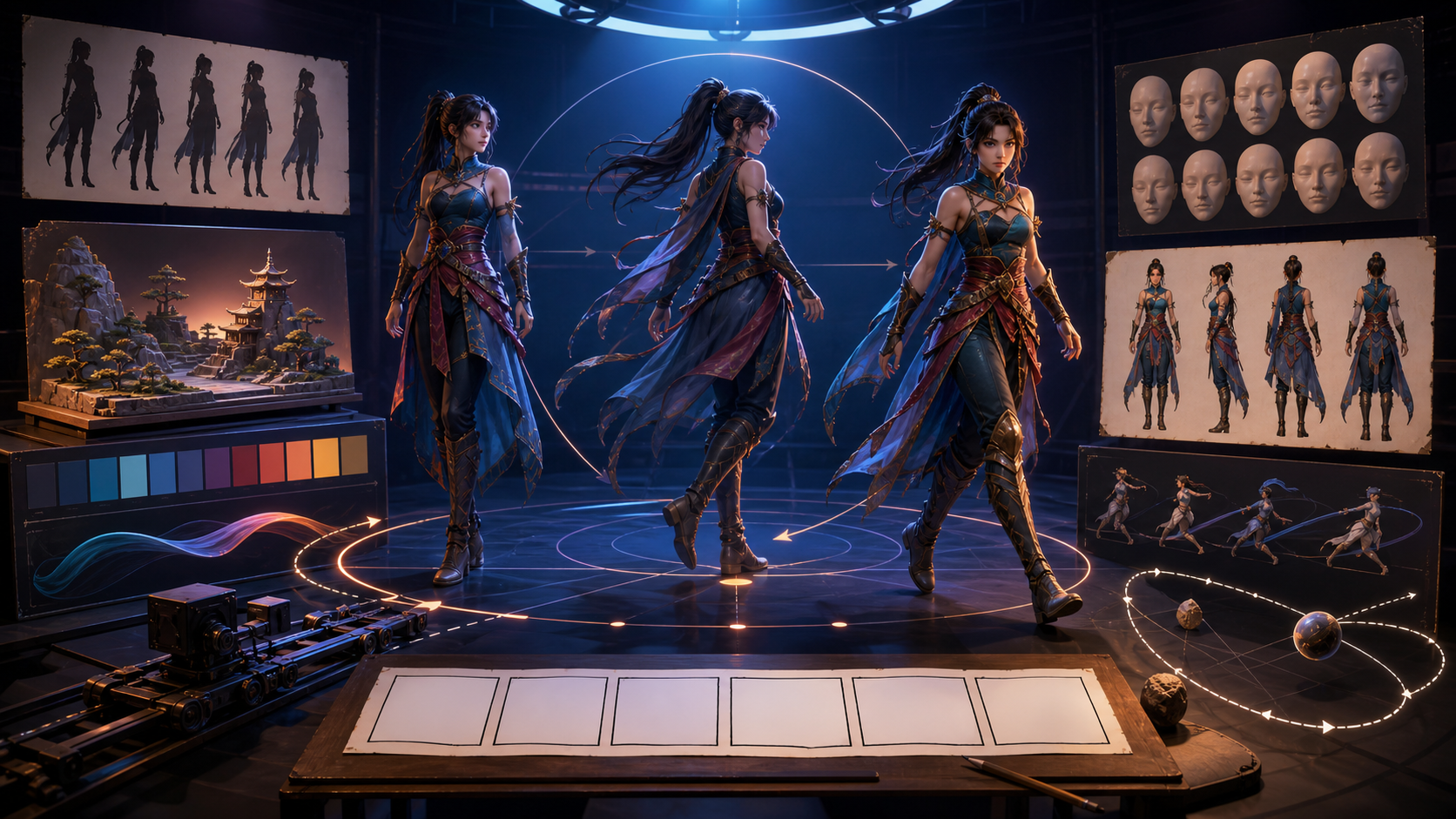
Weak AI animation prompts are not always short. They are usually undecided. They describe a beautiful scene, several actions, three camera moves, two visual styles, and a dramatic ending without explaining what matters most.
A strong prompt behaves like a compact shot direction. It identifies the subject, protects identity, defines one primary action, describes how the camera observes it, and gives the motion an emotional purpose. The model then has a clear scene to animate instead of a list of competing possibilities.
This guide provides a reusable prompt formula, camera and motion vocabulary, examples for common shot types, and a revision system for text-to-video, image-to-video, and video transformation. The examples are model-agnostic because controls vary, but the directing logic remains useful across platforms.
The core animation prompt formula
Use this structure:
Shot purpose + subject and fixed identity + environment + starting state + one primary action + secondary motion + camera behavior + timing and ending beat + visual language + preserve + avoid
Not every prompt needs a sentence for every field. The structure is a checklist, not a word-count target.
A compact example
Reflective anime close-up. An original sky courier with short teal-black hair, coral scarf, cream jacket, and brass star pin stands on a quiet rooftop at dusk. She begins looking down, slowly raises her eyes toward the horizon, then settles into a small hopeful smile. Light wind moves only the scarf edge and loose hair strands. Slow, steady camera push from medium close-up to close-up; no orbit. Hold the final expression briefly. Crisp ink contours, two-step cel shading, warm city lights against deep blue sky. Preserve face, outfit, pin position, rooftop layout, and dusk palette. Avoid lip movement, added gestures, costume drift, camera shake, text, and extra characters.
The prompt is specific, but its power comes from hierarchy. The eye lift and smile are primary. Wind is secondary. The camera supports the emotion. Everything else is stable.
Description and direction are different layers
Many prompts become confusing because they mix what the shot contains with how the shot behaves.
Description layer
- Subject identity.
- Clothing, product, or object geometry.
- Environment.
- Light and palette.
- Medium and visual style.
- Composition at the start.
Direction layer
- Primary action.
- Motion pace.
- Secondary physical response.
- Camera movement.
- Emotional change.
- Final beat.
- Elements that must remain fixed.
Write the description first, then the direction. If the still frame is unclear, motion usually makes it worse.
Still-image prompts and animation prompts need different priorities
A still-image prompt is optimized for one moment. It can ask for a complex pose, perfect lighting, layered composition, and many small details because the model only needs to resolve one frame.
An animation prompt must explain change. It should answer:
- What state does the subject begin in?
- What changes?
- How quickly?
- What reacts physically?
- How does the camera behave?
- What state ends the shot?
- What must remain unchanged?
This is why copying a still prompt into a video generator often produces a beautiful but almost motionless clip—or chaotic motion the user never requested.
For DeepFake text-to-video generation, describe both the visual setup and the shot behavior. For image-to-video, the input already defines much of the appearance, so spend more of the prompt on motion, camera, preservation, and the ending beat.
The nine building blocks
1. Shot purpose
Name what the shot does in the edit: introduction, reveal, reaction, transition, demonstration, impact, atmosphere, or ending. Purpose helps you remove motion that does not serve the sequence.
Examples:
- “Quiet character introduction.”
- “Fast product-feature reveal.”
- “Uneasy reaction before a cut.”
- “Atmospheric transition from day to night.”
2. Subject and identity anchors
Describe only the details necessary to keep the subject recognizable. For a character, choose face, hair silhouette, proportions, outfit construction, and one signature prop. For a product, choose geometry, material, controls, label position, and color.
Do not expect a character name to preserve appearance. “Mira turns around” is weak unless Mira has stable visual meaning in the prompt or reference image.
3. Environment
The setting should support the action. Describe large stable shapes before surface decoration: narrow alley, open desert ridge, circular laboratory, small kitchen, or forest path. Mention light source and depth layers when camera motion may reveal more of the scene.
4. Starting state
Define the first readable pose or condition:
- Hands resting on the table.
- Product closed and unlit.
- Character facing away from camera.
- Empty street before rain begins.
- Cloth hanging still.
The starting state gives the model a baseline for change.
5. Primary action
Give the subject one main verb phrase. Examples:
- Turns toward camera.
- Opens the case.
- Takes two careful steps.
- Lifts the cup and pauses.
- Unfolds from a compact form.
- Changes from green to amber.
One primary action does not mean the shot must feel boring. It means every movement supports a readable beat.
6. Secondary motion
Secondary motion adds physical life without competing with the action:
- Hair and fabric follow a turn.
- Steam curls upward.
- Leaves respond to a breeze.
- Reflections move as the camera passes.
- Dust settles after impact.
- A hanging light sways once.
Specify restraint: “subtle,” “only,” “one gentle sway,” or “slight delayed follow-through.”
7. Camera behavior
Choose one primary camera move or a locked camera. Camera movement changes every pixel, so it consumes part of the model's motion capacity.
Useful options:
- Locked shot.
- Slow push in.
- Gentle pull back.
- Lateral track.
- Controlled pan.
- Tilt up or down.
- Small arc around the subject.
- Handheld micro-movement.
- Crane rise.
Avoid contradictory combinations such as “locked camera, fast orbit, static framing.” If the subject action is complex, simplify the camera.
8. Timing and ending beat
AI models do not all follow exact timecodes reliably, but phase language still helps:
- Begin still.
- Move gradually.
- Reach the action peak near the middle.
- Settle cleanly.
- Hold the final pose.
A prompt without an ending often produces motion that stops arbitrarily. Define the visual state you want at the cut.
9. Preserve and avoid
Preservation instructions identify invariants:
- Preserve face, hair, outfit, product geometry, background layout, and camera axis.
- Keep hands below the shoulders.
- Keep the label readable and unchanged.
- Maintain the same number of characters.
The avoidance block should target likely failures:
- No extra limbs.
- No costume redesign.
- No random lip movement.
- No camera shake.
- No text or logo changes.
- No added subjects.
Do not fill half the prompt with negatives. The desired shot remains the main instruction.
Camera vocabulary without contradictions
Push in versus zoom in
A push moves the camera physically closer, changing perspective and parallax. A zoom changes focal length from a fixed position. Many video models interpret the terms loosely, but choosing one prevents conflicting direction.
Use a push in for intimacy or discovery. Use a zoom when you deliberately want a more graphic focal change.
Pan versus track
A pan rotates the camera left or right. A track moves the camera sideways. Use a pan to follow a subject from a fixed point and a track when foreground and background parallax are part of the shot.
Orbit versus arc
“Orbit” often produces a large move around the subject and can expose unmodeled sides. “Small 20-degree arc” communicates more restraint. If character identity is fragile, do not request a full rotation.
Handheld
Handheld is not a synonym for random shake. Specify gentle documentary micro-movement, controlled shoulder-camera drift, or urgent but readable motion. Otherwise the model may add distracting vibration.
Dolly zoom
A dolly zoom combines camera movement with an opposite zoom to change background scale around the subject. It is a specialized effect. Use it for a deliberate shock or realization, not as generic cinematic seasoning.
Static can be a strong choice
A locked camera lets viewers read performance, choreography, transformation, or product motion. It also reduces continuity risk. Motion does not need to come from every layer.
Motion language that models can act on
Vague direction:
The character moves cinematically.
Directional version:
She shifts weight onto her front foot, raises the lantern to eye level, and pauses; sleeve and tassel follow with slight delay.
Vague direction:
The product has an epic reveal.
Directional version:
The closed case rotates one quarter turn, the lid opens smoothly, and a warm internal light rises; camera remains locked at a low three-quarter angle.
Use verbs that describe visible change: turns, lifts, opens, folds, steps, leans, glances, settles, expands, ignites, dissolves, grows, falls, passes, reveals, or reflects.
Avoid abstract verbs unless you translate them into behavior. “Feels confident” can become “straightens posture, raises chin slightly, and meets the camera.”
Twelve reusable prompt patterns
Pattern 1: emotional close-up
Structure: identity + starting gaze + small facial change + restrained secondary motion + slow camera + ending hold.
Prompt:
Intimate cinematic close-up of an entirely fictional adult violin maker with silver-streaked dark hair and a charcoal apron in a quiet workshop. She begins studying a finished violin below frame, inhales softly, then looks toward the window with a restrained proud smile. One loose hair strand moves in the warm window draft; shoulders settle after the breath. Very slow camera push, no orbit. Hold the final gaze. Natural photographic texture, warm wood and cool morning shadows. Preserve facial identity, age, apron, lighting, and background. Avoid talking, exaggerated smile, hand movement, beauty retouching, added people, text, and camera shake.
Pattern 2: character reveal
Structure: obscured starting state + one reveal action + environment reaction + controlled camera + final hero pose.
Prompt:
Anime character reveal on a rain-dark rooftop. An original courier in a cream jacket and coral scarf begins as a silhouette facing away. She turns halfway toward camera as a neon reflection crosses her face; wind lifts the scarf once and rain streaks diagonally. Camera makes a slow 25-degree arc from behind-left to three-quarter front, never completing an orbit. End on a stable medium hero pose. Crisp blue-black ink, two-step cel shading, amber and cyan city light. Preserve face, short teal-black hair, brass star pin on left chest, outfit, and rooftop layout. Avoid full spin, extra gestures, lip movement, costume change, warped skyline, text, and logos.
Pattern 3: simple walk cycle shot
Structure: start position + exact step count or distance + follow-through + tracking camera + stop state.
Prompt:
Wide side-view shot of an original traveler walking along a windy salt-flat ridge. The traveler takes three steady steps from left to right, plants the final foot, and stops to look across the valley. Long coat and satchel respond naturally with delayed sway; dust lifts lightly at each footfall. Camera tracks laterally at matching speed and keeps full body in frame; no push or orbit. Pale dawn, graphic cinematic realism. Preserve body proportions, rust coat, dark satchel, ridge horizon, and left-to-right direction. Avoid running, sliding feet, extra steps, camera overtaking, duplicated limbs, sudden weather, text, and watermark.
Pattern 4: action beat
Structure: clear starting pose + one decisive action + impact response + simple camera + readable recovery.
Prompt:
Short stylized action beat in a stone training courtyard. An original armored fighter begins crouched behind a round shield, drives forward into one shoulder-level shield strike, then recovers into a balanced stance. Cloth tabs and dust follow the impact; no second attack. Low medium-wide camera tracks forward slightly with the strike, then stops. Strong sunrise rim light, crisp graphic shadows, restrained speed lines only at impact. Preserve helmet shape, shield emblem-free surface, armor colors, courtyard geometry, and anatomy. Avoid weapon appearance, extra attack, spinning camera, slow motion, body duplication, text, and gore.
Pattern 5: product demonstration
Structure: product geometry + closed or idle start + one feature action + material response + fixed commercial camera + clean end.
Prompt:
Premium studio demonstration of one original unbranded folding desk lamp made from matte navy aluminum and one brass hinge. It begins folded flat on a warm-gray table. The upper arm rises smoothly to 60 degrees, the lamp head rotates downward, then a soft amber light switches on and illuminates one circular area. Locked low three-quarter camera with a barely perceptible push; product centered. Reflections and shadow respond accurately to the movement. Preserve exact product geometry, hinge count, navy and brass materials, table, and blank surfaces. Avoid extra controls, labels, cables, floating parts, abrupt motion, camera orbit, text, and watermark.
Pattern 6: atmospheric environment
Structure: stable location + one environmental change + layered depth motion + restrained camera + settled mood.
Prompt:
Quiet dawn establishing shot of a narrow wetland boardwalk leading to a small timber bird shelter. Begin in cool pre-sunrise blue. Thin mist drifts slowly across the water, reeds move in a light breeze, and warm sunlight gradually touches the shelter roof near the end. Camera makes a slow forward glide at walking height along the center of the boardwalk; no pan or tilt. Natural cinematic realism, layered depth, restrained teal and gold palette. Preserve boardwalk geometry, shelter, horizon, and empty scene. Avoid people, animals near camera, fast fog, time-lapse sky, dramatic lens flare, text, and buildings appearing.
Pattern 7: transformation
Structure: clear original state + staged material change + constant silhouette or declared shape change + fixed camera + final state.
Prompt:
Magical transformation of one plain paper crane on a dark wooden table. The crane begins completely still. A soft blue glow travels from its beak to wings; paper fibers become translucent glass while the folded geometry remains identical; tiny light particles lift and fade. The transformation completes from front to back and the glass crane stays motionless at the end. Locked macro three-quarter camera; shallow depth of field remains constant. Elegant indigo and cyan light. Preserve crane size, fold structure, table, composition, and single-object count. Avoid unfolding, flying, extra crane, camera movement, explosive particles, text, and logos.
Pattern 8: start-to-end transition
Structure: beginning frame + one continuous transition mechanism + ending frame + camera rule + continuity.
Prompt:
Continuous seasonal transition in the same locked forest clearing. Begin in late autumn with rust leaves and low golden sunlight. A steady breeze circles clockwise; fallen leaves lift and transform into soft snow as the color temperature cools. End in quiet early winter with the same trees, rocks, camera position, and path covered by a thin snow layer. No cut, no time-lapse sky, no camera movement. Painterly cinematic environment, gentle natural motion. Preserve scene geography and object positions. Avoid new structures, animals, people, heavy storm, text, and abrupt color flash.
Pattern 9: two-character exchange
Structure: distinguish both identities + starting positions + one interaction + eyelines + simple camera + separation constraints.
Prompt:
Medium two-shot in a cozy illustrated train compartment. Character A, an adult conductor with a navy cap and gold scarf, stands on the left holding one paper ticket. Character B, an adult traveler with a green coat and round glasses, sits on the right. A extends the ticket; B reaches with the right hand, accepts it, and both exchange a small polite nod. Camera remains locked across the aisle. Train light shifts gently through the window; clothing moves only with the carriage. Preserve both faces, outfits, left-right positions, ticket count, glasses, and compartment. Avoid identity swapping, merged hands, standing traveler, extra passengers, dialogue, text on ticket, and camera movement.
Pattern 10: seamless loop
Structure: cyclic action + identical start/end state + fixed camera + repeatable secondary motion.
Prompt:
Seamless looping illustration of an original small robot watering one potted fern on a windowsill. The robot begins with the watering can lowered. It raises the can, pours one short stream, lowers it, blinks once, and returns exactly to the initial pose. Fern leaves bounce gently and settle before the loop ends. Locked side camera, stable daylight, clean cel-shaded 2D style. Preserve robot design, can, plant, window, object positions, and identical first and last frame. Avoid walking, camera motion, extra water, growing plant, changing light, text, and logos.
Pattern 11: image-to-video portrait
Structure: reference already defines appearance + micro-action + small camera + preservation emphasis.
Prompt:
Animate the supplied portrait with restrained natural motion. The subject takes one quiet breath, blinks once, and shifts gaze from just left of camera to the lens; the expression remains calm. Loose hair and collar respond to a very light breeze. Slow 5-percent camera push; no reframing or orbit. Preserve facial geometry, age, skin texture, hairstyle, clothing, jewelry, background, light direction, crop, and color grade. Avoid speech, smile change, head turn, eye distortion, beauty filtering, added objects, and background movement.
Pattern 12: video-to-video stylization
Structure: source performance + target visual system + motion and camera preservation + temporal stability + no redesign.
Prompt:
Transform the source dance clip into an original hand-drawn anime sequence with crisp dark-indigo lines, flat coral and teal color blocks, two-step cel shading, and simplified painted background. Preserve the dancer's exact timing, body proportions, purple jacket, orange trousers, ponytail, camera path, framing, and floor contact. Keep face, costume, and color placement stable in every frame; hair and jacket follow the original motion naturally. Avoid redesign, extra limbs, line crawling, background flicker, added effects, speed changes, text, logos, and cuts.
Use this pattern in a DeepFake video-to-video workflow when the source performance and timing are the asset you want to preserve.
Weak prompts rewritten
“Make her move naturally”
Why it fails: no starting pose, visible action, pace, or end state.
Rewrite:
She begins seated with both hands around the cup, looks toward the window, takes one slow breath, then turns her eyes back to the table. Shoulders and one loose hair strand move subtly. Locked medium close-up. End in the original pose.
“Epic anime fight with crazy camera”
Why it fails: multiple undefined actions and uncontrolled camera energy.
Rewrite:
One armored fighter blocks a single overhead strike, slides back half a step, and regains balance. Low medium-wide camera tracks backward slightly with the impact; no orbit. One burst of dust and cloth follow-through. End with both fighters separated and readable.
“Cinematic product video”
Why it fails: cinematic is a tone, not an action.
Rewrite:
The closed watch case rotates 45 degrees on a matte stone surface, opens once, and stops with the watch face centered. Slow lateral camera track creates gentle parallax; narrow rim light travels across the metal edge. Preserve product geometry and blank dial markings.
“Camera zooms around the character while staying still”
Why it fails: zoom, orbit, and static framing conflict.
Rewrite:
Character remains still while the camera makes a slow 15-degree arc from front-left to front-center, maintaining the same medium shot size. No zoom, push, or vertical movement.
“Everything comes alive”
Why it fails: the model has no hierarchy.
Rewrite:
The paper bird flaps its wings once and lifts five centimeters. Only the nearby loose sketches respond with a small breeze; all furniture, light, and camera remain fixed.
How much motion belongs in one shot?
A useful rule is one primary subject action, one camera behavior, and one or two secondary responses.
For example:
- Primary: character opens a letter.
- Camera: slow push.
- Secondary: sleeve shifts and curtain moves.
If you also ask the character to stand, run, transform, speak, summon a storm, and fly while the camera orbits and zooms, the model must decide which instructions to ignore.
Split complex sequences into shots:
- Hand receives the letter.
- Face reacts.
- Character stands.
- Wide environment changes.
Editing gives complexity a readable form.
Prompting pace and rhythm
Words such as slow, gentle, sudden, brisk, heavy, buoyant, hesitant, or mechanical shape motion. Make them relational:
- “A slow two-step turn, then a quick glance.”
- “The lid opens smoothly and stops with a small mechanical settle.”
- “One sudden impact followed by drifting dust.”
- “Hesitant first step, steadier second step.”
Avoid requesting slow motion unless you want a deliberately retimed aesthetic. “Slow camera push” does not require the subject to move in slow motion.
For music-led work, plan beats in the edit. You can describe “action peaks near the middle” or “settles before the end,” but do not assume every model will hit frame-exact musical time. Generate handles and align the strongest moment during editing.
Prompting emotion through behavior
“Sad” may produce a generic frown. Translate emotion into visible choices.
Reflective
- Gaze stays off-camera.
- Movement is small and delayed.
- Shoulders relax after a breath.
- Camera approaches slowly.
Anxious
- Weight shifts once.
- Eyes check an off-screen point.
- Hand tightens around a prop.
- Camera remains slightly distant or moves with subtle instability.
Confident
- Posture straightens.
- Chin rises slightly.
- Movement completes without hesitation.
- Camera settles into a stable lower angle.
Surprised
- Reaction begins in eyes and breath.
- Head follows after a brief delay.
- Avoid an exaggerated full-body jump unless the style requires it.
Emotion becomes believable when voice, face, body, camera, and timing agree.
Image-to-video prompting
The input image already contains identity, style, background, and composition. Repeating every visual detail can distract from motion. Prioritize:
- What moves.
- What remains still.
- How the movement unfolds.
- How the camera behaves.
- Which details must be preserved.
Choose an animation-friendly image: clear face, readable hands, clean silhouette, adequate border, limited small text, and no ambiguous object intersections. A gorgeous still with cropped limbs or tangled props may be fragile in motion.
If the model redesigns the subject, strengthen preservation and reduce action. Test a breath, blink, or small turn before a walk, spin, or complex gesture.
Text-to-video prompting
Text-to-video must invent the starting frame as well as motion. Give it a strong visual hierarchy:
- One main subject.
- A clear environment.
- A starting composition.
- A readable action.
- One camera move.
- A coherent palette and medium.
When a prompt fails, decide whether the problem is visual setup or motion direction. Do not change both at once.
Generate a still reference first when character or product identity matters. A text-only prompt is convenient, but a reference image can stabilize decisions the model would otherwise reinvent.
Video-to-video prompting
The source video already supplies motion, timing, and camera. Focus the prompt on the target visual language and invariants:
- Preserve choreography.
- Preserve camera path.
- Preserve frame rate and duration if the workflow supports it.
- Keep identity and costume stable.
- Define line, shading, materials, or environment treatment.
- Prevent temporal flicker and redesign.
Do not ask the model to preserve the source exactly while completely changing staging and action. Decide whether you want transformation or reinterpretation.
Negative prompts that are actually useful
Write negatives around probable failure modes.
Character shot
Avoid identity drift, face change, extra fingers, costume redesign, random speech, exaggerated blinking, added people, and camera shake.
Product shot
Avoid geometry changes, added buttons, altered labels, floating parts, duplicate products, impossible reflections, and hand intrusion.
Environment
Avoid buildings appearing, warped horizon, fast cloud flicker, sudden lighting change, added people, and text.
Stylization
Avoid line crawling, palette shift, background boiling, photorealistic skin, frame-to-frame costume changes, and inserted effects.
Do not include negatives unrelated to the shot. A focused list is easier to interpret and easier to maintain.
Revision should be directional
Randomly rewriting a failed prompt hides the cause. Use this loop.
Step 1: identify one visible failure
Examples: face drift, too much camera movement, weak action, wrong pace, background noise, or missing ending.
Step 2: find the responsible layer
- Identity problem → reference and preserve block.
- Motion problem → primary action and pace.
- Composition problem → starting state and camera.
- Style problem → visual-language block.
- Chaos → too many actions or contradictory directions.
Step 3: change one instruction
Reduce orbit to a small arc. Replace “walks around” with “takes two steps.” Add “hold final pose.” Strengthen one identity anchor.
Step 4: keep the rest stable
Use the same input, model, duration, and settings. Compare versions at normal speed.
Step 5: record the result
Save prompt, model, settings, input, output, and a one-line observation. A prompt library becomes useful when it includes evidence, not only favorite wording.
Build a prompt library by shot family
Organize templates around production needs:
- Emotional close-up.
- Character reveal.
- Walk or entrance.
- Single action impact.
- Two-character exchange.
- Product mechanism.
- Environmental transition.
- Seamless loop.
- Still-to-motion portrait.
- Video stylization.
Store placeholders rather than hard-coded characters:
[Purpose]. [Identity block] in [environment]. Begins [starting state], then [primary action], and ends [final state]. [Secondary motion]. [Camera]. [Timing]. [Visual language]. Preserve [invariants]. Avoid [failures].
Reuse the skeleton and replace only the relevant modules.
Quality-control checklist
Review at normal speed before frame-by-frame inspection.
- Is the shot purpose obvious?
- Does the primary action read once, clearly?
- Does motion begin and end cleanly?
- Is the camera doing only what the prompt requested?
- Do secondary elements support the action?
- Does identity remain stable?
- Are hands, feet, contact, and props believable?
- Does the environment keep its geometry?
- Does light remain coherent?
- Are there unwanted cuts, speed changes, or morphs?
- Is there enough handle before and after the beat for editing?
- Would a simpler shot communicate better?
If a clip contains one excellent moment and one broken ending, consider trimming or using a cutaway before regenerating everything.
Rights, consent, and responsible animation
Use characters, products, footage, voices, and reference images you are authorized to animate. A photo available online is not automatic permission to create a new performance from a person's likeness.
Do not fabricate endorsements, evidence, or sensitive acts. Disclose synthetic media when the audience could reasonably mistake it for a real event or real person's behavior. Preserve records of source rights, prompts, models, edits, and approvals.
Describe original style properties rather than copying a protected franchise or a living artist's personal style. Animation prompts are a chance to define a coherent visual language of your own.
Final takeaway
The most effective AI animation prompts direct change. They establish a starting state, choose one primary action, let secondary motion support it, give the camera a single job, define the ending beat, and protect the elements that must remain stable.
Start small. Animate one breath, one turn, one reveal, or one product mechanism. When the result works, reuse the structure for the next shot. A good prompt system does not eliminate iteration; it makes every revision explainable.
Frequently asked questions
How long should an AI animation prompt be?
Long enough to define the shot without creating competing instructions. A simple image-to-video prompt may be 50–120 words; a text-to-video scene may need more. Clarity and hierarchy matter more than length.
Should I describe the camera in every prompt?
Yes, even if the direction is “locked camera.” Otherwise the model may invent movement. Use one primary camera behavior and avoid contradictions.
How many actions should one prompt include?
Usually one primary action plus one or two secondary responses. Split a longer performance into separate shots and edit them together.
Why does my character change during animation?
The action or camera may reveal angles not supported by the reference, the prompt may lack identity anchors, or the model may have too much freedom. Use stronger references, reduce motion, shorten the shot, and state what to preserve.
What is the difference between text-to-video and image-to-video prompts?
Text-to-video prompts define both appearance and motion. Image-to-video prompts can rely on the input for appearance and focus more on action, camera, timing, and preservation.
Do exact timecodes work in AI video prompts?
Support varies. Phase language such as “begin still, action peaks near the middle, settle and hold at the end” is broadly useful. Align frame-exact beats during editing unless the tool explicitly supports timeline controls.
What should I do when the animation is almost right?
Keep the input and settings stable, identify one visible failure, and revise the responsible prompt layer. Do not rewrite the entire shot unless the foundation is wrong.