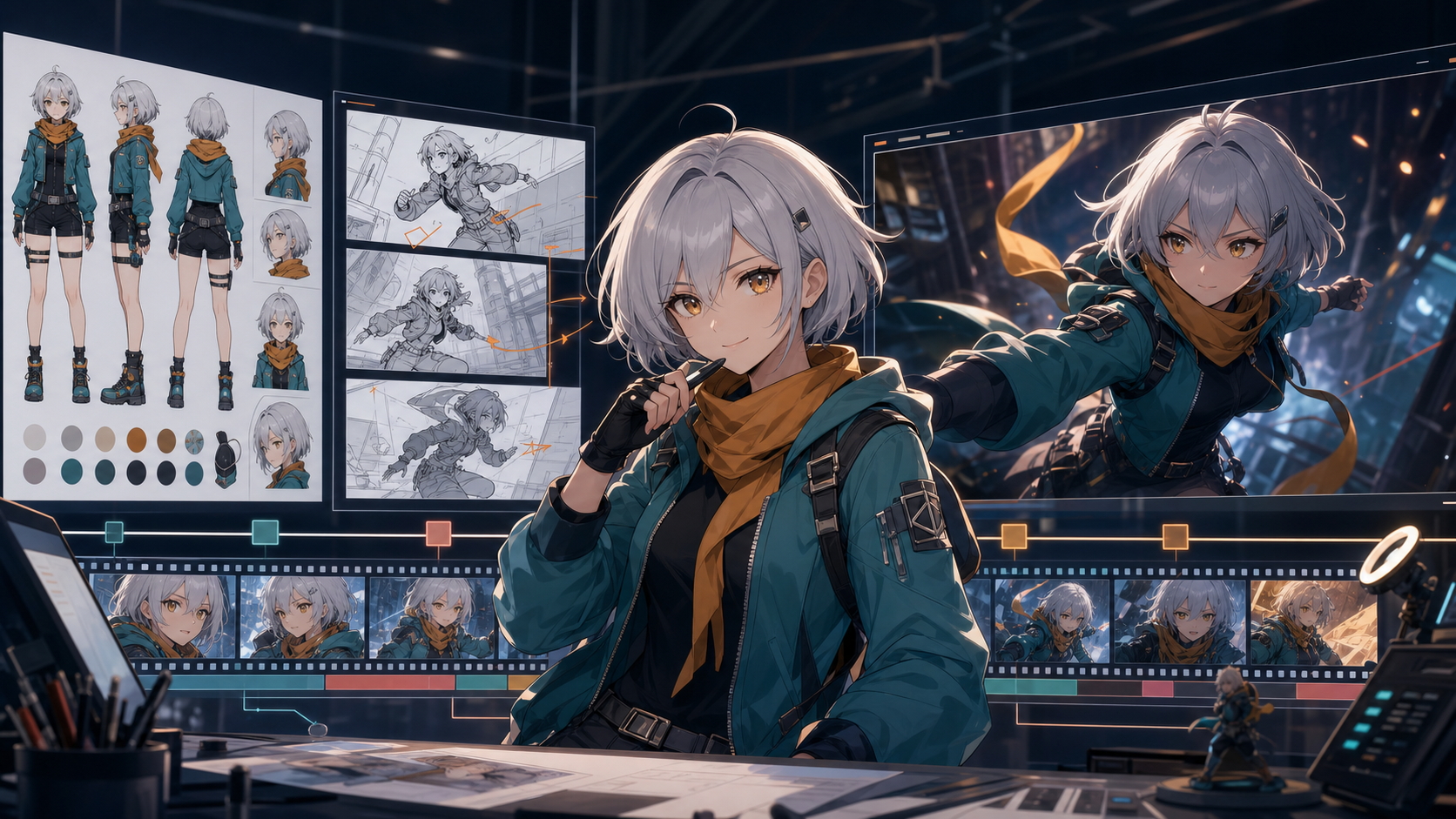
Anime is a demanding test for an AI video generator. A model may produce one beautiful five-second shot, then change the character’s hair ornament, jacket color, eye shape, or proportions in the next. Action can distort hands. A camera move can ignore the storyboard. A speaking shot can look polished until the mouth timing drifts from the dialogue.
That is why the best generator is not simply the one with the most cinematic demo. It is the tool—or combination of tools—that survives a repeatable production workflow.
This guide evaluates the leading options represented in the source’s July 2026 snapshot: Kling 3.0, Seedance 2.0, Google Veo 3.1, Runway Gen-4.5, Luma Ray3.2, and Adobe Firefly, plus a model-based DeepFake workflow. Product availability, regions, limits, and plan details change quickly, so confirm the live documentation before budgeting a series.
The Short Answer: Choose by Job
No single model wins every anime shot. Start with the job you need to solve:
| Creator need | Practical starting point |
|---|---|
| Multimodal direction, ambitious scenes, and integrated audio intent | Kling 3.0 |
| Flexible generation or editing from image, video, and audio inputs | Seedance 2.0 |
| Cinematic establishing shots, camera movement, reference guidance, and sound | Google Veo 3.1 |
| A mature creative workspace for managing many shots and assets | Runway Gen-4.5 |
| Keyframe-driven direction and professional finishing controls | Luma Ray3.2 |
| Tight handoff to Photoshop, Premiere, and Creative Cloud | Adobe Firefly |
| Trying different models and assembling a focused anime pipeline | DeepFake’s model catalog |
The useful pattern is a pipeline, not loyalty to one model. One tool may build a stronger establishing shot while another handles a reference-driven close-up, lip sync, or finishing pass more reliably.
What Anime Creators Should Evaluate
Character identity across shots
Do not judge consistency from a single clip. Build a character sheet, then test the same design in three deliberately different situations:
- a close-up with visible face and hair details;
- a full-body action with hands, costume construction, and accessories in frame;
- a two-character interaction with overlapping bodies and eye lines.
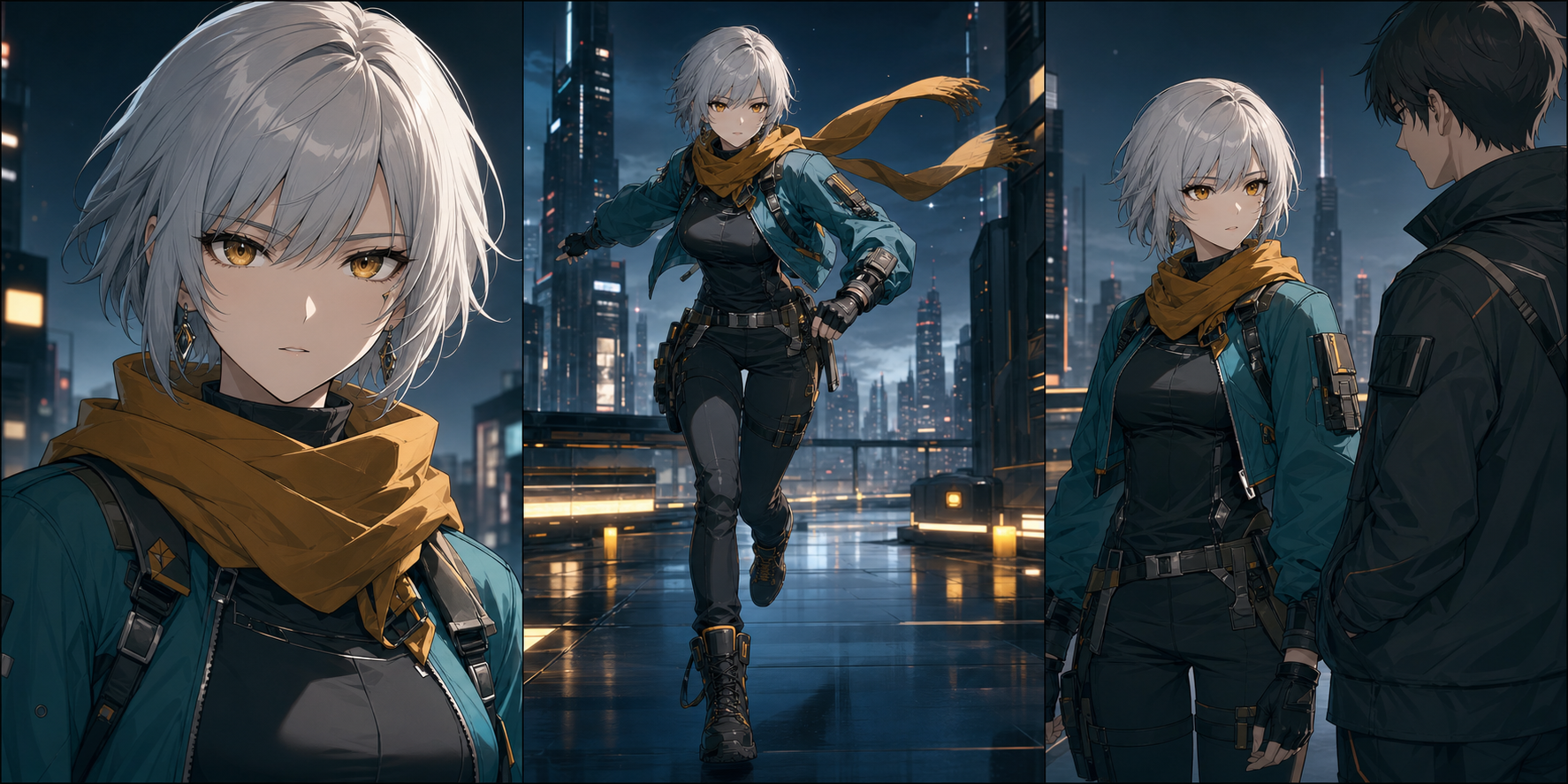
Compare face shape, eye color, hair silhouette, outfit layers, fasteners, props, and small accessories. A model that preserves the face but redesigns the costume is not consistent enough for a multi-shot sequence.
Motion that understands anime grammar
Anime does not always pursue continuous photoreal movement. Its visual language includes held poses, anticipation, impact frames, speed lines, selective movement, and abrupt changes in timing. A general-purpose video model may over-animate a stylized scene, making every strand of hair, garment fold, and background object move at once.
Test whether a generator can:
- hold a strong pose without adding nervous motion;
- isolate movement to one character or prop;
- preserve linework during fast action;
- respect an intentional camera lock;
- accelerate into an impact and recover cleanly;
- keep a limited-animation shot from becoming rubbery.
Shot control and revision cost
The first render is rarely the true cost. Revisions become expensive when the face, camera, costume, and timing drift independently.
Look beyond raw visual quality and ask what controls the workflow exposes:
- multiple reference images;
- first- and last-frame guidance;
- keyframes or intermediate pose control;
- video-to-video editing;
- object insertion or removal;
- reusable seeds or settings;
- project-level asset organization;
- low-cost draft modes.
The better tool is often the one that lets you correct a shot without regenerating everything.
Audio and lip sync
Native sound is helpful, but it does not guarantee finished dialogue. Review pronunciation, emotion, mouth shapes, room tone, background noise, and voice continuity between clips. A specialized lip-sync workflow can be a better finishing stage than asking a general video model to solve performance, camera, animation, voice, and synchronization in one pass.
Leading AI Video Generators for Anime
The summaries below reflect the capabilities and workflow positions described by the source article. They are practical selection notes, not controlled benchmark results.
1. Kling 3.0: best for multimodal direction
The source describes the 2026 Kling 3.0 family as covering video and image generation, including Omni variants, with multimodal input and native audio support. For anime, that makes Kling interesting when a shot combines visual references, motion direction, camera language, and sound intent.
Its appeal is breadth: a creator can provide more of the scene’s creative structure instead of asking the model to invent everything from text. That is useful for action beats, music-driven clips, and shots whose camera and audio need to feel planned together.
However, “supports consistency” never means “guarantees identity.” Complex choreography, unusual costumes, and crowded interactions still benefit from short shots, strong references, and careful review.
Use Kling when: the shot needs multimodal direction or ambitious movement.
Test first: costume details, hands during action, multilingual audio, and the transition between camera beats.
2. Seedance 2.0: best for flexible multimodal workflows
The source presents Seedance 2.0 as a generation and editing option that can work with text, image, video, and audio inputs, depending on the platform and region providing access. It fits creators who already have animatics, rough footage, key art, or music and want the model to follow that structure.
This is an important workflow advantage. Anime creators usually get more control by supplying the board, design, pose, and timing reference than by describing all of them in a long prompt.
Access, model packaging, and platform controls can differ. Verify the exact version, region, input limits, and data terms where you plan to use it; do not assume every interface displaying the Seedance name offers the same workflow.
Use Seedance when: you want to generate or revise from several media inputs.
Test first: regional availability, reference fidelity, editing behavior, and how the host platform handles uploaded assets.
3. Google Veo 3.1: best for cinematic shots with audio
The source highlights Veo 3.1 for text-to-video, image-to-video, generated audio, reference ingredients, scene extension, first-and-last-frame control, and object insertion across Google’s creator and developer surfaces.
For anime production, its strongest position is often the cinematic shot: an establishing environment, a dramatic camera approach, an atmospheric transition, or a sequence where sound design is part of the concept. When references are supported, provide the actual character, costume, prop, and palette instead of adding more adjectives.
Vendor evaluations are useful starting evidence, but they are not a substitute for a project-specific test. Run the same character sheet and storyboard through every candidate.
Use Veo when: cinematic framing, environment, camera movement, and audio are central.
Test first: stylized line stability, reference adherence, dialogue usability, and access limits in the selected Google product.
4. Runway Gen-4.5: best complete creator workspace
The source describes Runway Gen-4.5 as supporting text-to-video and image-to-video inside a broader production environment. Its advantage is not only the generator; assets, takes, editing, workflows, audio tools, and third-party models can live near one another.
That matters when the task is not “make a clip” but “manage dozens of shots.” A creator can organize character references, generate alternatives, retain selected takes, edit weak sections, and move toward a finished sequence without constantly rebuilding context in separate apps.
Limited access does not equal unlimited production. Check which models a plan includes, how credits are charged, and whether draft generations are sufficient for motion tests.
Use Runway when: asset and shot management matter almost as much as generation.
Test first: credit cost across revisions, maximum useful shot length, reference organization, and export handoff.
5. Luma Ray3.2: best for keyframe-level direction
The source’s June 2026 snapshot emphasizes Ray3.2’s frame-level direction, multi-keyframe control, video modification, reframing, HDR, and professional finishing formats.
That is unusually relevant to boarded anime work. Instead of hoping the model discovers the intended beat, a creator can map important poses or moments across a shot. The mental model becomes closer to directing a sequence than repeatedly rewriting a text prompt.
High-control workflows can consume credits quickly. Solve framing and motion in drafts, then reserve premium output for shots whose design and timing are already approved.
Use Luma when: the storyboard defines several critical poses or moments.
Test first: keyframe interpolation, character drift between anchors, draft-to-final consistency, and finishing requirements.
6. Adobe Firefly: best for Creative Cloud users
Firefly’s value is workflow proximity. For a project finishing in Photoshop, After Effects, or Premiere, generation and post-production can remain close, reducing exports and context switching.
That may be more valuable than winning a model-to-model beauty contest. Anime production still requires masks, paint fixes, timing changes, compositing, typography, and sound; an integrated path can make those corrective steps faster.
Adobe’s own models and partner models may carry different limits and terms. Confirm the exact model used for each shot, the associated credit cost, and the rights relevant to your project.
Use Firefly when: the team already finishes inside Creative Cloud.
Test first: model selection, generative-credit usage, partner-model terms, and how well the generated clip tolerates downstream editing.
7. DeepFake: best as a model-and-workflow starting point
An anime creator often needs more than one generator: concept images, reference-driven animation, lip sync, audio, and revision tools all serve different stages. DeepFake can function as a practical starting point for exploring supported models and routes without pretending that one model solves an entire episode.
The right approach is still shot-led. Develop the character and storyboard first, choose a model for each shot second, and add dialogue, music, and finishing only after motion is approved. Check the live model catalog and output terms before committing a production.
Use DeepFake when: you want to compare available models within a broader generation workflow.
Test first: which model is active, the controls exposed for that model, credit cost, reference behavior, and export requirements.
A Production Workflow That Wastes Fewer Credits
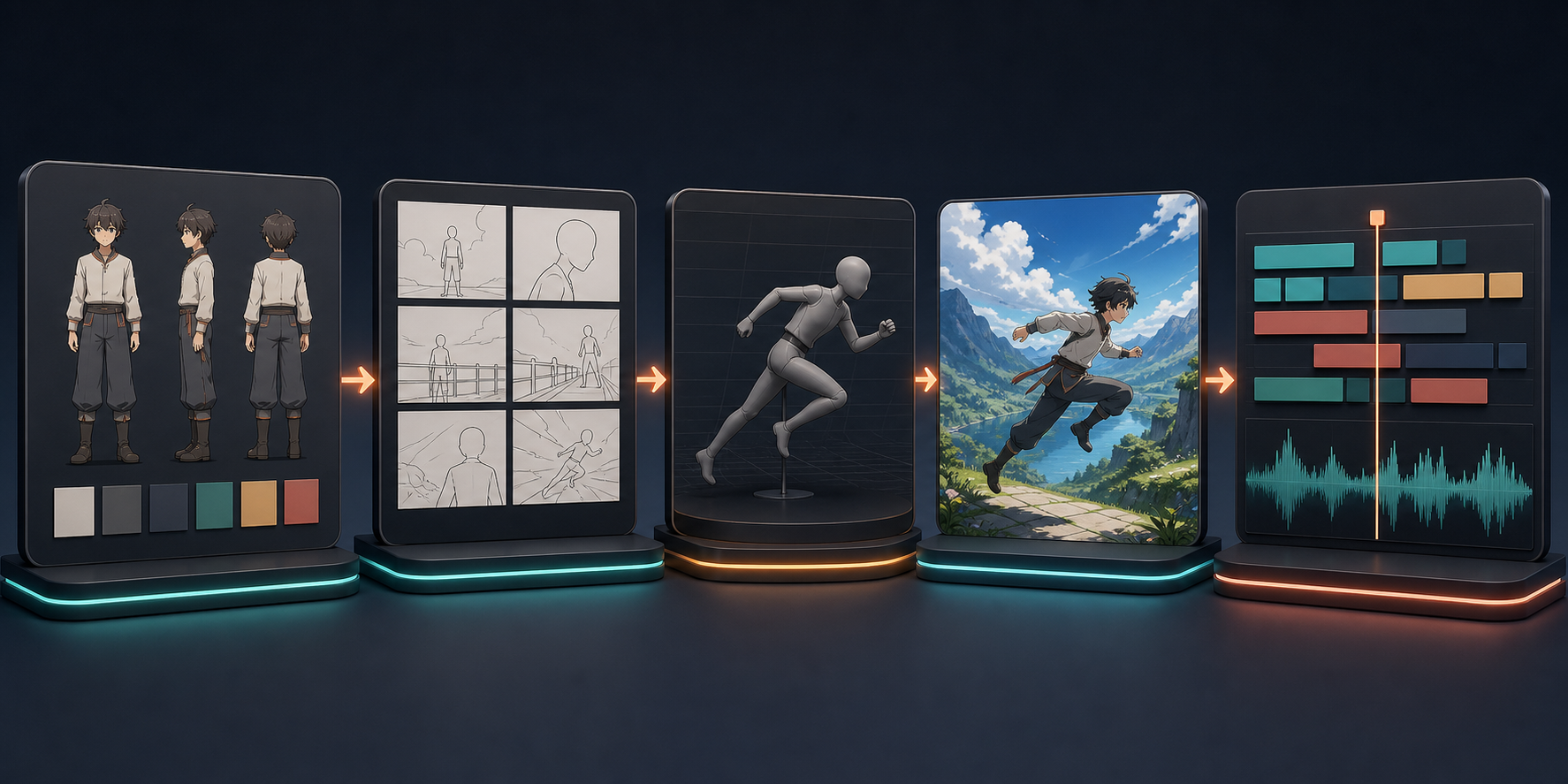
Step 1: lock the character before animation
Create front, three-quarter, profile, and full-body views, plus expression and outfit references. Give signature accessories a close-up. Write a short identity block covering age range, proportions, facial structure, hair, colors, clothing layers, and details that must never change.
Step 2: storyboard in short shots
Break the scene into clips of roughly two to eight seconds. Give each shot one clear action and one camera instruction. If a prompt includes three actions, a costume change, and a new location, split it before spending credits.
Step 3: test cheaply
Use draft resolution, short duration, or a limited allocation to solve framing and motion. Do not spend premium credits trying to rescue an unclear storyboard.
Step 4: generate from references
For a recurring character, image-to-video is generally safer than pure text-to-video because the image carries appearance while the prompt focuses on action, camera, timing, and constraints. Begin with a strong anchor frame and use the same reference pack across the sequence.
Step 5: finish outside the generator
Cut around weak frames. Hold a strong drawing longer. Add speed ramps, impact flashes, camera shake, sound effects, dialogue, and music in an editor. Several imperfect short generations can become a coherent scene when the edit preserves rhythm and removes unstable moments.
How to Run a Fair Tool Test
Use identical inputs and judge the outputs with the same scorecard:
- one character sheet;
- one close-up prompt;
- one full-body action prompt;
- one interaction prompt;
- one camera move;
- one dialogue or music-sync test;
- the same target duration and aspect ratio.
Record the number of generations needed to reach an acceptable take. Note which details changed, which controls corrected the problem, and the approximate cost of those revisions. A slightly less spectacular first render can be the better production choice if it becomes predictable by the third revision.
Frequently Asked Questions
What is the best AI video generator for anime in 2026?
There is no universal winner. Kling, Seedance, Veo, Runway, Luma, Adobe, and model-based workflows solve different problems. Choose according to character consistency, control, revision cost, audio needs, and where the project will be edited.
Which model is best for consistent anime characters?
Consistency depends on the reference pack and shot design as much as the model. Test every candidate with the same character sheet across a close-up, full-body movement, and two-character interaction. No current workflow removes the need for human review.
Can AI generate a complete anime episode?
AI can assist with character design, storyboards, short shots, voices, music, and editing, but reliable long-form continuity still requires direction and substantial assembly. Plan in shots rather than one giant prompt.
Is there a genuinely free anime video generator?
Some platforms offer limited trials, one-time credits, daily generations, or selected models. Limits, watermarks, rights, and model access vary. Treat “free” as enough to test a workflow, not as a promise of unlimited series production.
What should I verify before choosing a platform?
Confirm the exact model version, regional availability, reference controls, data and commercial-use terms, watermarks, credit cost, export quality, and whether important settings can be reproduced.
Final Recommendation
The best anime video generator is the one that survives the second shot. Build a character sheet, storyboard short clips, test at low cost, compare revision behavior, and finish in an editor. Use different models when different shots demand it, while keeping the character design and creative direction under human control.
When you are ready to run the same reference pack across several options, start with DeepFake, document every setting, and choose the workflow that remains controllable after revision.