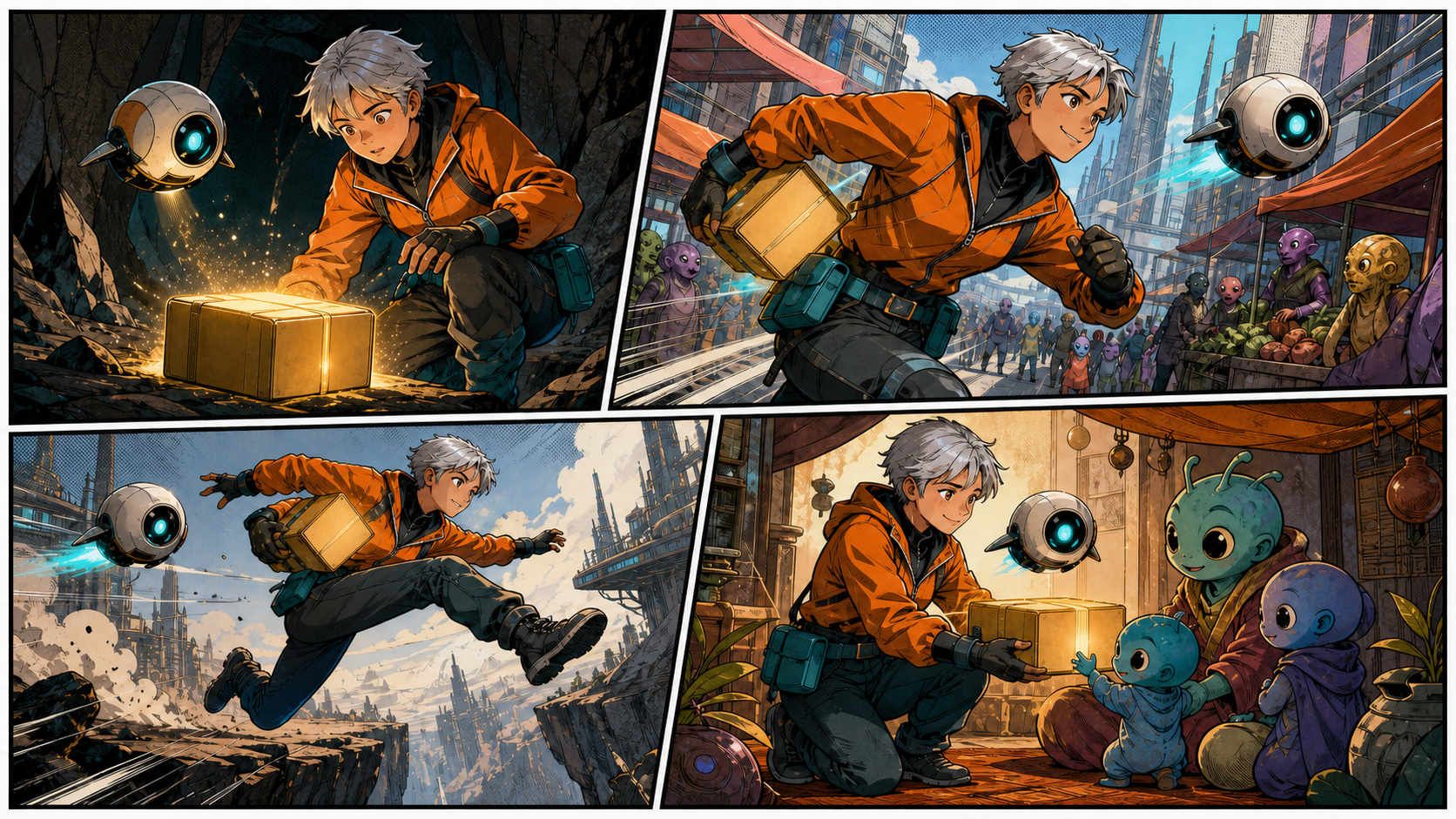
The best AI comic generator in 2026 is not necessarily the tool that makes the prettiest single image. Comics are sequential art. The reader must recognize the same character, understand where each panel happens, follow the action in the intended order, and read dialogue without fighting the page.
Modern image models can produce striking comic art in seconds, but a finished page still requires story structure, character continuity, layout, lettering, revision, and export. Purpose-built comic platforms bundle more of that process. General image generators offer broader visual quality and editing flexibility but often leave page assembly to you.
This comparison focuses on the workflow that matters after the first impressive panel. It covers current options as of August 6, 2026 and explains which type of creator each one fits. Features, prices, limits, and commercial terms change frequently, so verify the current product page before committing a long series.
Quick Recommendations
| Need | Strong option to evaluate | Why it fits |
|---|---|---|
| All-in-one visual pipeline | DeepFake | Compare image models, create panels, and carry approved art into motion workflows |
| Vertical webtoon production | Dashtoon | Webtoon-oriented creation and distribution ecosystem |
| Guided script-to-comic workflow | LlamaGen.AI | Character, story, panel, and storyboard tooling in one product |
| Professional image editing | Adobe Firefly | Strong integration with established design and editing tools |
| Flexible conversational panel creation | ChatGPT Images | Natural-language iteration, image editing, and stronger text rendering |
| High-end standalone art | Midjourney | Distinctive visual quality and broad style exploration |
| Comic-first page assembly | COMICPAD or similar studios | Page layouts, character libraries, and editable comic-specific structure |
| Local technical control | Open image models with ComfyUI | Maximum control over models, references, poses, and repeatable graphs |
There is no universal winner because a weekly four-panel gag, a 100-episode webtoon, a black-and-white manga chapter, and a print graphic novel have different production requirements.
What an AI Comic Generator Should Actually Do
A true comic workflow goes beyond text-to-image. Look for support across five layers.
Story and script
The tool should help divide a scene into visual beats, keep dialogue concise, and track characters, locations, props, and unresolved plot points. Automatic story generation is optional; structured storage is more valuable than generic prose.
Character system
You need reusable references, not a new prompt for every panel. Strong tools allow character sheets, multiple angles, expression references, outfit variants, and a persistent character library.
Panel generation and editing
The generator should understand shot size, pose, expression, environment, and which characters appear. Editing a nearly correct panel is essential. Regenerating from scratch wastes time and often breaks continuity.
Page layout and lettering
Panels need correct reading order, intentional size, gutters, bleed, speech balloon placement, and editable text. AI-rendered words inside an image are risky even when they look correct at first glance. Professional workflows add dialogue as real text after the artwork is approved.
Export and publishing
Webtoons require long vertical images and platform-specific widths. Print requires correct page size, bleed, color handling, and sufficient resolution. A tool that exports only a flattened low-resolution JPEG is not enough for serious production.
How We Evaluate the Best Tools
Rather than grading marketing demos, use a repeatable test.
Create two original characters with visibly different silhouettes, colors, and clothing. Write a six-panel scene that includes:
- A wide establishing panel.
- Both characters talking.
- A hand holding an important prop.
- A change of camera angle.
- A strong facial reaction.
- A final action panel.
Then score each platform on:
- Character face and costume consistency.
- Accurate number of characters and objects.
- Panel composition and readable action.
- Style consistency across the page.
- Quality of hands, props, and eye direction.
- Ability to revise one element without losing the rest.
- Lettering control and text editability.
- Export resolution and page structure.
- Speed, cost, and failed-generation rate.
- Commercial terms and data handling.
Run the same test more than once. A tool that creates one perfect page and four unusable pages may cost more editorial time than a less dramatic but more predictable system.
DeepFake: Best for a Comic-to-Motion Pipeline
DeepFake is a useful choice when the comic is not the final destination. You can compare visual engines in the AI model library, generate original key art, and then use approved panels as references for image-to-video.
This matters for creators making motion comics, animated teasers, character reels, or social promos. A panel-first approach gives the video model an approved composition and identity instead of asking it to invent the entire scene while moving.
Strengths:
- Multiple model options within one creative environment.
- Suitable for original character art and visual exploration.
- Natural path from still panels to short animated shots.
- Flexible for comic, anime, cartoon, and cinematic styles.
Watch for:
- You still need a disciplined character sheet and prompt system.
- Long-form page layout and final lettering may be better completed in a dedicated design tool.
- Review the selected model’s output closely for continuity before animation.
Best for independent creators who want one visual pipeline across illustrations and motion rather than a comic-only product.
Dashtoon: Best for Webtoon Production and Distribution
Dashtoon is built around serialized visual storytelling and has focused heavily on vertical webtoons. That makes it relevant to creators who want production tools and a publishing ecosystem in the same place.
Strengths:
- Webtoon-oriented workflow and vertical presentation.
- Character and episode production features.
- Distribution and monetization pathways are part of the product story.
- Better fit for serialized output than a general image generator.
Watch for:
- Platform distribution terms and exclusivity conditions.
- How much control you retain over source files and exports.
- Whether your intended audience already reads on the platform.
- Style and content restrictions for your genre.
Best for creators prioritizing frequent vertical episodes and a built-in route to readers.
LlamaGen.AI: Best for Guided Story-to-Page Creation
LlamaGen.AI presents a broad comic workflow spanning story ideas, reusable characters, manga pages, strips, and storyboards. It is worth evaluating when you want more structure than a blank image prompt but do not want to build a technical local pipeline.
Strengths:
- Script and story inputs connect to visual generation.
- Reusable character workflows.
- Support for multiple sequential-art formats.
- Beginner-friendly route from premise to panels.
Watch for:
- Confirm current export resolution and whether layers remain editable.
- Test characters across many pages, not just one strip.
- Verify print, self-publishing, and commercial-use terms directly.
- Check the actual cost of revisions, not only first generations.
Best for self-publishers and storytellers who want the application to guide production stages.
Adobe Firefly: Best for Professional Editing and Design Handoff
Adobe Firefly is not a comic studio in the narrow sense, but it fits professional workflows because generated assets can move into established image, layout, and publishing applications. Its editing environment is often more important than its initial generation.
Strengths:
- Generative fill and controlled image editing.
- Familiar handoff into Photoshop, Illustrator, and InDesign workflows.
- Useful for backgrounds, props, panel cleanup, and style exploration.
- Strong option when a designer wants manual control over the final page.
Watch for:
- Character continuity still requires references and careful art direction.
- Comic page logic and story memory are not its primary purpose.
- Subscription and generation-credit policies can change.
- Final commercial suitability depends on your source material and current terms.
Best for professional designers and hybrid workflows where a human assembles and letters every page.
ChatGPT Images: Best for Conversational Panel Iteration
OpenAI’s image generation workflow is useful when you want to discuss a panel, create it, and refine specific details in natural language. The current API image model is GPT Image 2, while ChatGPT exposes image creation through its product interface.
Strengths:
- Good instruction following for complex panel briefs.
- Conversational edits can preserve much of an approved composition.
- Stronger text rendering than many earlier image models.
- Useful for character sheets, prop sheets, storyboards, and individual panels.
Watch for:
- Product access and API billing are separate.
- One conversation does not automatically become a complete comic production database.
- Always replace final dialogue with editable lettering.
- Multi-page consistency still needs a reference and asset-management discipline.
Best for creators who prefer directing images through conversation and assembling pages separately.
Midjourney: Best for High-End Standalone Art
Midjourney remains a strong visual exploration tool. Its current default had advanced beyond V7 by mid-2026, with V8-series updates continuing rapidly. That speed is exactly why creators should verify the active model rather than relying on old comparison charts.
Strengths:
- Distinctive visual quality and strong composition.
- Broad exploration across comic, editorial, fantasy, and cinematic aesthetics.
- Image-reference and style-reference features can support art direction.
- Excellent for covers, splash pages, environments, and concept art.
Watch for:
- It is not a comic page editor.
- Panel layout, speech balloons, and story tracking require other tools.
- Maintaining two or more characters across long sequences can demand extra work.
- The most beautiful result may not be the easiest to revise.
Best for covers and art-forward projects where manual page assembly is expected.
COMICPAD and Other Comic-First Studios
Comic-first platforms such as COMICPAD, ComicStory AI, ComicInk, Comicory, and similar services focus on the missing middle between an image model and a finished page. Their public workflows commonly emphasize character libraries, story inputs, panel layouts, speech bubbles, and multi-page output.
These tools can be faster for beginners because the interface uses comic concepts rather than generic image settings. The category is also crowded, and many comparisons are published by the products themselves. Treat claims such as “perfect consistency” or “complete book in minutes” as hypotheses to test.
Strengths:
- Page and panel structure built into the interface.
- Character references and scene organization.
- Editable dialogue in stronger products.
- Templates for strips, manga pages, and vertical scroll formats.
Watch for:
- Product age, company identity, support responsiveness, and export ownership.
- Whether the underlying image model changes without notice.
- Limits on projects, characters, panels, and high-resolution downloads.
- Whether a “complete comic” remains editable after generation.
Best for creators who value a guided comic interface more than maximum model choice.
ComfyUI and Open Models: Best for Technical Control
A local or cloud-hosted ComfyUI pipeline can combine open image models, reference adapters, pose control, depth maps, inpainting, upscaling, and custom fine-tuning. This is the most configurable option and the least beginner-friendly.
Strengths:
- Precise control over every generation stage.
- Reusable workflow graphs and batch processing.
- Ability to train or attach character-specific adapters.
- Local processing is possible with suitable hardware.
- No dependency on a comic platform’s page templates.
Watch for:
- Hardware, setup, maintenance, and model-license complexity.
- Technical freedom does not automatically produce good storytelling.
- Workflows can break after model or node updates.
- You still need layout and lettering software.
Best for studios and technical creators willing to trade convenience for control and repeatability.
Best Tool by Comic Format
Four-panel social strip
Choose conversational image generation or a comic-first template tool. Speed and editable dialogue matter more than a complex series database. Generate the art, then add text manually.
Vertical webtoon
Prioritize long-scroll layout, episode organization, reusable characters, mobile preview, and export widths. Dashtoon and specialized webtoon platforms are natural candidates.
Manga chapter
Look for black-and-white rendering, screentones, right-to-left layout options where needed, varied panel rhythm, and strong expression control. Do not confuse “anime-looking image” with manga production support.
Print graphic novel
Prioritize high-resolution source files, bleed, color management, editable layers, and long-term project ownership. A hybrid pipeline using strong image generation plus professional page-layout software is usually safer.
Motion comic
Create and approve the panels first, then animate selected layers or shots. DeepFake’s video-to-video workflow can also help restyle or unify motion assets when used with a clear reference direction.
Character Consistency Is Better, Not Solved
Claims that 2026 “solved” character consistency are too strong. Current tools are much more workable, but identity can still drift when the camera angle changes, the character turns around, clothing becomes occluded, or multiple similar people share a panel.
Use a production system:
- Create a model sheet with front, side, back, three-quarter, and expression views.
- Record permanent traits in a locked character prompt.
- Save approved costume and prop references.
- Attach references to every relevant panel.
- Generate characters and backgrounds separately when composition is difficult.
- Edit a near-correct panel instead of regenerating it completely.
- Keep a continuity log for injuries, wardrobe changes, time of day, and object position.
A stable face alone is not enough. Readers notice height, silhouette, hair length, clothing, colors, and the relationship between characters.
Why Lettering Should Remain Editable
Image models can now render much better text, but final dialogue should still be added as real text. Editable lettering gives you:
- Correct spelling and punctuation.
- Consistent font, size, and balloon shape.
- Accessibility and localization options.
- Control over reading order and balloon tails.
- Easier script revisions.
- Clean print reproduction.
Generate art with intentional empty space for dialogue. Add balloons and captions afterward in a comic editor, design application, or page-layout tool. This also prevents a beautiful panel from becoming unusable because one word is wrong.
Free vs. Paid Plans
Free plans are valuable for testing, but do not assume they include a fixed number of panels, high-resolution output, private generations, or commercial rights. Those details differ by product and change frequently.
Before paying, check:
- Monthly credits and how retries are charged.
- Maximum export dimensions and file formats.
- Watermarks and public-gallery defaults.
- Character and project limits.
- Priority queue and generation speed.
- Rights to use outputs commercially.
- Ownership and retention of uploaded references.
- Cancellation and unused-credit policies.
Estimate the cost of one finished page, not one generation. Include discarded panels, edits, upscaling, lettering, and human review.
A Fast but Realistic Comic Workflow
AI can create a draft in minutes. A publishable comic takes longer because creators make choices.
- Write a one-page scene with a clear beginning, change, and ending.
- Create character and environment sheets.
- Break the script into panel beats.
- Sketch a rough layout before generating final art.
- Generate one panel at a time with consistent references.
- Fix anatomy, props, eye lines, and continuity.
- Assemble the page and add editable lettering.
- Review reading order at full size and thumbnail size.
- Export for the actual destination: webtoon, social, ebook, or print.
- Archive prompts, references, source files, and rights information.
The minutes claim is most honest at the draft stage. A professional page still needs editorial judgment.
Rights and Ethical Use
Use original characters and story worlds, or obtain permission for any source material. Avoid prompts that reproduce protected characters or imitate a living artist’s signature style. Review the service’s training-data disclosures and commercial terms if those issues affect your publication or client.
Disclose AI assistance where required by a publisher, contest, marketplace, or audience context. Keep human creators in control of the story, final edits, representation, and factual claims. AI lowers technical barriers; it does not transfer responsibility away from the publisher.
Final Verdict
There is no single best AI comic generator for every creator in August 2026. DeepFake is a strong option for a visual pipeline that can move from panels into animation. Dashtoon fits serialized webtoons. LlamaGen.AI and comic-first studios offer guided story-to-page tools. Adobe Firefly fits professional editing. ChatGPT Images supports conversational iteration. Midjourney excels at standalone art. ComfyUI gives technical teams maximum control.
Choose the product that performs best on your own six-panel test, preserves editable output, and provides terms you can actually publish under. The real breakthrough is not generating a comic page in minutes. It is building a repeatable process that keeps characters recognizable, pages readable, revisions affordable, and the story unmistakably yours.