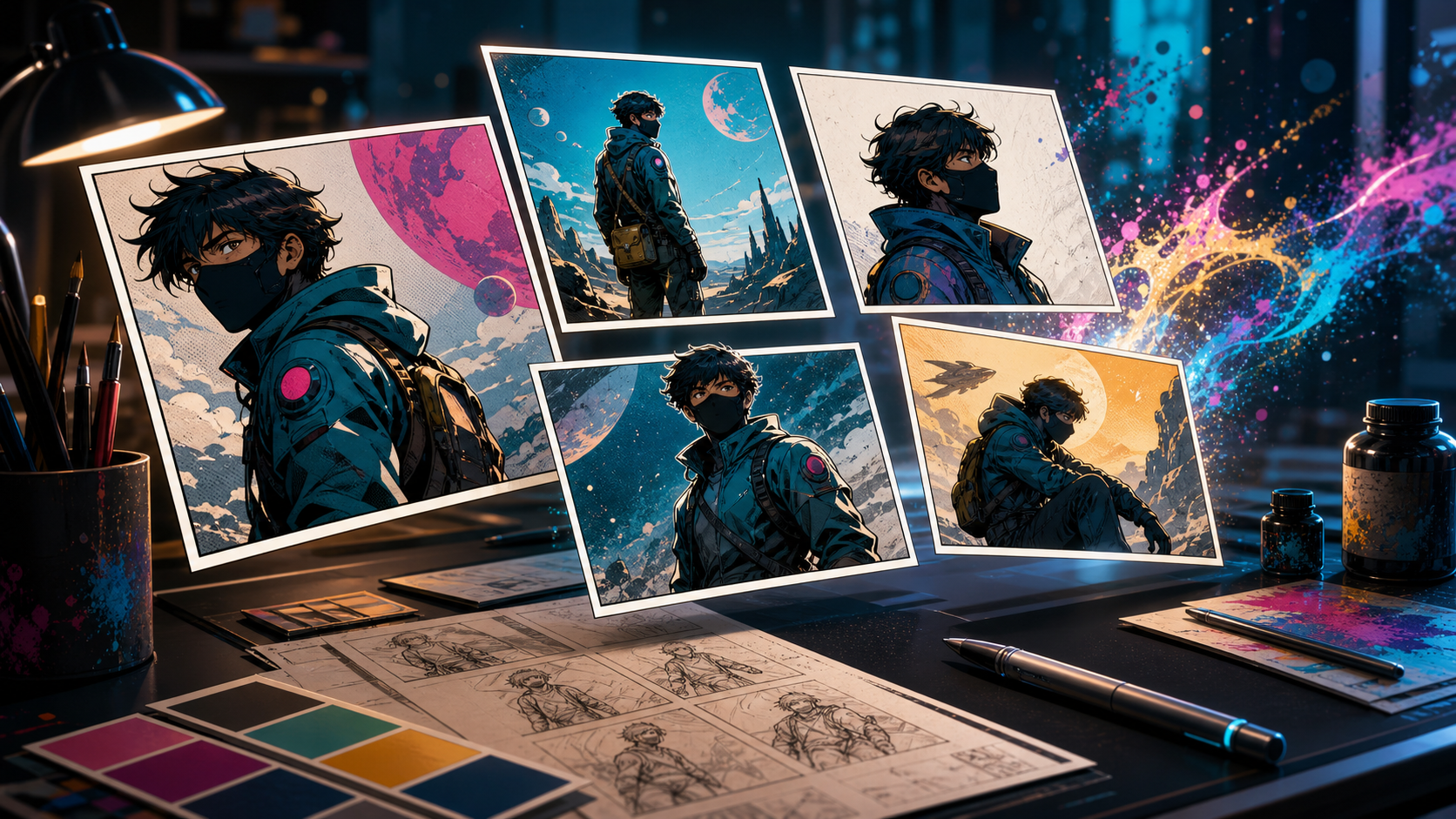
AI comic generators can turn a premise into illustrated panels in minutes, but that does not make every tool equally useful. A striking hero image is easy to celebrate. A readable eight-page story with the same characters, a controlled visual language, and dialogue that fits inside the panels is the harder test.
That distinction shapes this guide. The best AI comic generator in 2026 is not simply the model that produces the prettiest single picture. It is the tool—or combination of tools—that removes the most friction from your particular workflow. A social creator making a four-panel joke needs speed and clean lettering. A manga artist building a weekly series needs identity consistency and reusable references. A filmmaker developing a pitch needs panels that can later become shots.
This guide compares seven useful options: DeepFake, ComicsMaker.ai, Komiko, Canva, OpenArt, SeaArt, and ImagineArt. It also explains how to test them with the same brief, where each one fits, and how to build a repeatable comic pipeline without giving up creative control.
The Shortlist
| Tool | Best for | Main strength | Watch for |
|---|---|---|---|
| DeepFake | Comics that may become animated stories | Image-to-video and cross-media continuity | Page layout may still need a separate editor |
| ComicsMaker.ai | Dedicated end-to-end comic production | Characters, scenes, layouts, and speech bubbles in one studio | Credit use can grow during heavy iteration |
| Komiko | Manga, manhwa, and anime-first projects | Style presets, automatic panels, and character-oriented workflows | Automatic pages still require continuity review |
| Canva | Fast strips, education, marketing, and polished export | Templates, layout, typography, and collaboration | Less specialized for long-form character continuity |
| OpenArt | Visual exploration and controlled image iteration | Broad style experimentation and editing | Comic sequencing is more manual |
| SeaArt | Prompt-heavy experimentation and model variety | Many visual styles and community workflows | Interface breadth can distract from a focused pipeline |
| ImagineArt | Flexible ideation across images and motion | Rapid variations and broader creator tooling | Long series need a disciplined reference system |
There is no universal winner. ComicsMaker.ai is the clearest dedicated comic studio in this group. Komiko is especially approachable for anime-adjacent pages. Canva is the easiest finishing environment for many beginners. DeepFake becomes more compelling when the panels are also preproduction assets for a moving story.
What Makes an AI Comic Generator Actually Good?
Most product pages emphasize image quality, yet readers experience comics as sequences. A useful evaluation therefore needs five separate criteria.
1. Character consistency
Can the tool keep the same face shape, hair, costume, body proportions, and signature props across wide shots, close-ups, and emotional changes? A character should remain recognizable when the camera turns or the lighting changes. Reference-image support, reusable character profiles, seeds, custom training, and edit tools can all help, but none removes the need for inspection.
2. Panel-level control
Can you ask for a specific shot instead of regenerating an entire page? Serious comic work benefits from controlling framing, pose, expression, camera angle, background, and negative space. A system that only generates complete pages may feel magical at first but becomes frustrating when one hand, face, or sight line is wrong.
3. Story and layout support
A comic page controls time. Large panels slow the reader down; small reaction panels sharpen a beat; an inset can reveal a clue without breaking momentum. Useful tools either include flexible layouts or export clean assets to an editor that does. Automatic panel grids are convenient, but the creator should still control reading order, gutters, bleed, and page rhythm.
4. Lettering and revision
Dialogue is not decoration. Speech balloons need room, tails must point clearly, text must remain readable on a phone, and generated images should not contain accidental pseudo-writing. A tool with excellent art but weak typography may still work well if it exports panels cleanly. In most cases, adding final dialogue in a design editor is safer than asking an image model to render it.
5. Expansion beyond one page
The strongest workflow helps you return to the same world. It should support another episode, a different aspect ratio, a motion teaser, or an animated pitch without rebuilding every asset. That is why character sheets, environment references, prompt templates, and editable source files are often more valuable than a single polished output.
1. DeepFake: Best for Comics That May Become Video
DeepFake is the strongest fit when a comic is one stage in a larger visual story. You can develop hero frames as still images, test alternate looks, and then carry selected panels into an animation workflow. That makes it useful for motion-comic teasers, pitch reels, character trailers, music visuals, and social episodes built from the same art direction.
The practical advantage is continuity between media. A creator can establish a character in still form, prepare a clean keyframe, and use an image-to-video workflow to explore motion without recreating the scene from zero. If a missing transition cannot be derived from a panel, a text-to-video workflow can help draft connective shots. Existing clips can also be restyled through video-to-video tools when the final piece needs a more unified comic treatment.
DeepFake is not a substitute for page design. You will usually get better results by planning the page in a dedicated layout tool, generating or refining individual panels, and adding dialogue after the art is stable. Its real strength is that the assets do not have to stop at the printed page.
Choose it when:
- the comic is also a storyboard or pitch;
- you want to animate selected panels later;
- the project mixes still art, video, and visual effects;
- you value access to multiple visual workflows in one production environment.
2. ComicsMaker.ai: Best Dedicated Comic Studio
ComicsMaker.ai is built around comic production rather than general-purpose image generation. Its current studio combines reusable character creation, scene generation, panel editing, page layouts, speech bubbles, and export. It also offers character training from references, which is relevant to creators who need a recurring cast rather than unrelated one-off portraits.
This integrated approach reduces file shuffling. You can design a character, place that character into new scenes, adjust the page, and add dialogue without constantly moving between apps. Its one-shot comic feature is useful for rapidly testing a premise, while the page designer gives longer projects more control over panel size and spacing.
The tradeoff is the same one found in most credit-based creative platforms: regeneration can become expensive if the brief is not prepared. Define the cast, visual rules, and panel list before producing final-resolution art. Use cheap drafts to solve composition, then spend credits on the chosen frames.
Choose it when:
- you want characters, panels, balloons, and layout in one place;
- you are making strips or multi-page episodes regularly;
- reusable character training is more important than model variety;
- a comic-native interface matters more than cross-media features.
3. Komiko: Best for Manga and Anime-First Creation
Komiko focuses on anime, manga, manhwa, and character-centered creation. Its comic generator can take a story idea, apply a chosen visual style, and create panels with narration or speech balloons. That makes it approachable for beginners who want to move from premise to a recognizable page structure quickly.
Its larger ecosystem also matters. Character art, effects, comics, and video tools live near one another, so a manga creator can explore promotional images or short animated extensions without leaving the same creative community. Style choices such as manga, anime, and American comic looks provide faster starting points than an entirely blank prompt.
Automatic page generation should be treated as a draft, not a locked result. Check whether a character changes outfit between panels, whether gaze direction supports the conversation, and whether the balloon order matches normal reading flow. If one panel is wrong, repair that frame rather than rerolling a page that already works.
Choose it when:
- manga or manhwa is the default visual language;
- you want a guided idea-to-page workflow;
- community styles and quick experimentation are valuable;
- you prefer a mobile-friendly creative environment.
4. Canva: Best for Layout, Lettering, and Fast Publishing
Canva is less specialized in generative character continuity, but it is exceptionally practical for assembling and publishing a comic. Its AI image tools can draft scenes, while comic templates, grids, balloons, typography, brand controls, collaboration, and export handle the editorial work around those images.
This makes Canva a strong choice for classroom comics, marketing explainers, short social strips, internal training stories, and creators who already use it for design. It is especially helpful when the final deliverable must become several formats: a printable PDF, presentation, poster, square carousel, or short animated post.
For recurring characters, do not rely on a slightly different text description each time. Create a fixed reference sheet first, reuse the same appearance block in every prompt, and keep generated art in one project. Add all final text as editable typography rather than baking words into the AI images.
Choose it when:
- page design and typography matter most;
- non-designers need templates and simple collaboration;
- the comic will be repurposed into several marketing formats;
- you already have panel art from another generator.
5. OpenArt: Best for Visual Exploration and Repair
OpenArt is useful when the visual language is not settled yet. Its broad image-generation and editing capabilities make it suitable for comparing comic styles, exploring costumes, building environment studies, and repairing individual frames. A creator can test whether the same scene feels better as clean ligne claire art, painterly fantasy, monochrome manga, or a bold halftone print.
That flexibility is valuable early in production. It becomes less efficient if you keep exploring after the style guide should be locked. Once you choose a direction, save the exact prompt structure, references, dimensions, and settings. The goal is to turn experimentation into a repeatable recipe.
OpenArt works best as an art department rather than a page editor. Generate clean panels with deliberate space for balloons, export them, and assemble the story elsewhere.
Choose it when:
- style discovery is the immediate problem;
- you need to edit or replace parts of a panel;
- you prefer image-level control over automatic page generation;
- you are comfortable building the final layout in another app.
6. SeaArt: Best for Model Variety and Prompt Experiments
SeaArt appeals to creators who like trying different models, presets, community examples, and detailed prompt recipes. That breadth can help with genre exploration, from glossy science fiction to soft watercolor fantasy or dramatic black-and-white action.
The same breadth can also fragment a series. Switching models, checkpoints, or presets between panels may change the character and rendering language more than expected. Treat model selection as part of the comic's style bible: choose one primary route, record it, and change only when the story intentionally calls for a different visual layer.
SeaArt is most useful for creators who understand prompt iteration and are willing to curate. It can produce many options, but the creator still needs to decide which options belong to the same world.
Choose it when:
- model and style variety is a priority;
- you enjoy studying community workflows;
- you want many variations before committing;
- you can maintain a strict reference and settings log.
7. ImagineArt: Best for Broad Creator Exploration
ImagineArt fits creators who move between concept images, variations, and motion-oriented experiments. It is useful during ideation, when a story team wants to see several costumes, moods, locations, or camera approaches before selecting a final direction.
For comics, its value comes from speed and flexibility rather than a dedicated page-production system. Use it to establish the world, generate controlled panel candidates, and test promotional variants. Then place approved art into a layout environment where reading order and dialogue remain editable.
As with any broad creative suite, consistency depends on process. Store a character reference pack, avoid rewriting identity descriptions from memory, and approve one canonical design before generating a full scene list.
Choose it when:
- rapid visual ideation is central to the project;
- you want to explore both still and motion concepts;
- you do not need a comic-only interface;
- your pipeline already includes a separate layout tool.
A Fair Test You Can Run on Every Tool
Do not compare platforms with different prompts. Give each one the same small production challenge: a four-panel micro-story with one character, one location, and one emotional change.
Use this story brief:
A young repair pilot enters a silent greenhouse on a moon station, finds one glowing seedling, hears a warning behind her, and decides to protect it.
Create four shots:
- Establishing panel: wide view of the greenhouse and the pilot entering.
- Discovery panel: medium close-up as she notices the glowing plant.
- Reaction panel: tight view when the unseen warning sounds.
- Decision panel: low-angle hero shot as she shields the plant.
Keep the same character description, outfit, color palette, and environment rules in every prompt. Score each tool from one to five on:
- face and costume consistency;
- accurate camera framing;
- expression and pose control;
- background continuity;
- empty space for dialogue;
- ease of correcting one panel;
- clean export and layout flexibility;
- time and credit cost.
This test reveals more than a gallery. A platform may create the most beautiful discovery panel yet fail when the same pilot turns around. Another may produce less spectacular art but preserve identity and make corrections quickly. For an actual series, the second result is often more valuable.
A Repeatable AI Comic Workflow
Step 1: Write the beat sheet before prompting
Summarize what changes in each scene. If a panel does not reveal information, change emotion, establish space, or land a beat, it may not be necessary. A clean beat sheet prevents the model from deciding the story accidentally.
Step 2: Build a compact style bible
Record the visual genre, line quality, palette, lighting rules, aspect ratio, and prohibited elements. Include two or three approved environment references. Avoid a huge mood board containing incompatible styles.
Step 3: Lock the cast
Create a front view, three-quarter view, side view, expression sheet, and outfit details for every recurring character. Give distinctive features practical names: copper triangular earring, teal utility jacket, white eyebrow scar. Reuse the wording exactly.
Step 4: Make thumbnail layouts
Block pages with rough rectangles before rendering finished art. Decide where dialogue will go and leave enough negative space. This is faster than forcing beautiful images into a layout they were never composed to fit.
Step 5: Generate panels, not complete pages
Individual panels are easier to direct, repair, crop, and replace. Generate low-cost drafts first. Approve composition and identity before requesting final detail.
Step 6: Edit the weakest frame
Do not regenerate a good page because one hand is wrong. Use masking, inpainting, reference-guided editing, or a local crop. Check fingers, eyes, repeated props, background geometry, and accidental symbols at full size.
Step 7: Add lettering separately
Use a real font and editable balloons. Keep dialogue concise, use consistent margins, and test the page at mobile size. Balloon placement should guide the eye through the intended reading order.
Step 8: Run a continuity pass
Compare every panel side by side. Look for costume drift, swapped accessories, changing eye color, impossible screen direction, and inconsistent lighting. A reader notices cumulative inconsistency even when each isolated image looks good.
Step 9: Export a master and derivatives
Keep an editable master with separate art and text layers. Export print-resolution pages, compressed web versions, and platform-specific crops from that master. If animation is planned, retain clean panels without balloons as well.
Prompt Template for Consistent Comic Panels
Use a modular prompt instead of one long paragraph:
PROJECT STYLE:
premium science-fiction graphic novel, crisp ink contours,
subtle halftone shading, limited teal/amber/navy palette

CHARACTER LOCK:
Mara, 24-year-old repair pilot, short black curls,
white eyebrow scar, copper triangular earring,
teal utility jacket with two amber shoulder tabs

SCENE LOCK:
abandoned lunar greenhouse, curved glass ribs,
dark soil beds, cool rim light, no readable signs

PANEL:
medium close-up, Mara kneels beside one glowing seedling,
surprised but gentle expression, looking down-left

COMPOSITION:
landscape panel, subject on right third,
clean dark negative space at upper left for a speech balloon

AVOID:
text, captions, watermark, logo, extra fingers,
costume changes, duplicate character, distorted eyes
Only the PANEL and COMPOSITION blocks should change from frame to frame. This reduces accidental drift and makes failed generations easier to diagnose.
Common Failure Modes and Fixes
Every panel looks like a poster
The prompt probably emphasizes style but not story function. Specify shot size, action, gaze direction, and emotional beat. Mix wide, medium, close, and detail shots so the sequence has rhythm.
The character changes between panels
Shorten and standardize the identity block. Use the same reference assets and settings. Generate a neutral character sheet before action scenes. If the platform supports reusable characters or custom training, test it with several angles before committing to a chapter.
Dialogue is unreadable
Remove text from the image-generation prompt. Compose art with intentional empty space, then add dialogue in the page editor. Never depend on a model's pseudo-lettering for final publication.
The page feels confusing
Reduce the number of panels and verify reading order in grayscale. Balloon positions, character gaze, movement, and contrast should all lead in the same direction.
Credits disappear too quickly
Separate exploration from production. Draft at lower quality, solve layout with thumbnails, and render only approved frames at final resolution. Changing three variables per attempt makes it impossible to learn what worked.
Which AI Comic Generator Should You Choose?
Choose ComicsMaker.ai if you want the most comic-specific end-to-end workspace. Choose Komiko for a guided manga or anime-first experience. Choose Canva when layout, lettering, collaboration, and multi-format export are the main needs. Choose OpenArt for visual exploration and image repair, SeaArt for deep model variety, and ImagineArt for broad creative ideation.
Choose DeepFake when your panels are also the foundation for motion. It is particularly useful for teams developing animated teasers, pitch reels, visual music stories, or serialized social content from the same character art.
For many creators, the best answer is a two-tool pipeline: one environment for consistent panel art and another for page assembly. The generator should not dictate the story, and the page editor should not trap the artwork. Keep references, prompts, layered masters, and clean exports so the project can grow.
Final Takeaway
AI makes the first comic panel dramatically easier. The real craft begins with the second panel, when the character must still look right, the camera must advance the beat, and the page must remain readable. That is why the best AI comic generator is the one that supports revision, consistency, and sequence—not merely spectacle.
Start with a four-panel test, measure correction time as carefully as image quality, and build a small style bible before spending heavily. A disciplined workflow can turn today's generated experiment into a coherent series, a polished pitch, or an animation-ready story world tomorrow.