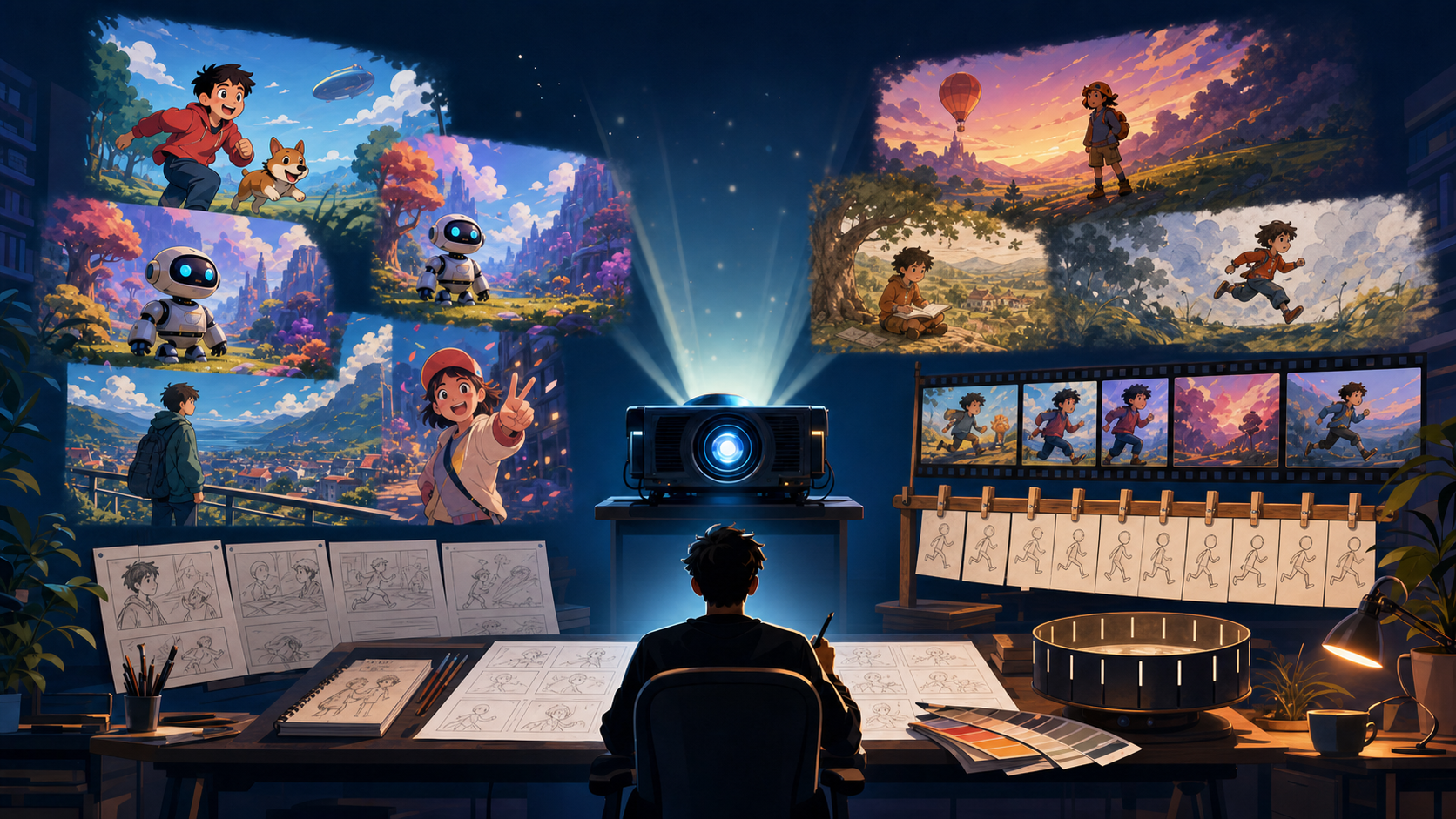
“Free AI cartoon video generator” can describe two very different products. Some tools invent motion and scenes from a prompt or still image. Others provide cartoon characters, templates, voiceover, captions, and a timeline so you can assemble a predictable explainer.
Both approaches are useful, but they solve different problems. A generative model is strong when you want a new visual idea or a short animated moment. A template editor is often better when the script, brand structure, and timing matter more than visual experimentation.
This guide compares 10 popular options available to try in 2026. Free access changes frequently and may mean trial credits, daily compute, limited exports, watermarks, lower resolution, shorter clips, or restricted commercial terms—not unlimited production. Check each product's live pricing and license before beginning a client or commercial project.
Editorial method and disclosure
We reviewed the tools and their official pricing, plan, or support pages on August 4, 2026. Inclusion required a no-cost plan, recurring free allowance, or clearly documented trial path plus a workflow relevant to cartoon motion, character animation, or template-based cartoon production. We compared input type, output workflow, editing depth, consistency needs, export restrictions, learning curve, and intended use.
This is an editorial workflow comparison, not a same-prompt rendering benchmark. We did not independently generate and score an identical test suite across all ten products, so the section order is not a performance ranking. Plan details may differ by region, device, website, app, API, or account and can change after the review date.
Publisher disclosure: DeepFake is the product operated by this site's publisher. It appears first so we can describe our own workflow and limits directly, not because an independent test established it as the best tool.
How to compare AI cartoon video tools
There is no universal “best” generator. The right option depends on the asset you start with and the video you must deliver.
Use these questions:
- Input: Are you starting from a text prompt, character image, video, script, slide deck, or template?
- Output: Do you need one short scene, a complete explainer, a social post, or a repeatable series?
- Consistency: Must the same character remain recognizable across several shots?
- Control: Do you want the model to invent motion, or do you need precise scene-by-scene assembly?
- Editing: Are captions, voiceover, resizing, and a timeline required in the same app?
- Free limits: Can you accept a watermark, short duration, queue, credit cap, or limited resolution?
- Rights: Do the current terms cover your inputs and intended use? What third-party characters, music, fonts, voices, or likenesses appear?
The descriptions below are workflow-oriented, not a laboratory ranking. Plans, model access, credits, and export rules can change after publication.
Quick comparison
| Tool | Workflow type | Strongest fit | Typical free-access trade-off |
|---|---|---|---|
| DeepFake | Multi-route generative creation | Testing text, image, and video-driven cartoon concepts | Free plan with daily-login credits; cost and model limits vary by route |
| Luma Dream Machine | Generative text/image-to-video | Motion-rich concept clips and animated B-roll | Limited web credits, draft output, lower priority, watermark, and non-commercial use |
| Runway | Generative video plus editor | Experimental scenes and iterative creative control | One-time 125-credit allocation, selected models, and watermarked output |
| Pika | Fast generative video and effects | Short stylized hooks and quick cartoon experiments | 80 monthly video credits; free-model resolution and duration limits apply |
| PixVerse | Generative and video transformation | Anime-adjacent social clips and fast style exploration | 60 daily Web/App credits at review time; unused credits do not roll over |
| CapCut | Generation plus full social editor | Fast creation-to-caption-to-export workflows | Basic editing is free; advanced AI, assets, and availability vary by region and device |
| Krea | Style-led creative suite | Recurring characters, visual direction, and experimentation | 100 daily compute units with limited video-model and training access |
| Animaker | Template-based cartoon editor | Educational and business explainers | 300 monthly AI-video credits and 3 downloads; free export rights and quality are restricted |
| Powtoon | Template motion-graphics editor | Onboarding, training, and presentation-style animation | Free creation and sharing, with Powtoon branding and restricted download options |
| Kapwing | Browser generator plus editor | Short social assets, captions, resizing, and collaboration | 720p, one-minute watermarked exports and a small AI-credit allowance |
DeepFake
DeepFake is a practical starting point when you want to compare several creation routes without committing to a traditional animation pipeline. Its available routes include text-driven generation, still-image animation, and video transformation, so a creator can begin from whichever asset is already strongest.
That flexibility is useful for:
- turning a written cartoon scene into a motion study;
- animating an approved original character illustration;
- creating visual variations for a social hook;
- testing several models or workflows before editing a sequence;
- producing a short concept clip for a storyboard review.
The main production question is consistency. A single appealing cartoon shot does not prove that the same character will survive a longer sequence. Lock the character reference, simplify the action, test one shot, and review the full clip frame by frame before expanding.
Explore the current DeepFake model catalog and verify the live credit and usage terms for the route you choose. Do not assume that every model has the same duration, reference support, or commercial license.
Best for: creators who want to test prompt, image, and video inputs in one generative workflow.
Less ideal for: a long cartoon episode that requires deterministic poses, exact lip timing, and a conventional multi-scene timeline from the start.
Luma Dream Machine
Luma Dream Machine is useful when motion quality and cinematic scene invention matter more than an integrated explainer editor. It can begin from text or a still image and create animated B-roll, stylized openings, environment shots, or concept scenes.
It works best when you already have one strong visual idea. A clear character reference, readable silhouette, and focused action give the model less room to invent unwanted details. Use small movement first, especially when hands, faces, text, or costume details must remain stable.
Luma is a generative tool rather than a complete explainer-production suite. Plan to complete captions, voiceover, shot assembly, and detailed timing elsewhere. Its official plan page describes the web free tier as limited, lower-priority, draft-resolution, watermarked, and non-commercial, so treat it as a test path rather than a client-delivery license.
Best for: short motion-rich concept clips, atmospheric cartoon scenes, and animated B-roll.
Less ideal for: structured explainers that need built-in characters, scene templates, narration, and a long timeline.
Runway
Runway combines generative video with a broader editing environment. That makes it valuable when you expect to generate, compare, adjust, and assemble material rather than accepting the first result.
Creators can use it for:
- experimental branded cartoon scenes;
- image-driven character motion;
- style and shot variations;
- video transformation;
- collaborative review and refinement.
The advantage is a more connected creative workflow. The trade-off is that exploration costs credits: a character-consistency problem may require many attempts, and each additional shot multiplies the review work.
Treat the free plan as a test bench. The official support page lists a one-time 125-credit allocation, selected models, and watermarked output. Validate one representative shot, inspect export quality, check rights terms, and calculate the likely cost of the complete sequence before building the whole project.
Best for: creators who want generative experimentation plus an editing-oriented environment.
Less ideal for: high-volume free production with no tolerance for credit limits.
Pika
Pika emphasizes quick generation and approachable effects. It is a friendly option for short animated hooks, stylized transformations, image-to-video tests, and playful cartoon moments.
The speed of the workflow encourages experimentation. That is useful for discovering an idea, but it can also encourage random iteration. Write one action, one camera move, and one preservation rule before generating. If the character must remain consistent, reuse the same approved reference and avoid changing style, pose, and environment at the same time.
At the review date, Pika's official pricing page listed 80 monthly video credits on the free plan, 480p access for Pika 2.5, watermark-free downloads, and commercial use. Higher resolutions, longer modes, and repeated variations consume more credits or require a paid plan, so confirm the live table before production.
Best for: fast cartoon experiments, short social hooks, and image-driven effects.
Less ideal for: long scenes or multi-shot stories that require tightly controlled continuity.
PixVerse
PixVerse is often chosen for fast stylized video, anime-adjacent looks, and social-friendly transformations. Text-to-video, image-to-video, and video transformation can support quick visual exploration.
It is useful when the project benefits from bold motion and a rapid feedback loop. Community activity can also help creators discover techniques, although popularity is not a substitute for testing the exact character and action your project needs.
At the review date, PixVerse's official App FAQ listed 60 daily Web/App credits and said unused daily credits do not roll over. Its API uses separate plans and credits, so do not apply consumer-app allowances to API production. Also verify queues, export settings, and usage rights. For brand work, test whether the model preserves an original mascot's shape, color hierarchy, and logo-free costume through the entire clip.
Best for: stylized social video, anime-influenced experiments, and fast motion tests.
Less ideal for: projects that require deterministic brand control or a predictable multi-scene editor.
CapCut
CapCut is different from a model-only generator because it connects effects and generation with a practical social-video editor. A creator can move from a cartoonized image or short generated clip into trimming, captions, voiceover, music, templates, resizing, and platform-ready export.
That end-to-end convenience is its strongest advantage. It is useful for creators who need to publish quickly and do not want to move assets through several applications.
Some cartoon features behave more like filters or preset transformations than open-ended scene generation. The result depends heavily on the source footage. Some effects, assets, and AI functions are reserved for paid plans or may vary by region and device.
Best for: social creators who need an integrated edit, caption, resize, and export workflow.
Less ideal for: inventing complex, cinematic cartoon scenes from scratch with deep shot control.
Krea
Krea is well suited to creators who care about visual direction, iterative style development, and recurring characters. Its creative suite spans images and video, while current plan availability may include real-time tools, daily compute, and limited access to character or style training features.
The potential value of a reusable character or style workflow is consistency. A recurring mascot, educational host, or story character needs the same silhouette and palette across clips. That requires a curated reference set and disciplined prompts—not simply more effects.
Krea rewards clear art direction. Creators who already know the desired palette, shape language, camera, and motion can use it productively; people seeking a one-click explainer may find template tools easier.
Best for: style-led experimentation, reusable visual identities, and creators willing to tune references.
Less ideal for: beginners who want a complete script-to-explainer template with minimal setup.
Animaker
Animaker focuses on structured cartoon production. Instead of asking a model to invent every frame, creators assemble prebuilt characters, actions, scenes, text, voiceover, and animation on a timeline.
This makes it practical for:
- classroom explainers;
- onboarding and training;
- internal communications;
- simple product education;
- repeatable presentation formats.
Predictability is the advantage. A presenter can be placed in a known pose, a scene can be reused, and timing can follow a script. The trade-off is less freedom than an open generative model, and the output may feel template-driven without custom art direction.
The official pricing comparison listed 300 AI-video credits and three downloads per month on the free tier, while higher export quality and commercial rights sit on paid tiers. Use the free plan for drafting and stakeholder review, then verify the required download format, watermark, quality, and license before delivery.
Best for: structured cartoon explainers where clarity and narration matter more than novel visuals.
Less ideal for: cinematic scene invention or highly original character animation.
Powtoon
Powtoon occupies a similar template-first category, with a strong emphasis on motion-graphic presentations, cartoon characters, scripted scenes, and text-to-speech or voiceover workflows.
It is effective when the story is already known and needs to become understandable quickly. Training, onboarding, classroom content, and small-business explainers benefit from a scene-based editor and reusable layouts.
Its limitations are also clear: movement freedom is narrower than in a pure generative system, and free exports may include platform branding or restricted premium assets. That is acceptable for prototypes but should be tested before a public or client delivery.
Best for: presentation-like explainers, training modules, and straightforward assembly for non-editors.
Less ideal for: organic character acting, cinematic camera motion, or visually experimental shorts.
Kapwing
Kapwing combines browser-based generation with practical editing. It is useful for turning a short cartoon concept into a social asset with captions, cropping, resizing, memes, and team review in the same workspace.
The workflow is strongest for short content. Generate or import a scene, correct the framing, add readable captions, create vertical and horizontal versions, and prepare the final post without a desktop editor.
Kapwing's official free-plan documentation listed a small AI-credit allowance plus 720p, one-minute exports with a watermark at the review date. Storage and recent-project access are also limited. For a longer cartoon, use Kapwing as an assembly and finishing test rather than expecting unlimited generation.
Best for: browser-based short social content, captions, resizing, and quick collaborative edits.
Less ideal for: long high-resolution animation or large batches on a free allowance.
Generative model or template editor?
Choose a generative model when:
- you want the system to invent motion, staging, or a visual world;
- you have a strong character image and need a short animated shot;
- concept discovery matters more than exact repeatability;
- you can compare several attempts and edit the result afterward.
Choose a template editor when:
- the script and explanation structure are already fixed;
- the same presenter must perform predictable actions;
- captions, voiceover, charts, and timing matter more than cinematic invention;
- stakeholders need a reviewable timeline;
- the video will be updated repeatedly.
A hybrid workflow is often strongest: generate one or two distinctive scenes, then assemble them inside a template or browser editor with narration, captions, transitions, and branding.
How to test a free cartoon video generator
Do not compare tools only by their home-page demos. Export one representative clip from each serious candidate.
- Choose an original character and one clear five-to-ten-second action.
- Use the same source image, motion goal, and delivery aspect ratio where possible.
- Generate a small batch rather than judging one lucky result.
- Inspect face, hands, clothing, background, edges, and texture across every frame.
- Check whether captions, voiceover, and music require another editor.
- Export at the free plan's actual resolution and look for watermarks or compression.
- Read the current license, privacy policy, and commercial-use terms.
- Estimate credits and paid cost for the full project—not only the test shot.
The best option is the one that can deliver your real format reliably, not the one with the most impressive demo reel.
Character consistency tips
- Use an original approved character sheet with front, side, and three-quarter views.
- Keep each shot to one principal action and one camera move.
- Reuse exact identity phrases, palette, outfit, and reference image.
- Avoid hands crossing the face or props hiding the silhouette.
- Generate neutral motion before adding particles or dramatic lighting.
- Check the middle of the clip, where drift often becomes strongest.
- Cut a long scene into shorter shots and add intermediate reference frames.
- Add text and logos during editing rather than asking a video model to preserve small typography.
Rights, consent, and responsible use
Only upload or generate characters, images, footage, music, fonts, voices, logos, and likenesses you have the right to use. A tool's ability to animate a protected character does not grant merchandising or commercial permission.
For real people, obtain informed consent for any likeness or voice use and disclose synthetic media where the context requires it. Do not use cartoonization to impersonate someone, mislead viewers, create non-consensual sexual content, manipulate political communication, or bypass a platform's safety rules.
Commercial output rights, input ownership, model terms, and third-party intellectual property are separate questions. Review all of them. Product and company names in this comparison belong to their respective owners; inclusion does not imply endorsement or affiliation.
Final recommendation
Start with your production constraint:
- Choose DeepFake, Luma, Runway, Pika, PixVerse, or Krea when you want generative visual freedom.
- Choose Animaker or Powtoon when you need a structured explainer.
- Choose CapCut or Kapwing when social editing and fast publishing are central.
Then run one real export. Check consistency, watermark, resolution, edit time, rights, and credit use. If the free test succeeds, review the current DeepFake pricing or the chosen tool's live plan before scaling to a full series.
Frequently asked questions
Are free AI cartoon video generators really free?
Usually they are free to try, not free for unlimited production. Common limits include credits, daily compute, queues, watermarks, short clips, lower resolution, restricted downloads, or limited model access.
Which type is best for cartoon explainers?
Template editors such as Animaker and Powtoon are often easier because they provide predictable characters, scenes, narration, and timelines. Generative tools are better for distinctive openings, B-roll, or scenes that templates cannot supply.
Which tools are best for short social cartoons?
Pika, PixVerse, CapCut, Kapwing, and other short-form workflows are convenient starting points. The deciding factors are the desired style, caption workflow, aspect ratios, watermark, and available credits.
Can a free tool keep the same character across a series?
Sometimes, but consistency depends on the model, reference support, scene complexity, and your workflow. Use a stable character sheet, repeat exact identity language, simplify motion, and test several shots before planning a complete series.
Can I use the output commercially?
Do not assume so. Read the current plan and terms, confirm the rights to every input, and consider third-party characters, brands, music, fonts, voices, and likenesses separately. A platform license cannot grant rights you do not have in the source material.