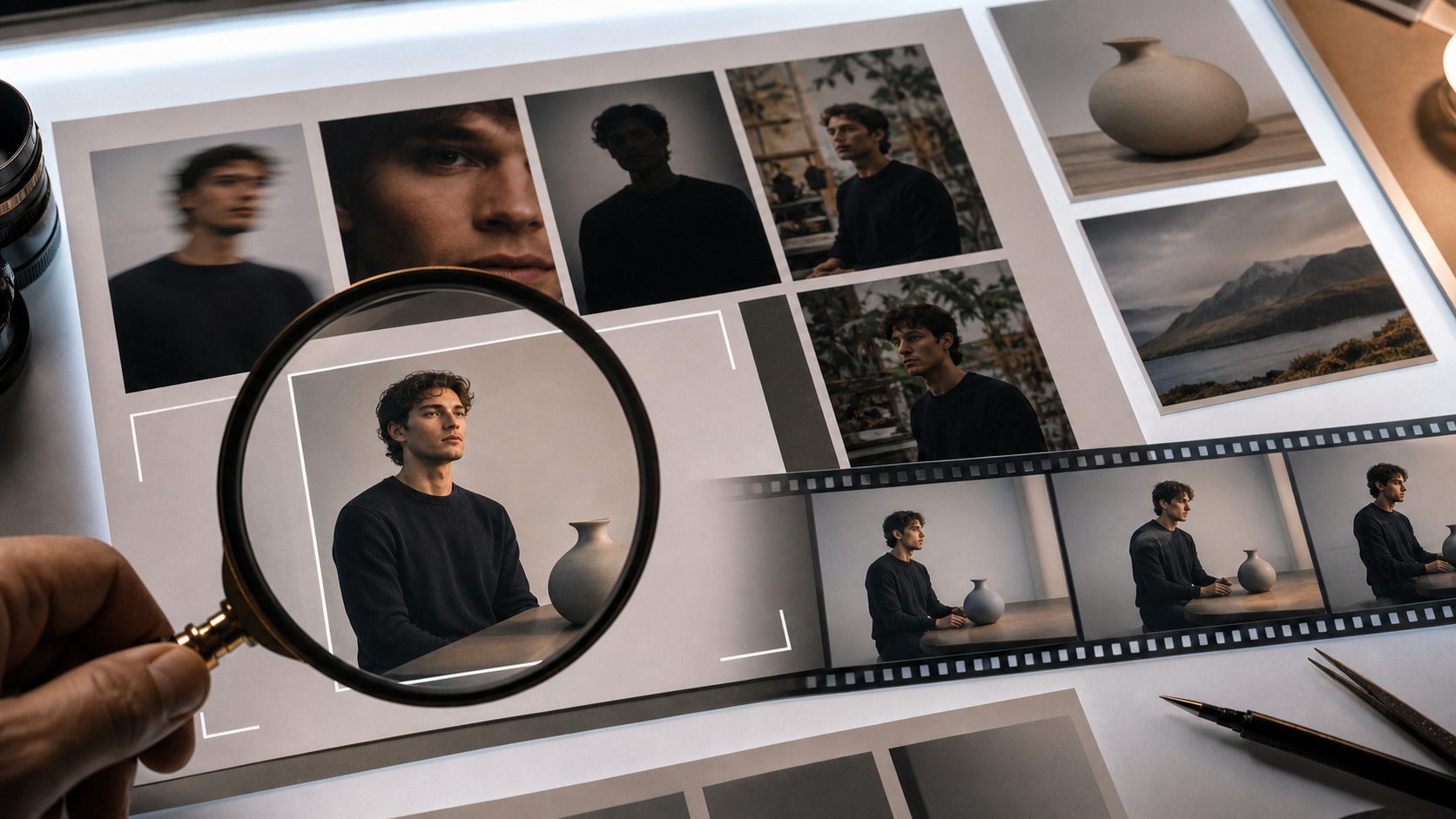
The best image for image-to-video AI is not always the most attractive photograph. It is the image that gives the model the fewest important reasons to guess.
A single source frame must communicate foreground and background, object boundaries, depth, surface shape, light direction, and the motion that could plausibly happen next. When those signals are unclear, the generated clip may invent fingers, bend straight lines, rewrite product labels, fuse hair with the wall, or make rigid edges breathe.
This guide turns source-image selection into a repeatable process. The 100-point scorecard is a practical heuristic, not a scientific guarantee or cross-model benchmark. Use it to compare a batch and identify preventable risks before spending generation credits.
Why the source image matters so much
An image-to-video model does not receive the moments before or after your still. It has to infer them. It estimates which pixels belong to one object, how surfaces continue behind occlusions, where joints might move, and which camera movement would remain plausible.
Every ambiguity creates a decision the model must invent:
- soft fingers make hand structure uncertain;
- hair matching the background makes the silhouette uncertain;
- a logo at an angle makes small typography uncertain;
- a cropped elbow makes the hidden limb path uncertain;
- crushed shadows make material and depth uncertain;
- a busy shelf behind the subject makes object ownership uncertain.
A prompt can direct motion, but it cannot recover visual evidence that the source never contained. Upscaling can add pixels; it cannot prove what an out-of-focus edge originally looked like.
Choose the frame first, then write the motion. A weaker source image usually needs a smaller movement budget.
The 100-point source-image scorecard
Score each candidate at 100% zoom. Do not judge only from a phone thumbnail.
| Criterion | Points | What earns a high score |
|---|---|---|
| Subject sharpness | 20 | Eyes, face, product edges, hands, and critical details are genuinely in focus |
| Geometric clarity | 15 | Limbs, props, product surfaces, and architectural lines are easy to interpret |
| Subject-background separation | 12 | The silhouette remains distinct in tone, color, depth, or light |
| Lighting quality | 10 | Direction is readable, highlights are controlled, and shadows retain detail |
| Composition and motion room | 10 | The frame leaves space for the intended turn, push, pan, or gesture |
| Resolution and compression | 8 | Original or high-quality file with no severe artifacts or screenshot degradation |
| Scene simplicity | 8 | Few accidental intersections, partial people, cables, or competing objects |
| Text and fine-detail burden | 7 | Little tiny typography, jewelry, mesh, or repeated detail that must remain exact |
| Perspective consistency | 6 | Lens and lines feel coherent without stretched edges or composite mismatch |
| Action plausibility | 4 | The intended movement can happen naturally from the visible pose and space |
| Total | 100 |
How to read the score
- 85–100: strong candidate. Begin with a conservative motion test.
- 70–84: usable. Fix the largest deduction and reduce movement complexity.
- 55–69: high risk. Preprocess carefully or compare a different frame.
- Below 55: choose another image when a reasonable alternative exists.
The distribution matters. Sharpness and geometry carry 35 points because a prompt cannot reliably reconstruct missing edges. Text and fine detail carry fewer points, yet those seven points can decide whether an ecommerce clip is deliverable: a beautiful video with a wrong product label is still unusable.
Do not treat the total as a promise. A high-scoring image can fail, and an unusual low-scoring image can animate well. The scorecard helps triage and diagnose; it does not replace testing.
Score each category consistently
Subject sharpness: 20 points
Inspect the area viewers will watch most. For a portrait, check both eyes, eyelashes, mouth edges, hairline, and visible hands. For a product, check the silhouette, label, seams, and contact point. Motion blur and aggressive portrait smoothing reduce real information even when the image looks pleasing at small size.
Geometric clarity: 15 points
Look for overlapping fingers, crossed limbs, objects held behind the body, reflective edges, transparent materials, and repeating patterns. A clean pose with visible joints gives the model a stronger motion hypothesis.
Subject-background separation: 12 points
Convert the image to grayscale mentally or with an editor. If dark hair disappears into a dark wall or a product shares the counter's color, increase separation before generation. A small local brightness or contrast adjustment can help more than global color grading.
Lighting quality: 10 points
Prefer one understandable main light and retained shadow detail. Mixed color temperatures, clipped highlights, and crushed black areas can make the model reinterpret surfaces from frame to frame.
Composition and motion room: 10 points
A still-photo crop is often too tight for animation. A slow push needs margin around the subject. A head turn needs room on the destination side. A product orbit needs a surface and background that can support parallax.
Resolution and compression: 8 points
Use the original file when possible. Do not screenshot a social-media image to resize it. Repeated compression creates block edges that may shimmer during motion. Follow the chosen platform's current file limits rather than inventing detail through aggressive enlargement.
Scene simplicity: 8 points
Trace the silhouette. A cable crossing an arm, chair leg touching a shoulder, hand overlapping patterned clothing, or half-visible person at the edge can confuse segmentation. Remove inexpensive distractions before generating.
Text and fine-detail burden: 7 points
Small type, logos, watch faces, patterned fabric, jewelry, leaves, brickwork, and mesh demand consistency across every frame. Reduce the burden or plan to restore exact text and branding during editing.
Perspective consistency: 6 points
Watch for extreme wide-angle distortion, stretched edge faces, tilted verticals, inconsistent composite elements, and mismatched shadows. The intended camera move should be compatible with the original lens feel.
Action plausibility: 4 points
The source pose should contain a believable path into the requested action. If both feet are hidden, a walking move asks the model to invent too much. If a product is already tight against the frame edge, an orbit has nowhere to reveal new space.
A practical preparation workflow
Work in this order. Each step is relatively cheap and removes a different class of failure.
1. Pick from a batch, not from memory
Review all candidate frames at full size. The photo you remember liking may not be the sharpest. Check burst captures and near-duplicates for cleaner hands, open eyes, better separation, or a little more space.
Score the top three rather than forcing the first favorite to work.
2. Crop for motion, not for the still
Decide the movement before finalizing the crop.
- For a push in, leave room around the face or product.
- For a turn, keep space on the side the subject will face.
- For a lateral camera move, include foreground and background layers.
- For a hand gesture, keep the complete hand and likely path inside the frame.
- For vertical delivery, avoid placing critical details at the crop boundaries.
Sketch the subject's widest pose or furthest travel over the still. If that silhouette touches an edge, recrop or outpaint before upload. Treat edge clearance as input validation; choose the tighter delivery framing only after the motion exists.
3. Simplify what you can control
Remove distractions near the subject outline: cables, chair legs, partial faces, stray packaging, reflections, or high-contrast clutter. Clean a product surface and make the contact shadow understandable.
Do not erase real structural detail that the motion needs. Simplify ambiguity, not identity.
4. Fix separation before beauty
If the subject blends into the background, adjust the background locally, move the crop, or add a restrained vignette. A small edge contrast improvement is often more valuable than skin smoothing or cinematic color.
5. Keep grading conservative
Strong film emulation, crushed blacks, clipped highlights, and extreme color shifts remove information. Keep shadow and highlight detail for generation, then grade the completed video.
6. Export sensibly
Use a high-quality original, minimal recompression, and dimensions accepted by the current platform. Do not enlarge a tiny source and assume it became detailed. Avoid screenshots, messaging-app copies, and repeatedly saved JPEGs when the original exists.
7. Decide motion intent before generating
Write one plain sentence:
Slow push toward the adult subject while they blink once and keep the head still.
That is a motion plan. “Make it cinematic” is not. One primary action and one restrained camera move are easier to evaluate than a bundle of effects.
Subject-specific guidance
People and portraits
Viewers notice faces and hands immediately.
- Use a clear, adult, well-lit face with both eyes readable.
- Prefer hands fully visible and separated, or exclude them from frame.
- Avoid hair merging with the background.
- Leave the top of the head and motion destination inside the crop.
- Reduce heavy glasses reflections, tiny jewelry, and dense fabric patterns.
- Keep motion smaller for side profiles or partially hidden faces.
- For groups, remember that every additional face adds identity and occlusion risk.
Obtain informed consent before animating a real person's likeness, and do not use image-to-video for deceptive impersonation, non-consensual sexual content, or misleading political media.
Products and ecommerce
The main failure is often not visual ugliness but product inaccuracy.
- Use a single product with a clean silhouette.
- Prefer a matte surface over uncontrolled chrome or transparent packaging.
- Keep the label large, front-facing, and high contrast—or use a label-free angle and add exact typography later.
- Preserve a clear contact shadow.
- Remove nearby props that touch the outline.
- Use a slow push or small orbit instead of dramatic movement.
- Inspect shape, seams, cap, label, and color throughout the clip.
If a logo or legal line must remain exact, composite it in post-production.
Landscapes, interiors, and scenes
A strong scene has readable foreground, middle ground, and background. That depth gives a camera move useful parallax.
Natural motion elements such as water, cloud, smoke, grass, curtains, and distant light can animate gracefully. Hard architecture is less forgiving: door frames, tiles, windows, and railings reveal bending quickly.
Watch for:
- reflections moving differently from the object they reflect;
- repeated brick, leaf, gravel, or tile patterns crawling;
- narrow architectural lines warping under large camera moves;
- clutter disappearing behind the subject;
- crushed shadow areas turning into flat moving surfaces.
For interiors, a locked camera with one controlled moving element is often safer than a large virtual orbit.
Copy-ready motion prompts
Adapt these templates to the exact image. The preservation instructions are as important as the movement.
Portrait
Slow, steady push toward the clearly adult subject. One natural blink and a very small relaxed change in expression. Keep face shape, hairstyle, skin tone, clothing, background, light direction, and camera level consistent. No head turn, lip speech, extra people, new objects, or identity change.Product
Very slow small-angle camera orbit around the stationary product. Preserve exact product silhouette, material, cap, label position, color, contact shadow, tabletop, and background. Keep typography stable; no deformation, opening, added reflections, or new props.Landscape
Slow forward dolly through the scene with natural foreground-to-background parallax. Clouds and grass move gently in one consistent direction. Preserve mountain geometry, horizon, buildings, color palette, and daylight. No sudden camera acceleration or new objects.Interior
Locked-off camera. Only the curtain moves gently and a few dust particles cross the window light. Keep walls, doors, furniture, straight architectural lines, exposure, and all other objects completely stable.Water and atmosphere
Continuous slow water ripples and a small amount of steam drifting in one direction. Preserve vessel shape, table, background, reflections, light direction, and framing. No abrupt changes, splashes, camera movement, or new objects.On DeepFake, upload the selected image to an image-to-video workflow, begin with the smallest motion that fulfills the shot, and compare several outputs before increasing complexity.
Troubleshooting: symptom, likely cause, and fix
| Symptom | Likely source-image cause | Better fix |
|---|---|---|
| Fingers melt or multiply | Hands overlap, blur, or hide joints | Choose a clearer frame, crop hands out, or reduce gesture size |
| Identity drifts | Face is soft, tiny, heavily retouched, or too far in profile | Use a sharper, larger, more frontal face and smaller motion |
| Subject merges with background | Weak edge separation | Change crop or adjust local background contrast |
| Product label becomes nonsense | Type is small, angled, reflective, or compressed | Use a larger front-facing label, reduce motion, or add exact text in post |
| Architectural lines bend | Strong camera move across hard geometry | Lock the camera or reduce movement and perspective change |
| Texture crawls or shimmers | Dense repeated patterns | Simplify the pattern, change the crop, or use slower motion |
| Background objects disappear | Clutter and ambiguous occlusion | Clean the background and remove partial objects |
| Subject “breathes” in size | Silhouette is soft or camera instruction is ambiguous | Improve edge clarity and specify a locked camera or one slow move |
| Reflections detach | Reflective surface has complex or contradictory surroundings | Use a matte source, simplify reflections, or keep the camera still |
| Clip feels static | Motion intent is too vague or overconstrained | Name one visible action and one camera behavior |
When a generation fails, change the cheapest cause first. Do not rewrite the entire prompt if the source hand is visibly blurred.
Before-upload checklist
- Critical subject details are sharp at 100% zoom.
- Limbs, props, and product geometry are readable.
- Subject separates clearly from the background.
- Light direction is coherent and shadows retain detail.
- Crop leaves room for the intended motion.
- File is original or minimally compressed.
- No partial faces, crossing cables, or accidental outline intersections.
- Tiny text and repeated patterns have been minimized.
- Perspective and architectural lines are plausible.
- The requested action can happen from the visible pose.
- One primary action and one camera move are written down.
- Rights and consent for the image and subject are confirmed.
- The platform's current file, privacy, and usage terms have been checked.
Final rule: find where the model must guess
Before uploading, ask one question: Where will the model have to invent missing information?
Fix the most important guess first. It may be a soft hand, a hidden product edge, a dark hairline, a tight crop, or a tiny label. Then request the smallest motion that completes the story.
A strong source image does not make generation deterministic, but it gives the model a clearer problem—and gives you a better way to diagnose the result.
Frequently asked questions
What makes the best image for image-to-video AI?
The strongest source is sharp, geometrically clear, well separated from the background, conservatively lit, spacious enough for motion, minimally compressed, and simple enough that critical details remain unambiguous.
Does higher resolution always produce better video?
No. Resolution cannot repair true defocus, motion blur, hidden limbs, bad compression, or unclear geometry. Start with a genuinely informative source rather than an enlarged weak image.
Should I use a portrait or landscape source image?
Match the delivery format and motion. Portrait is convenient for vertical social clips; landscape offers more horizontal motion room. Composition quality matters more than orientation alone.
Can I use an AI-generated image as the source?
Yes, if you have the necessary rights and the image is internally consistent. Inspect hands, eyes, repeated patterns, text, reflections, and geometry before animation; errors in the still often become larger in motion.
Why does my product video look good while the label is wrong?
Small typography is a high-risk detail. Use a larger front-facing label and conservative motion, or generate a clean label-free product motion and composite exact approved branding afterward.
How many attempts should I expect?
There is no fixed number across models and shots. Generate a small batch, compare results, and change one variable at a time. If every attempt fails in the same place, repair or replace the source image.
Is the scorecard a guarantee?
No. It is an editorial heuristic for comparing inputs and diagnosing risk, not a validated benchmark or guarantee of success.