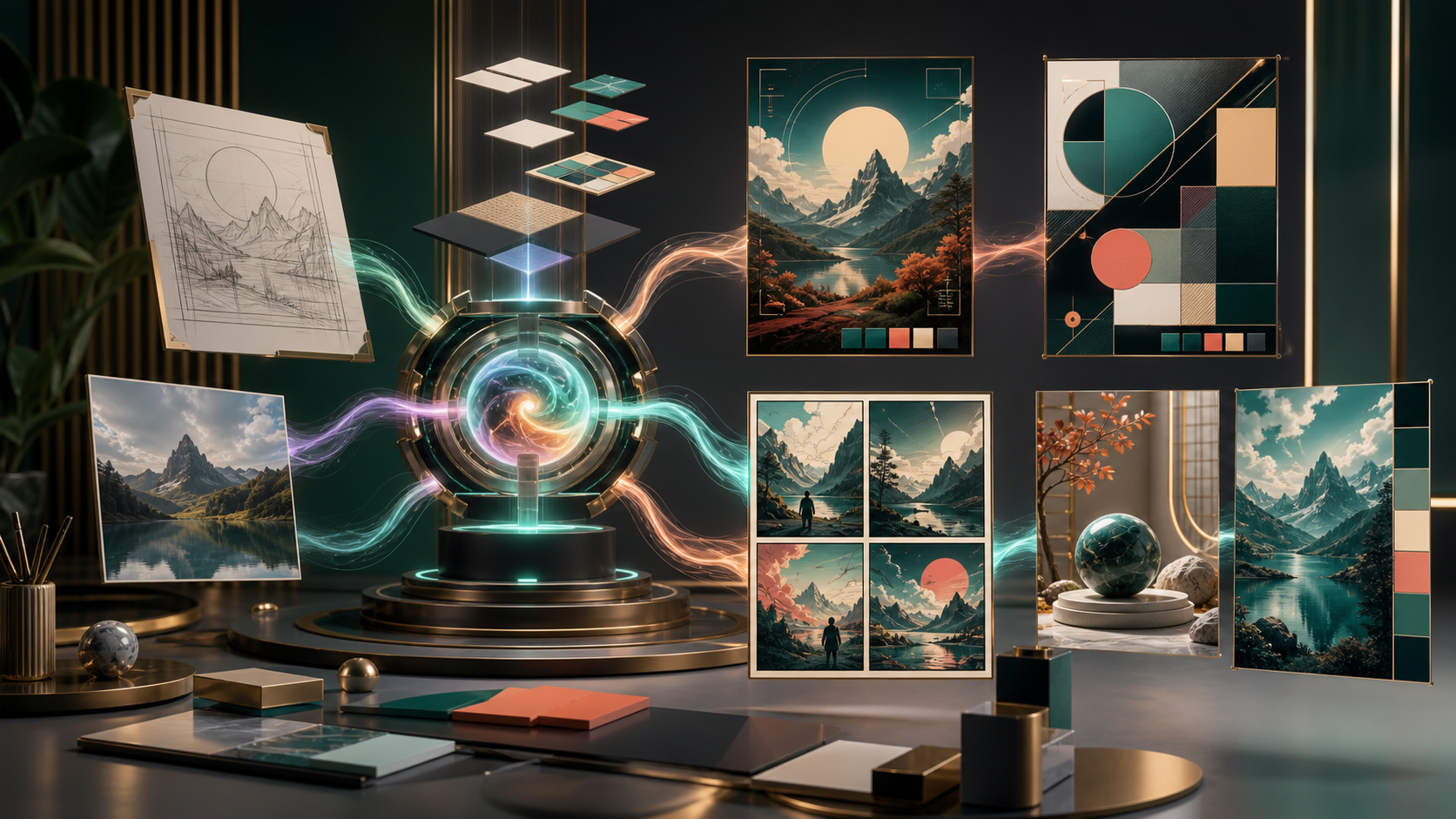
ChatGPT Images 2.0 is OpenAI's current image-generation experience for creating and editing visuals in ChatGPT. It officially launched on April 21, 2026, and the developer-facing model, gpt-image-2, brings the same generation family into API workflows.
The important change is not simply that the pictures look better. OpenAI is positioning the system as a visual production tool: one that can reason about a brief, organize dense information, render text across languages, maintain a visual idea through revisions, and produce assets such as posters, diagrams, comics, product concepts, and editorial graphics.
That ambition makes the release useful to more than illustrators. Marketers, educators, designers, developers, founders, and content teams can all use it—but only if they understand the distinction between a polished demo and a dependable workflow.
This guide separates confirmed capabilities from expectations, explains the ChatGPT and API experiences, and gives you a practical way to test whether Images 2.0 is ready for your work.
Key facts at a glance
- OpenAI introduced ChatGPT Images 2.0 on April 21, 2026.
- The current OpenAI Help Center page says Images 2.0 is available on all ChatGPT tiers, on web, iOS, and Android.
- Images with thinking is a separate experience. As of August 6, 2026, OpenAI lists it for Plus, Pro, and Business, with Enterprise and Edu support coming later.
- Developers can use
gpt-image-2through the Image API; conversational image-generation flows can use the image-generation tool in the Responses API. - OpenAI emphasizes precision, visual control, dense and multilingual text, structured graphics, realism, comics, manga, and more informed visual creation.
- The ChatGPT product can create and edit images, use a selection tool, change aspect ratio, and manage generated images in a library.
- Image output still requires review. Readable text, factual accuracy, spatial relationships, character continuity, and localized edits are improved targets—not guarantees.
What is ChatGPT Images 2.0?
ChatGPT Images 2.0 is the second major generation of OpenAI's ChatGPT-native image experience. You describe a visual in natural language, optionally provide source images, and receive a generated or edited result inside the conversation. Because the system participates in the broader ChatGPT context, you can discuss the brief, correct misunderstandings, and request revisions without translating every decision into specialist image syntax.
The consumer name and developer name are related but not interchangeable:
- ChatGPT Images 2.0 refers to the product experience in ChatGPT.
gpt-image-2is the model identifier documented for direct image generation in the OpenAI API.- The Responses API image-generation tool lets a supported mainline model call image generation as part of a multi-step or conversational flow. The tool manages its own GPT Image model selection.
This distinction matters when you compare availability, settings, pricing, or output behavior. A feature visible in ChatGPT is not automatically exposed through the same parameter in the API, and an API option may not appear as a visible ChatGPT control.
Why this release matters
Most image generators have long been capable of producing a striking portrait or landscape. Production work is harder. A useful visual may need exact copy, a coherent information hierarchy, several related panels, a specific object count, brand-safe composition, or a targeted edit that leaves everything else unchanged.
Images 2.0 is aimed at that gap between inspiration and deliverable. OpenAI's launch examples focus heavily on outputs that have an internal structure:
- Editorial posters and campaign graphics.
- Infographics and educational explanations.
- Comics and manga pages.
- Multilingual typography and signage.
- Product and hospitality concepts.
- Fashion editorials and photographic scenes.
- Print-oriented layouts with production guides.
- Multiple coordinated images from one creative brief.
These tasks combine language understanding, layout, world knowledge, typography, and aesthetics. Improvement in one dimension alone is not enough; the system has to coordinate all of them.
The capabilities that matter most
1. Better text inside images
Text rendering is one of the most commercially important areas. Posters, menus, packaging concepts, book covers, diagrams, and social graphics often fail when a generator misspells a headline or invents characters.
OpenAI highlights stronger dense-text and multilingual output in Images 2.0. That expands the model's usefulness, but it does not remove the need to proofread. Check every word, number, punctuation mark, line break, and language variant. For high-stakes or final brand assets, consider generating the visual structure without critical copy and placing approved text in a conventional design tool.
The best prompt provides the exact copy in a dedicated block, states which text must be verbatim, and describes the hierarchy separately. For example: one short headline, one subhead, three labels, and a footer—not “make a detailed poster with lots of information.”
2. Structured layouts and information graphics
Images 2.0 is designed to do more than compose a scene. It can attempt grids, panels, labeled diagrams, editorial spreads, and infographic-like arrangements. This is valuable for early visualization because you can move from a written outline to a designed concept in one conversation.
Structure remains a review area. Verify that arrows connect the correct elements, steps appear in the right order, repeated symbols mean the same thing, and visual emphasis reflects actual importance. A persuasive diagram can still contain incorrect logic.
3. Stronger visual reasoning
The model can use the meaning of a brief rather than only matching stylistic keywords. A request for an educational poster, for example, involves choosing a sequence, deciding what deserves an illustration, and balancing explanation with visual space.
This is most helpful when you provide goals and constraints. Tell the model who the audience is, what the image must communicate, where it will appear, and what would make it fail. The system then has a design problem to solve instead of a bag of adjectives to render.
4. Multilingual creation
OpenAI's release materials emphasize text and visual communication across languages and scripts. That is promising for global campaigns, localized explainers, travel materials, and educational content.
Do not assume equal quality across every language or font style. Use a fluent reviewer, test the exact script, and avoid squeezing long translated copy into a layout designed for shorter English text. Localization often requires recomposition, not simple substitution.
5. Comics, manga, and multi-panel storytelling
Sequential art tests several difficult abilities at once: character identity, costume continuity, scene geography, panel order, dialogue placement, and emotional progression. Images 2.0 visibly targets comics and manga, making it interesting for storyboards and concept pages.
A single generated page is not proof of long-form continuity. Create a character sheet first, define fixed costume and palette details, and test the same character in neutral, emotional, and action shots. For a series, generate in controlled stages and use references rather than asking for an entire issue in one prompt.
6. Photographic and stylistic range
The launch gallery spans documentary-like photography, surreal portraits, editorial fashion, illustration, pixel art, manga, product imagery, and retro visual treatments. This range makes the model useful for creative direction and campaign exploration.
Style range can also create inconsistency. Once stakeholders approve a direction, write down its lighting, palette, lens feel, texture, subject treatment, and composition rules. A vague follow-up such as “make another one like that” gives the system too much room to reinterpret the brand.
7. Image editing and iterative revision
You can upload an existing image or select a generated image and describe changes. ChatGPT also offers a selection tool for targeting a region. According to OpenAI's help documentation, selections are not always exact and edits may extend beyond the highlighted area.
That caveat is crucial. After every edit, compare the entire frame—not just the requested region. Faces, labels, textures, shadows, or small objects elsewhere may change. Save approved versions so you can return to a stable checkpoint.
What is Images with thinking?
Images with thinking adds a reasoning and tool-use layer before or during visual creation. OpenAI's system documentation describes the mode as able to use live web search, produce multiple images from one prompt, and apply a reasoning stack to turn a basic request into a researched visual result.
This changes the ideal workflow. Instead of writing one enormous “perfect prompt,” you can provide a brief, sources, goals, and constraints, then let the system plan the visual approach. It is especially relevant for:
- Current-event or research-backed visuals.
- Educational graphics that require factual organization.
- Campaign systems with several coordinated assets.
- Mood boards and creative directions that need alternatives.
- Complex layouts that benefit from a planning pass.
Thinking does not make the output automatically factual. A researched infographic still needs source verification, and a multi-image set still needs design review. Treat the mode as a stronger collaborator, not a replacement for approval.
Availability in ChatGPT
As of August 6, 2026, OpenAI says ChatGPT Images 2.0 is available on all tiers. It works on the web and on iOS and Android. The precise usage allowance can vary by plan and may change, so consult the current product interface or official plan information before planning a high-volume project.
The standard creation path is simple: ask ChatGPT to make an image in a conversation, or open the Images experience and enter a prompt. You can keep using ChatGPT while complex generation runs.
For editing, select a generated image or upload your own, then describe the change. You can either make a selection or describe the target area in the conversation. The editor also supports aspect-ratio changes, undo, redo, and saving.
Generated images are stored in the Images library for browsing and reuse. OpenAI's current help page says deleting an image from the library requires deleting the conversation in which it was created, so account for that behavior when managing sensitive or client-specific work.
API access: Image API versus Responses API
OpenAI documents two main developer paths in its image-generation guide.
Image API
Use the Image API when your application needs a direct generation or edit request. It exposes generation and editing endpoints, and you select gpt-image-2 explicitly. This is the simpler choice for a single prompt-to-image action, a controlled editing job, or a batch pipeline with clear inputs and outputs.
The current API documentation includes controls for output quality, size, format, and compression. GPT image outputs can use PNG, JPEG, or WebP. Quality supports automatic, low, medium, or high settings.
For gpt-image-2, size can be supplied as a custom WIDTHxHEIGHT value within documented constraints. Width and height must be divisible by 16, and the aspect ratio must remain between 1:3 and 3:1. Resolutions above 2560×1440 are marked experimental, with a documented maximum of 3840×2160. The standard 1024×1024, 1536×1024, and 1024×1536 sizes remain useful safe defaults.
Responses API
Use the Responses API when image generation belongs inside a conversation, agent, research flow, or multi-step application. A supported mainline model calls the image-generation tool and can retain context across turns.
This path supports multi-turn iteration. Developers can pass a previous response ID or keep the relevant image-generation call in context, then request a revision. The tool's action setting can remain automatic or be forced to generate or edit when the request contains an image.
The Responses route is more flexible, but it also includes the mainline model's token usage in addition to image-generation costs. Compare total workflow cost, not only the image model line item.
A transparent-background caveat
There is a current product/API difference worth knowing. The ChatGPT Help Center says ChatGPT Images can follow requests for transparent backgrounds. However, OpenAI's API tool documentation states that gpt-image-2 does not currently support transparent backgrounds, and a request that forces background: "transparent" fails.
Do not infer API behavior from the ChatGPT interface. If your application needs transparent assets, test the exact endpoint and model you intend to deploy, and keep a background-removal step available.
Versioning and verification
OpenAI documents the rolling model name gpt-image-2 and a dated April 21, 2026 snapshot. A pinned snapshot can help teams reproduce behavior, while a rolling alias may receive improvements. Recheck the current model page and pricing before deployment because availability, limits, and costs can change.
Some organizations may need API organization verification before using GPT Image models. Plan for that operational step rather than discovering it during launch.
How to prompt ChatGPT Images 2.0
The model understands natural language, so a useful prompt reads more like a creative brief than a list of style tokens.
Use this order:
- Purpose: what the asset is for.
- Audience: who must understand or respond to it.
- Subject: what must appear.
- Composition: hierarchy, framing, and spatial relationships.
- Style: medium, palette, light, texture, and visual references you may legally use.
- Exact text: quoted copy and language.
- Output: aspect ratio, background, and intended crop.
- Constraints: what must not change or appear.
A strong example brief might say:
Create a 4:5 launch poster for a neighborhood astronomy club. Audience: families with children ages 8–14. Show a welcoming rooftop telescope scene at twilight, with the telescope as the main focal point and open space in the upper third. Use deep navy, warm yellow, and muted coral in a clean editorial illustration style. Include the exact headline “LOOK UP TOGETHER” and the exact line “Friday · 8 PM · Free Entry.” Keep all copy fully readable. No logos, brand marks, or extra text.
This works because the purpose, audience, visual hierarchy, copy, and failure conditions are clear.
A better revision strategy
Do not restart the entire image whenever one element is wrong. Use a controlled sequence:
- Approve composition and visual direction without obsessing over small details.
- Correct subject count, pose, and scene relationships.
- Lock palette, lighting, and material language.
- Fix text and labels.
- Perform localized edits.
- Export, proofread, and finish in a design tool if needed.
Each revision should state what to change and what to preserve. For example: “Replace only the cup on the left with a clear glass; preserve the camera angle, hand pose, lighting, table objects, color grade, and all text exactly.”
Save versions after every accepted step. If an edit unexpectedly changes the composition, return to the last stable image instead of trying to repair a damaged branch through several more generations.
Best practical use cases
Marketing concepts
Images 2.0 can quickly explore campaign directions, poster systems, social crops, product settings, and editorial treatments. Use it to compare ideas before committing expensive production resources. Final logos, offers, legal copy, and exact product geometry still need conventional review.
Educational diagrams and explainers
The combination of language understanding and structured visuals is valuable for turning an outline into a first-pass explanation. Verify every fact and relationship, especially maps, formulas, timelines, medical topics, and quantitative charts.
Storyboards and comics
Generate character sheets, scene keys, panel ideas, expressions, and page compositions. For long sequences, use stable references and divide the story into manageable shots. A finished still can then move into a DeepFake image-to-video workflow for controlled motion tests.
Product and brand visualization
Teams can explore packaging, retail displays, environments, and photographic art direction. AI imagery should not be mistaken for a manufacturing specification. Dimensions, materials, accessibility, trademark use, and safety requirements remain separate design tasks.
Creative direction and mood boards
The model's stylistic range makes it useful for comparing visual territories. Build a small grid where each direction uses the same message and audience; otherwise, stakeholders may choose the most dramatic image instead of the most appropriate system.
Video preproduction
Use generated stills as style frames, storyboards, thumbnails, environments, or character references. DeepFake's text-to-video and video-to-video workflows can help translate the approved direction into motion while preserving a clear creative target.
What still needs careful testing
Exact text
Text is a headline capability, but one wrong character can invalidate a poster or package. Test long copy, small labels, dates, punctuation, and multiple languages—not only a large English headline.
Factual accuracy
A visually coherent infographic may invent a statistic, simplify a map incorrectly, or create a plausible but false diagram. Supply reliable sources and independently verify the final image.
Character and object continuity
Repeated subjects can change across panels or edits. Stress-test side views, full-body shots, expressions, accessories, and object interactions before committing to a series.
Spatial logic and counting
Count objects, hands, fingers, labels, panels, and repeated elements. Check whether shadows, reflections, perspective, and physical contact make sense. High visual polish can hide logical errors.
Local editing precision
OpenAI explicitly notes that selection highlights are not always precise. Compare the whole frame after an edit and use external compositing when an exact pixel-level change matters.
Production specifications
An image that looks print-ready may still have incorrect bleed, insufficient resolution, inaccurate colors, or malformed production guides. Validate with the printer, platform, or manufacturer.
Cost and latency
High-quality, multi-image, revision-heavy workflows can become expensive or slow. Measure the median number of attempts required for an approved asset. A cheaper image that needs ten repairs may cost more than a stronger first pass.
A five-part benchmark for your team
Do not judge the model from a launch gallery or one viral prompt. Create a repeatable internal benchmark.
Test 1: text-heavy poster
Use a short headline, event details, and two small labels. Score spelling, hierarchy, spacing, and brand fit.
Test 2: structured explainer
Ask for a four-step process with a clear beginning and end. Score order, relationships, factual correctness, and visual scanning.
Test 3: continuity
Show the same original character or product in four contexts. Score identity, geometry, colors, accessories, and consistency.
Test 4: multilingual output
Create the same asset in two or more languages. Use fluent reviewers and score accuracy, typography, layout adaptation, and cultural fit.
Test 5: revision control
Request three localized edits while preserving everything else. Record unintended changes and recovery time.
Measure success rate, attempts, elapsed time, cost, cleanup minutes, and reviewer confidence. Those numbers tell you whether the model improves your process—not just whether it can generate impressive art.
Safety, rights, and disclosure
Use images, logos, characters, and likenesses only when you have the necessary rights and permissions. Do not use a real person's appearance to fabricate an endorsement, event, or sensitive situation. Photorealism increases the importance of consent and clear context.
For commercial work, review the current terms for ChatGPT or the API, plus licenses for every reference asset. Keep prompts, references, generation dates, model identifiers, edits, and approvals with the project record.
Disclose synthetic imagery when viewers could reasonably mistake it for documentary evidence or when the publishing context requires disclosure. If a claim matters, link to the underlying source instead of treating the generated graphic as proof.
Bottom line
ChatGPT Images 2.0 matters because image generation is moving from “make something beautiful” toward “help me produce something useful.” Its strongest promise lies in coordinated visual reasoning: structured layouts, dense and multilingual text, varied styles, conversational editing, and a thinking-assisted path for more complex briefs.
It does not eliminate design judgment. Teams still need to proofread, verify facts, protect rights, test continuity, manage versions, and finish precision work with appropriate tools. The best way to adopt it is not to replace an entire workflow overnight. Start with five representative tasks, measure approval cost, and expand only where the model consistently saves time.
Frequently asked questions
Is ChatGPT Images 2.0 officially released?
Yes. OpenAI introduced it on April 21, 2026. It is a released product, not a rumor or preview name.
Is ChatGPT Images 2.0 free?
OpenAI currently says Images 2.0 is available on all ChatGPT tiers. Usage allowances can differ, and Images with thinking is limited to specific paid tiers as of August 6, 2026. Check current plan details for volume limits.
Is GPT Image 2 available through the API?
Yes. Developers can select gpt-image-2 in the Image API. They can also build conversational image flows with the Responses API image-generation tool.
Can it edit an uploaded image?
Yes. In ChatGPT, upload or select an image and describe the edit, optionally using the selection tool. In the API, use the image edit endpoint or a supported conversational editing flow.
Can it make transparent images?
The ChatGPT Help Center says the ChatGPT product can follow transparent-background instructions. OpenAI's current API documentation says gpt-image-2 does not support transparent backgrounds. Test the exact surface you are using.
Does it render text perfectly?
No image model should be assumed perfect. Images 2.0 emphasizes stronger text and multilingual performance, but final assets still need character-by-character proofreading.
Does it replace graphic design software?
No. It can accelerate briefs, concepts, layouts, and revisions, but precise typography, brand systems, vectors, production files, accessibility, and final preflight still benefit from conventional design tools and human review.
What is the best way to evaluate it?
Test it on your actual recurring tasks: one text-heavy asset, one structured explanation, one continuity task, one multilingual layout, and one revision-heavy edit. Measure total approval time and cleanup, not only visual appeal.