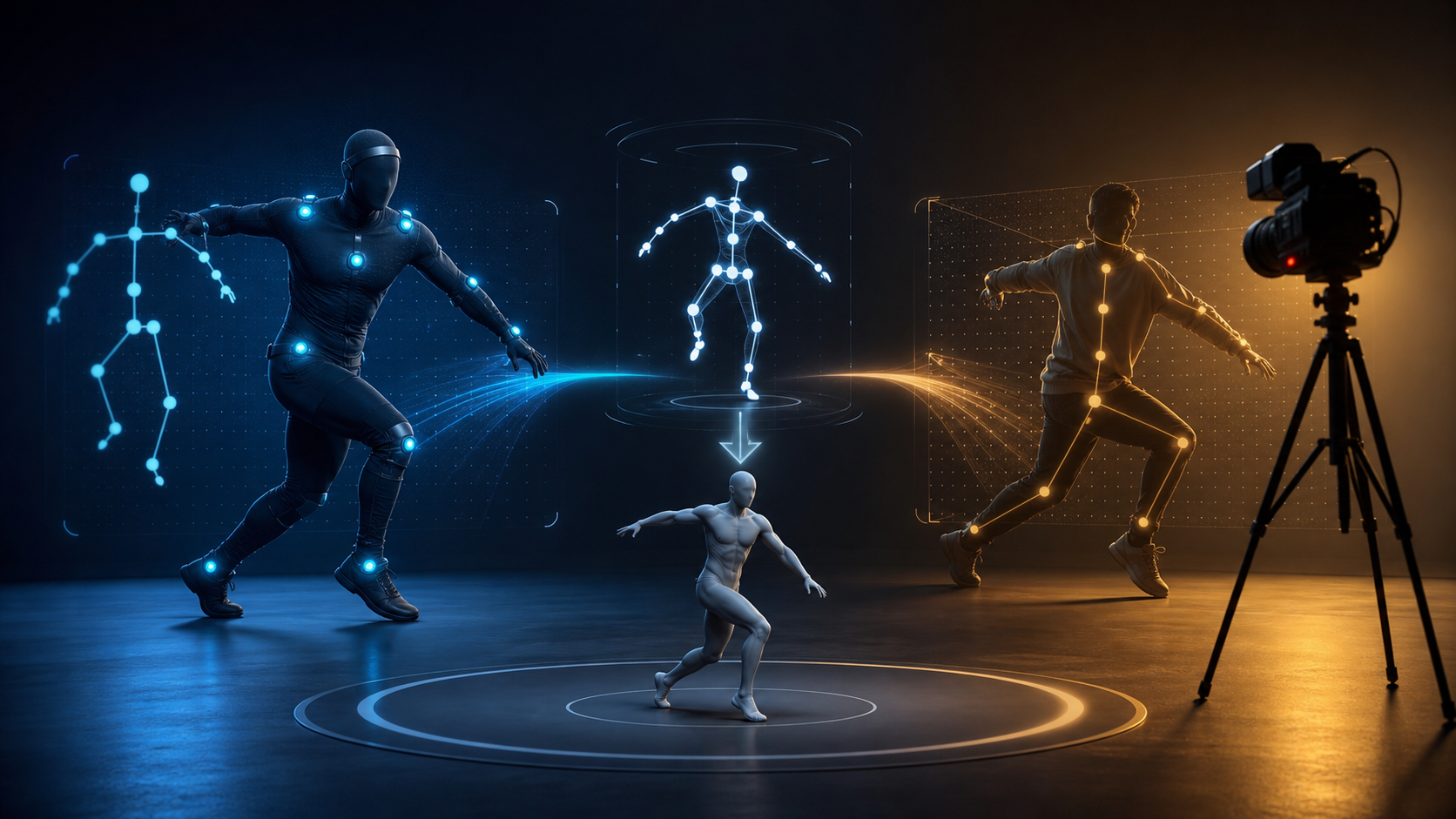
Rokoko is a motion-capture company best known for portable inertial body suits, finger-tracking gloves, face capture, and Rokoko Studio software. Its ecosystem now also includes Vision, a markerless video-to-motion workflow. That range makes Rokoko a useful case study in modern mocap: the same company serves both dedicated hardware production and low-friction AI capture.
The important buying question is not whether the hardware is “good.” It is whether a particular project needs the fidelity, real-time workflow, coverage, and capture volume that justify dedicated sensors.
The Rokoko ecosystem
Smartsuit Pro
The Smartsuit Pro line uses inertial measurement units attached to body segments. The performer can move without remaining inside an optical camera volume, and motion can stream into supported 3D applications.
Inertial capture estimates body orientation from sensor data. It is portable and avoids camera occlusion, but global position, floor contact, and long-take drift still need management.
Smartgloves
Body capture does not automatically provide detailed finger animation. Smartgloves add hand and finger tracking for performances where grasping, pointing, gesturing, or sign-like articulation matters.
Face Capture
Facial performance is a separate data stream. A full-performance workflow can combine body, hands, and face, but each layer needs calibration, synchronization, solving, and review.
Rokoko Studio
Studio is the desktop hub for connecting hardware, recording takes, visualizing motion, applying cleanup filters, retargeting to character rigs, exporting files, and live-streaming data to supported DCC tools and game engines.
Rokoko offers multiple Studio plans. The exact names, prices, monthly allowances, export formats, retargeting, streaming, and collaboration features can change, so verify the official Rokoko pricing page before budgeting.
Rokoko Vision
Rokoko Vision is the company's markerless route. The current Vision 3 workflow processes an uploaded video inside Rokoko Create, sends motion to Studio for editing and retargeting, and supports export to common skeletal formats according to plan.
Vision is not simply “the suit without hardware.” It has different strengths and failure modes: it is inexpensive and accessible, but visibility, camera framing, occlusion, and post-processing matter.
How much does Rokoko cost?
The source article gives fixed hardware and subscription figures, but pricing changes and regional taxes, shipping, bundles, promotions, and billing cycles can materially alter the total. Price the current official cart rather than copying an old number.
Build a total-cost sheet that includes:
- body suit and textile size;
- Smartgloves if finger capture is required;
- face-capture equipment and compatible phone;
- software tier;
- cables, batteries, router, and networking;
- replacement textiles or accessories;
- shipping, duties, tax, and warranty;
- performer and operator time;
- animation cleanup and retargeting;
- support and training;
- backup or redundant hardware for critical shoots.
Rokoko's current software pricing includes a free Starter tier with FBX export and limited Vision processing, followed by paid tiers that expand video-processing allowances, custom character retargeting, export options, live streaming, team features, and advanced tools. Confirm the current table directly because it can change after this article is published.
How an inertial suit captures motion
An inertial system places IMUs on major body segments. Each unit measures rotation and acceleration; software combines the readings with the performer's calibrated proportions to estimate a skeletal pose.
A typical session:
- choose the correct textile and fit;
- connect sensors and confirm firmware;
- place the performer in the requested calibration pose;
- enter or select an actor profile;
- calibrate on a clean, stable floor;
- rehearse the action;
- record short named takes;
- monitor foot contact, heading, and drift;
- recalibrate when the solve degrades;
- clean and retarget selected takes in Studio.
The hardware captures motion data, not a finished performance. A production animator still reviews contacts, root translation, prop interaction, silhouette, and acting.
The main tradeoffs of a mocap suit
Upfront hardware investment
A sensor suit is a capital purchase before any footage is captured. It becomes easier to justify when a team records frequently and can spread the cost across many projects.
Setup and calibration
The performer must dress, connect, and calibrate. Long or demanding sessions may need recalibration. This is still faster than an optical stage setup, but it is not as casual as recording a phone video.
Inertial drift
All inertial systems must estimate position without fixed optical references. Orientation or root position can drift, especially during long takes, repeated turns, or environmental interference. Short takes, clean calibration, and software correction reduce the problem.
Foot and prop contact
Sensors can describe body-segment rotation without perfectly knowing where the floor, chair, sword, or another performer is. Contact often needs IK, constraints, or keyframe cleanup.
Maintenance
Batteries, wireless connections, firmware, sensors, cables, and textiles add operational risk. Check equipment before performers arrive.
Coverage is modular
Body capture, fingers, and face are different systems. Budget and test each layer that the production actually needs.
When does a Rokoko suit make sense?
Use a five-part “hardware threshold.”
1. Fidelity
Does the action include complex rotations, floor work, fast movement, or subtle weight shifts that a single video view may miss?
2. Volume
Will the team capture hours of motion, repeatedly, across many characters or episodes? Dedicated hardware can pay back through throughput.
3. Latency
Does the director, performer, virtual-production stage, or live avatar need motion in real time? Markerless upload workflows are normally post-processed, whereas inertial systems can stream.
4. Coverage
Do you need:
- detailed fingers;
- face plus body synchronization;
- several performers;
- movement outside a camera frame;
- poor or changing light;
- large tracking areas;
- live integration with a 3D application?
These requirements favor hardware.
5. Budget and operations
Can the production afford not only equipment but also staff, cleanup, maintenance, replacements, and learning time?
If a project does not cross this threshold, markerless video may be a more efficient starting point.
For a creator who needs a short rendered shot rather than a reusable skeleton, an image-to-video workflow may be an even lighter alternative. It produces visual footage, whereas Rokoko's workflow is designed to deliver motion data that can be edited and retargeted.
The markerless alternative
Markerless capture uses computer vision to infer a body skeleton from standard footage. The current Rokoko Vision workflow is:
- record a clear source video;
- upload it through Rokoko Create;
- process it with the Vision solver;
- import the result into Rokoko Studio;
- edit, smooth, trim, or loop the motion;
- retarget to a supported skeleton or custom character according to plan;
- export to the target format.
Vision's official page currently advertises a limited monthly free allowance and larger quotas on paid tiers. It also documents important boundaries: uploaded video rather than live webcam capture, monocular processing, no finger tracking at launch, and a workflow oriented around post-processing.
Inertial suit versus markerless video
| Factor | Rokoko inertial hardware | Markerless video capture |
|---|---|---|
| Input | Body-worn sensors | Uploaded camera footage |
| Real-time streaming | Supported with appropriate plan/integration | Normally post-processed |
| Camera occlusion | Not dependent on body visibility | Full-body visibility strongly affects quality |
| Lighting | Generally not a tracking requirement | Clear exposure and contrast matter |
| Tracking space | Constrained mainly by wireless setup | Constrained by camera frame and distance |
| Finger capture | Available with gloves | Vision 3 does not include finger tracking at launch |
| Multiple performers | Hardware workflow can support more than one, depending on setup | Monocular AI workflows generally focus on one visible performer |
| Global position | Can drift and need correction | Depends on camera solve and floor visibility |
| Setup cost | Hardware, software, and operations | Low-cost entry using existing camera footage |
| Best fit | Repeated, complex, real-time, higher-coverage work | Previs, prototypes, independent animation, accessible capture |
Do not reduce the choice to “suit equals perfect, AI equals rough.” Both produce errors; the errors are simply different.
Recording better source video for Vision
- Show the full body from head to feet.
- Keep the camera locked and level.
- Use bright, even light without heavy motion blur.
- Choose fitted clothing that reveals limb contours.
- Keep the performer separated from the background.
- Avoid props or clothing that hide joints.
- Minimize long self-occlusion and limbs crossing.
- Keep the floor visible for foot-contact estimation.
- Start and end in stable poses.
- Record representative tests before a large batch.
Actions mostly across the frame are often easier for monocular depth estimation than motion directly toward the camera.
Integrating Rokoko Studio into production
Retargeting
Match the source skeleton to the target character, align reference poses, verify scale, and bake the animation. Check shoulders, hips, feet, hands, and head direction after the transfer.
Cleanup
Apply smoothing carefully. Excessive filtering can remove sharp impacts and small acting details. Repair root movement, foot locks, floor height, and contacts with scene objects.
Export
Rokoko Studio supports formats and skeleton presets that vary by plan. The official site currently describes FBX on the Starter plan, additional formats and advanced options on paid plans, and presets for common target skeletons. Confirm the exact output needed by Blender, Unreal, Unity, Maya, Cinema 4D, or another destination.
Live streaming
When using hardware for live integration, test network stability, plugin versions, coordinate systems, actor profiles, and reconnect behavior before the performance.
A practical decision framework
Choose a suit when:
- the team captures often;
- real-time visualization matters;
- the camera cannot maintain body visibility;
- finger or synchronized full-performance capture is required;
- multiple performers or a large movement area matter;
- the budget can absorb hardware and operations.
Choose markerless video when:
- the project is a prototype, previs, test, or occasional capture;
- one performer remains visible;
- post-processing is acceptable;
- existing footage must be analyzed;
- cost and setup speed matter more than real-time output;
- the motion can tolerate cleanup.
Use both when it helps. A studio can use Vision for rapid planning and secondary characters, then reserve the suit for hero performances, live sessions, or difficult actions.
Capture QA checklist
- Is actor calibration current and correct?
- Does the root maintain stable direction and scale?
- Are feet locked during planted contact?
- Do hips and shoulders preserve the performer's weight?
- Are hands and props aligned?
- Has smoothing removed intentional acceleration?
- Does the target character's reference pose match?
- Are required fingers, face, and body streams synchronized?
- Are filenames, actor profiles, takes, and settings logged?
- Did the performer consent to the recorded and downstream uses?
Consent and performance rights
Mocap data records a human performance and may be recognizable even without a face. Define:
- who can access raw recordings and solved motion;
- whether data may be reused outside the named project;
- whether it may train or improve a model;
- how long source video and skeletal data will be retained;
- how credit, compensation, and reuse are handled;
- which characters and contexts the performance may drive.
Do not repurpose motion to misrepresent a performer or imply actions they did not authorize.
Conclusion
Rokoko is no longer just an inertial suit company. Its ecosystem spans dedicated body and finger hardware, facial capture, Studio software, and Vision markerless processing. That makes the purchase decision clearer: start from production requirements rather than product prestige.
If the project needs real-time output, repeated high-volume capture, hand detail, multiple performers, or freedom from camera visibility, dedicated hardware can earn its cost. If the goal is previs, a prototype, a creator animation, or an occasional take, uploaded video may deliver enough quality with far less setup.
Test both routes on the real target rig before committing. The correct answer is the one that produces acceptable animation after cleanup at a sustainable total cost.
FAQ
Is Rokoko free?
Parts of the ecosystem are. Rokoko currently offers a free Studio Starter plan and limited monthly Vision processing. Hardware and advanced software features are paid; verify current plans on the official pricing page.
How much does a Rokoko suit cost?
Hardware prices, bundles, taxes, and promotions change. Check Rokoko's official store and calculate the full body, gloves, face, software, shipping, maintenance, and cleanup cost.
Do you need a suit for good motion capture?
No. Markerless video can be useful for prototypes, previs, games, and creator work. A suit becomes more valuable for real-time, difficult, high-volume, finger, face, or multi-performer requirements.
Is AI markerless capture as accurate as a suit?
They fail differently. Markerless capture depends on visibility and camera evidence; inertial capture avoids occlusion but can drift and needs contact correction. Test the representative action rather than relying on a universal ranking.
Can Rokoko work without hardware?
Yes. Rokoko Vision processes uploaded video, and Rokoko Studio has a free tier for core recording/export workflows. Current quotas and retargeting features vary by plan.
Does the Smartsuit drift?
Inertial systems can accumulate positional error. Calibration, shorter takes, clean environments, actor profiles, floor correction, and animation cleanup help manage it.